My Apple ID is my name@custom.com domain

My question is how to I change it back safely? I’m confused. So I log in to iCloud now with my same original Apple ID log in name@appleid.com

once I’m in it says my Apple ID is name@custom.com my custom domain. My original Apple ID name@icloud.com is just registered now to the iCloud that it’s not no different than my name@custom to the iCloud they are the same email. Even on other apps I still log in with original name@icloud.com and I’ve changed my email on them to name@custom.com and it’s as if they are the same name but not. My question is how do I change my name@custom new Apple ID back to my original name@icloud.com Apple ID without getting locked out of my account because when I try to change it back it says it can’t change to that email name@icloud.com at this time, but if I go and reconfigure the dns settings in the cloud flare for my @custom.com will it lock me out of getting back into my iCloud because then they won’t be linked and then they won’t register as the same email. So then will I be locked out because I can’t get verification emails? I’m confused. I just wanna switch back to my name@icloud.com original Apple ID lol I hope this makes sense.

Posted on Dec 6, 2022 7:49 PM

Reply
Question marked as Top-ranking reply

Posted on Dec 9, 2022 11:51 AM

Hi ShieldofAchilles,


You can see the steps to change your Apple ID here: Change your Apple ID - Apple Support


"How to change your Apple ID to a different email address

  1. Go to appleid.apple.com and sign in.
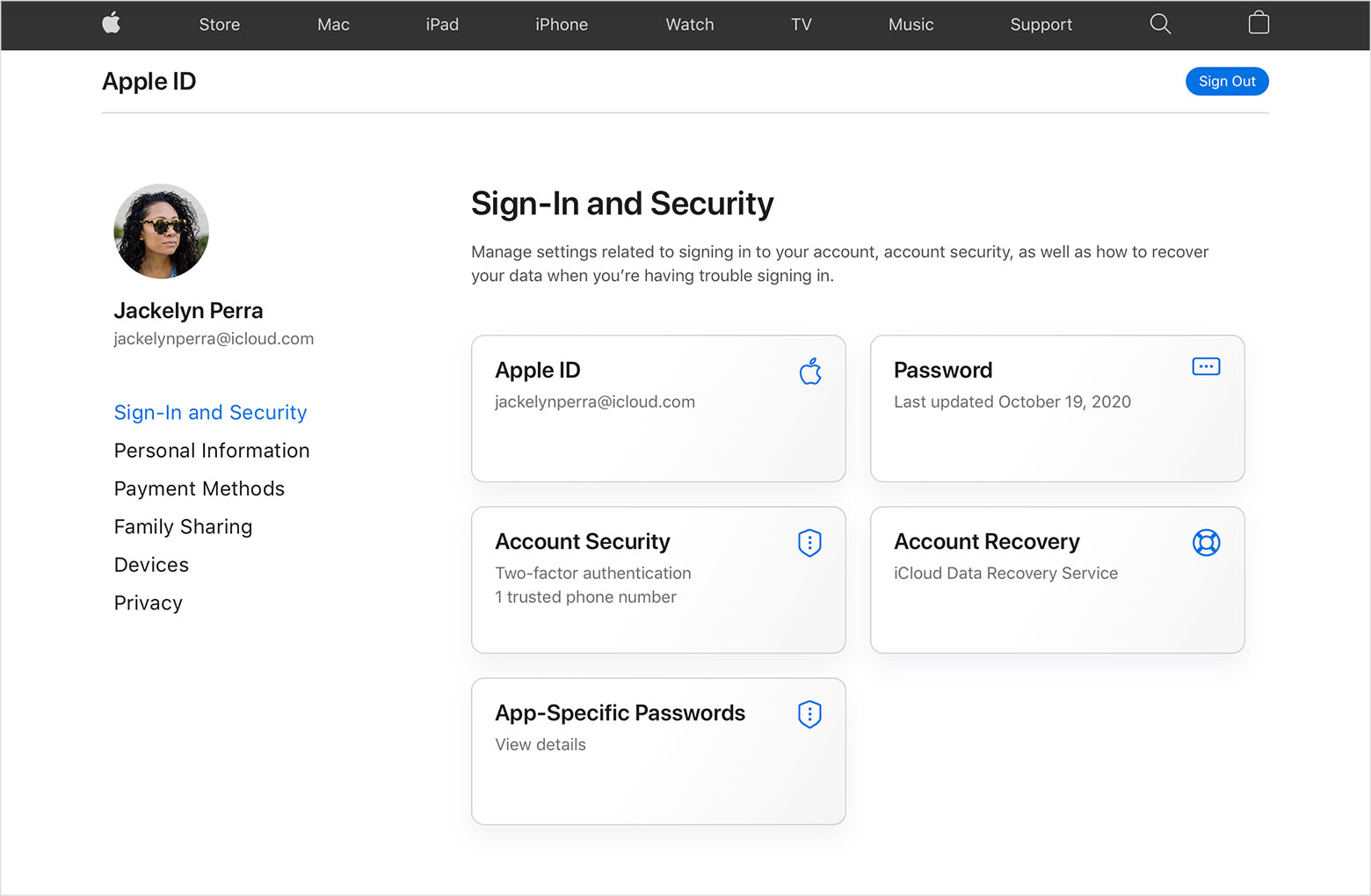
  2. In the Sign-In and Security section, choose Apple ID.

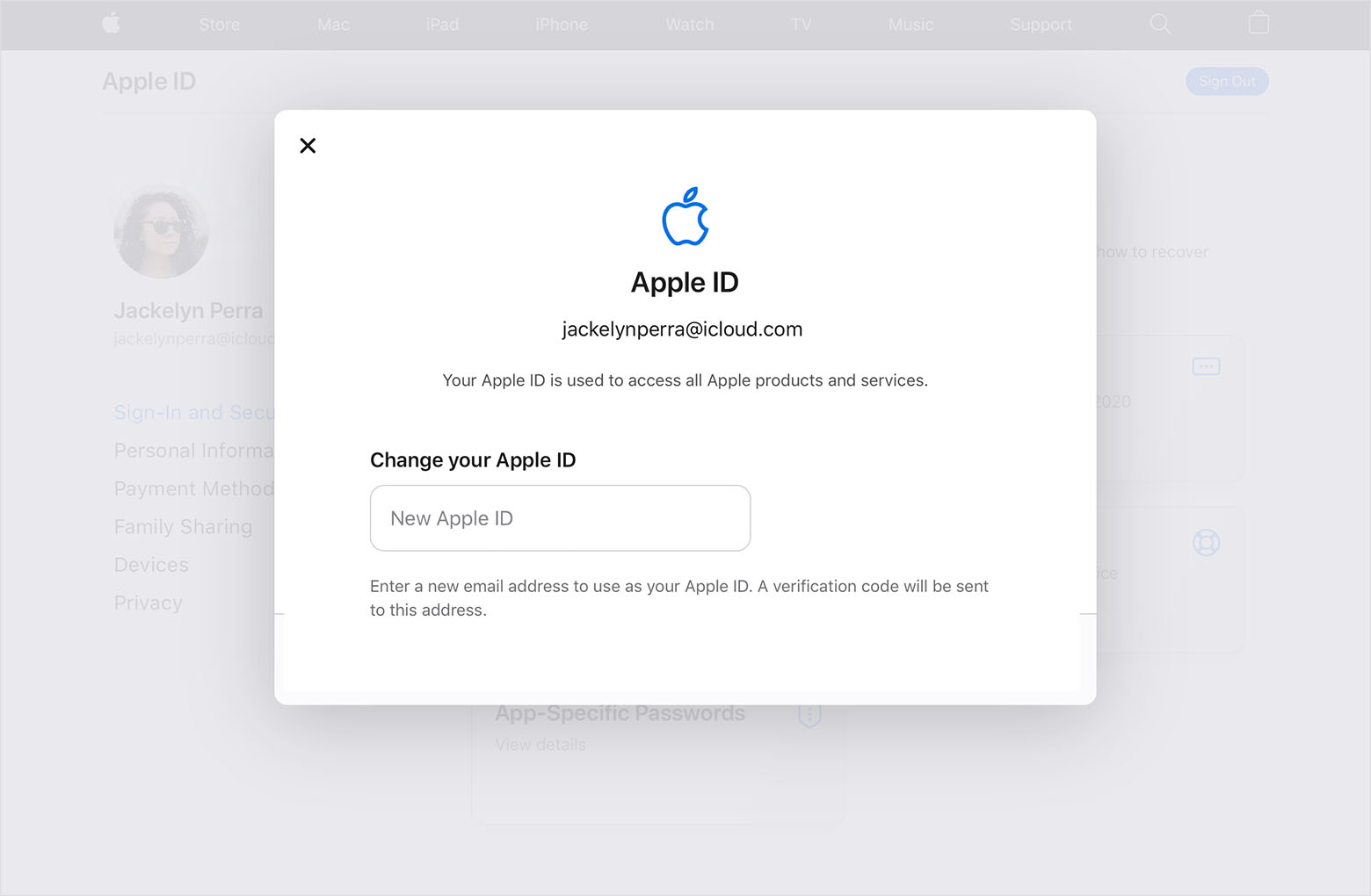
  3. Enter the email address that you want to use as your Apple ID.

  4. Choose Change Apple ID.
  5. If you changed your Apple ID to a third-party email address, check your email for a verification code, then enter the code. Learn what to do if you didn't get the email.
  6. If you use services like iCloud or Messages to share with friends and colleagues, sign in to those services with your updated Apple ID.


If you can't change your Apple ID

If you try to change your Apple ID to an @icloud.com email address that was created within the last 30 days, you will be asked to try again later.

If you see a message that the email address you want to use isn't available or is already in use, check that you or a family member aren't already using that email address with a different Apple ID. If a family member is using that email address, remove it from their account then try to use it. 

In some countries or regions, you can use your phone number as your Apple ID. But if your Apple ID is an email address, you can't change it to a phone number."


If you're unable to change your Apple ID using those steps, we'd advise contacting Apple Support directly for assistance.


Take care.

1 reply
Question marked as Top-ranking reply

Dec 9, 2022 11:51 AM in response to ShieldofAchilles

Hi ShieldofAchilles,


You can see the steps to change your Apple ID here: Change your Apple ID - Apple Support


"How to change your Apple ID to a different email address

  1. Go to appleid.apple.com and sign in.
  2. In the Sign-In and Security section, choose Apple ID.

  3. Enter the email address that you want to use as your Apple ID.

  4. Choose Change Apple ID.
  5. If you changed your Apple ID to a third-party email address, check your email for a verification code, then enter the code. Learn what to do if you didn't get the email.
  6. If you use services like iCloud or Messages to share with friends and colleagues, sign in to those services with your updated Apple ID.


If you can't change your Apple ID

If you try to change your Apple ID to an @icloud.com email address that was created within the last 30 days, you will be asked to try again later.

If you see a message that the email address you want to use isn't available or is already in use, check that you or a family member aren't already using that email address with a different Apple ID. If a family member is using that email address, remove it from their account then try to use it. 

In some countries or regions, you can use your phone number as your Apple ID. But if your Apple ID is an email address, you can't change it to a phone number."


If you're unable to change your Apple ID using those steps, we'd advise contacting Apple Support directly for assistance.


Take care.

This thread has been closed by the system or the community team. You may vote for any posts you find helpful, or search the Community for additional answers.

My Apple ID is my name@custom.com domain

Welcome to Apple Support Community
A forum where Apple customers help each other with their products. Get started with your Apple Account.