How to delete other system data
Can someone tell me how can i delete other system data so i could finally upgrade my ph software? My ph is not allowing me to upgrade because it dont have much space
Can someone tell me how can i delete other system data so i could finally upgrade my ph software? My ph is not allowing me to upgrade because it dont have much space
Hello salmanboy420,
For difficulties with updating due to a lack of available storage you'll want to take the steps below:
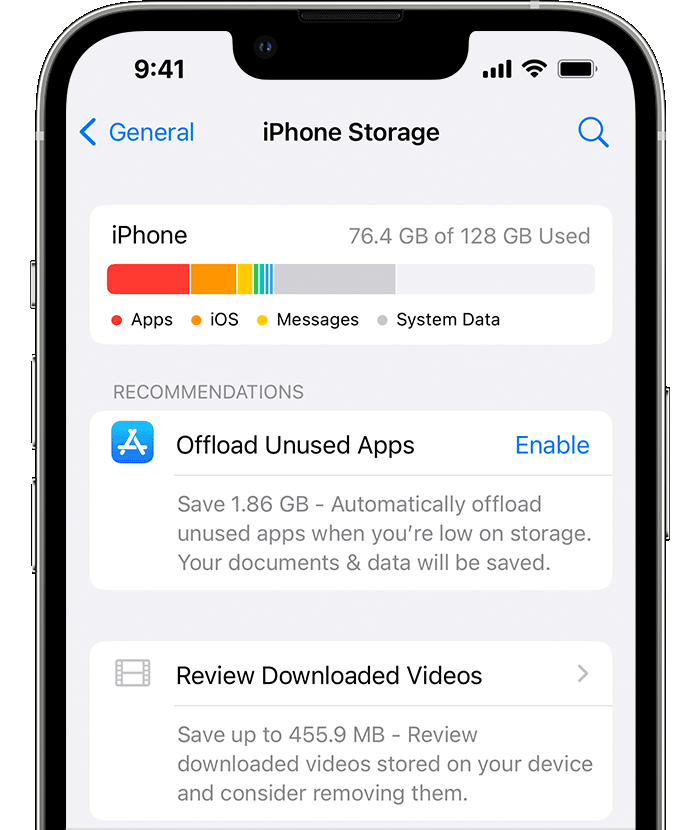
Manage space on your iPhone, iPad, or iPod touch
To make space on your device, try the recommendations. You can also delete or offload apps and content. You don't need to purchase more iCloud storage. What's the difference between device storage and iCloud storage?
1. Go to Settings > General > [device] Storage.
2. Scroll to the Recommendations section to see tips.
3. If you still need more space after you use the recommendations, you can delete apps and content that you don't need. Scroll to the list of apps, then select any app to see how much space it uses.
4. Tap Delete App. Some apps, such as Music, let you delete parts of their documents and data. You can redownload your purchased apps and content again later.
5. Try to install the update again. Go to Settings > General > Software Update.
If you see Other or System Data in the graph that shows your device storage, you don't need to take action to change them. Instead, delete apps and content that you don't need, and use the recommendations.
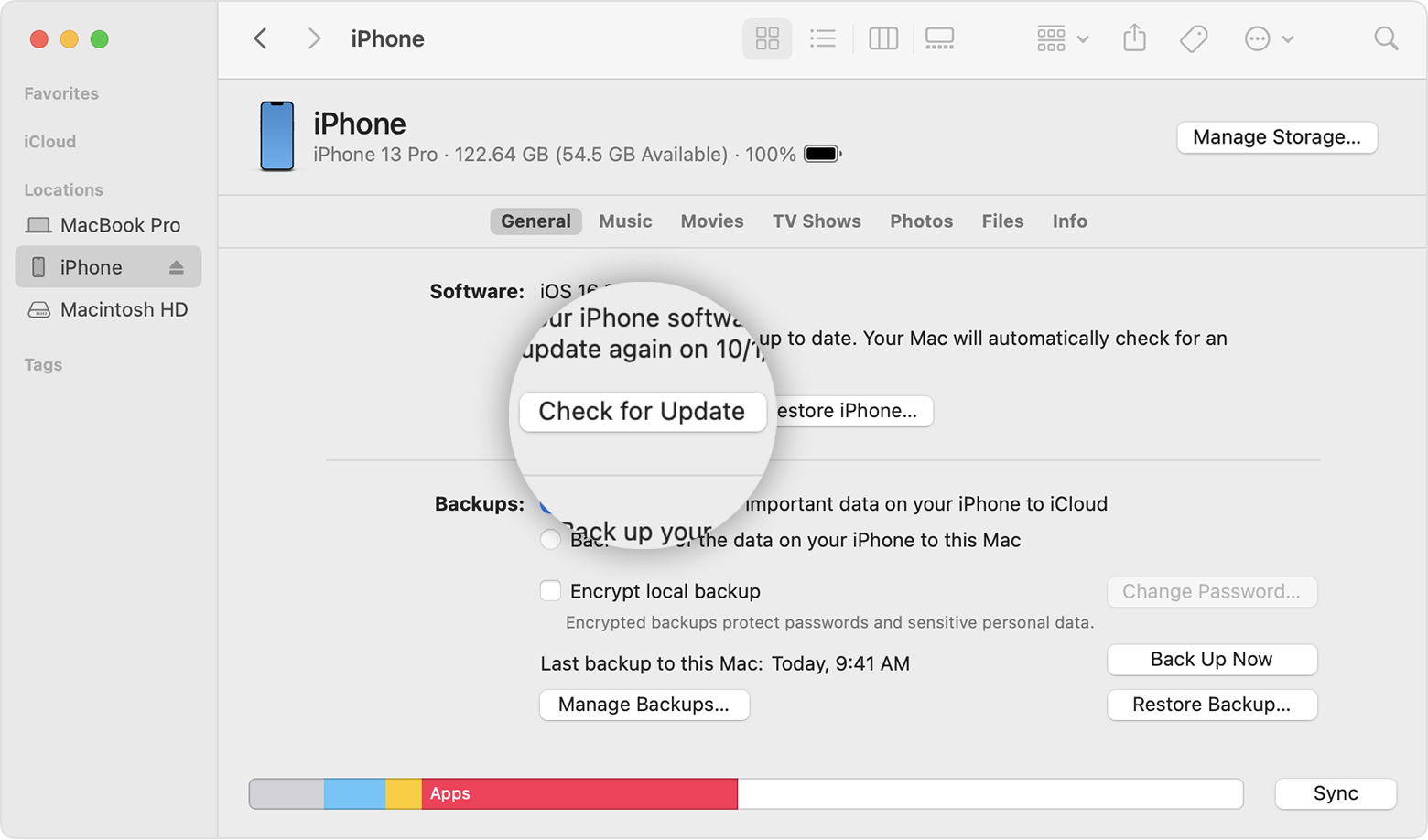
Use your computer to update your iPhone, iPad, or iPod touch
1. On a Mac with macOS Catalina or later, open the Finder. On a Mac with macOS Mojave or earlier, or on a PC, open iTunes.
2. Plug your device into your computer.
3. Locate your device on your computer. You might need to trust your device to continue.
4. Click Check for Update.
5. Click Download and Update.
You can also find those steps in this resource: If you need more space for an update on your iPhone, iPad, or iPod touch - Apple Support
Hopefully that puts you on the path to getting your iPhone updated.
Take care.
Hello salmanboy420,
For difficulties with updating due to a lack of available storage you'll want to take the steps below:
Manage space on your iPhone, iPad, or iPod touch
To make space on your device, try the recommendations. You can also delete or offload apps and content. You don't need to purchase more iCloud storage. What's the difference between device storage and iCloud storage?
1. Go to Settings > General > [device] Storage.
2. Scroll to the Recommendations section to see tips.
3. If you still need more space after you use the recommendations, you can delete apps and content that you don't need. Scroll to the list of apps, then select any app to see how much space it uses.
4. Tap Delete App. Some apps, such as Music, let you delete parts of their documents and data. You can redownload your purchased apps and content again later.
5. Try to install the update again. Go to Settings > General > Software Update.
If you see Other or System Data in the graph that shows your device storage, you don't need to take action to change them. Instead, delete apps and content that you don't need, and use the recommendations.
Use your computer to update your iPhone, iPad, or iPod touch
1. On a Mac with macOS Catalina or later, open the Finder. On a Mac with macOS Mojave or earlier, or on a PC, open iTunes.
2. Plug your device into your computer.
3. Locate your device on your computer. You might need to trust your device to continue.
4. Click Check for Update.
5. Click Download and Update.
You can also find those steps in this resource: If you need more space for an update on your iPhone, iPad, or iPod touch - Apple Support
Hopefully that puts you on the path to getting your iPhone updated.
Take care.
How to delete other system data