music time limit

How can I lengthen the mins, more than 30 mins on Apple Music. I was trying to download an album online and it cuts off at 30 mins. I already tried command I, but I want it set to where there’s no time limit. I never had a problem on my old Mac, so now that I bought a new MacBook Pro there’s an issue.

MacBook Pro 13″, macOS 12.2

Posted on Dec 7, 2022 5:26 PM

Reply
Question marked as Top-ranking reply

Posted on Dec 11, 2022 7:54 AM

Hi shelly231,


Thank you for posting in Apple Support Communities!


There should not be a time limit on how long you can download an album on Apple Music. It may be timing out due to your network.


You can try a few steps to attempt to troubleshoot this:


  1. Test with another Wi-Fi Network. This will help isolate this issue to the network: Connect to the internet with your Mac - Apple Support
  2. Restart your Mac. Restarting can help when experiencing random issues such as this one: Shut down or restart your Mac - Apple Support
  3. Since the Music app updates with the macOS, you should confirm that your macOS is fully up to date. Check out how to update: Update macOS on Mac - Apple Support


Hope that helps!


Similar questions

3 replies
Question marked as Top-ranking reply

Dec 11, 2022 7:54 AM in response to shelly231

Hi shelly231,


Thank you for posting in Apple Support Communities!


There should not be a time limit on how long you can download an album on Apple Music. It may be timing out due to your network.


You can try a few steps to attempt to troubleshoot this:


  1. Test with another Wi-Fi Network. This will help isolate this issue to the network: Connect to the internet with your Mac - Apple Support
  2. Restart your Mac. Restarting can help when experiencing random issues such as this one: Shut down or restart your Mac - Apple Support
  3. Since the Music app updates with the macOS, you should confirm that your macOS is fully up to date. Check out how to update: Update macOS on Mac - Apple Support


Hope that helps!


Dec 11, 2022 6:38 PM in response to shelly231

Hello shelly231,


Thanks for trying those steps. Next, we'd recommend checking to make sure you have not enabled Screen Time and set an App Limit by completing the steps listed here: Use Screen Time on your Mac - Apple Support

that are also listed below.


"Follow these steps in macOS Catalina or later:

  1. Choose Apple menu  > System Preferences, then click Screen Time. 
  2. Click Options in the lower-left corner.


App Limits

Set the amount of time you want to be able use apps. You can set limits on specific apps, or entire categories of apps.
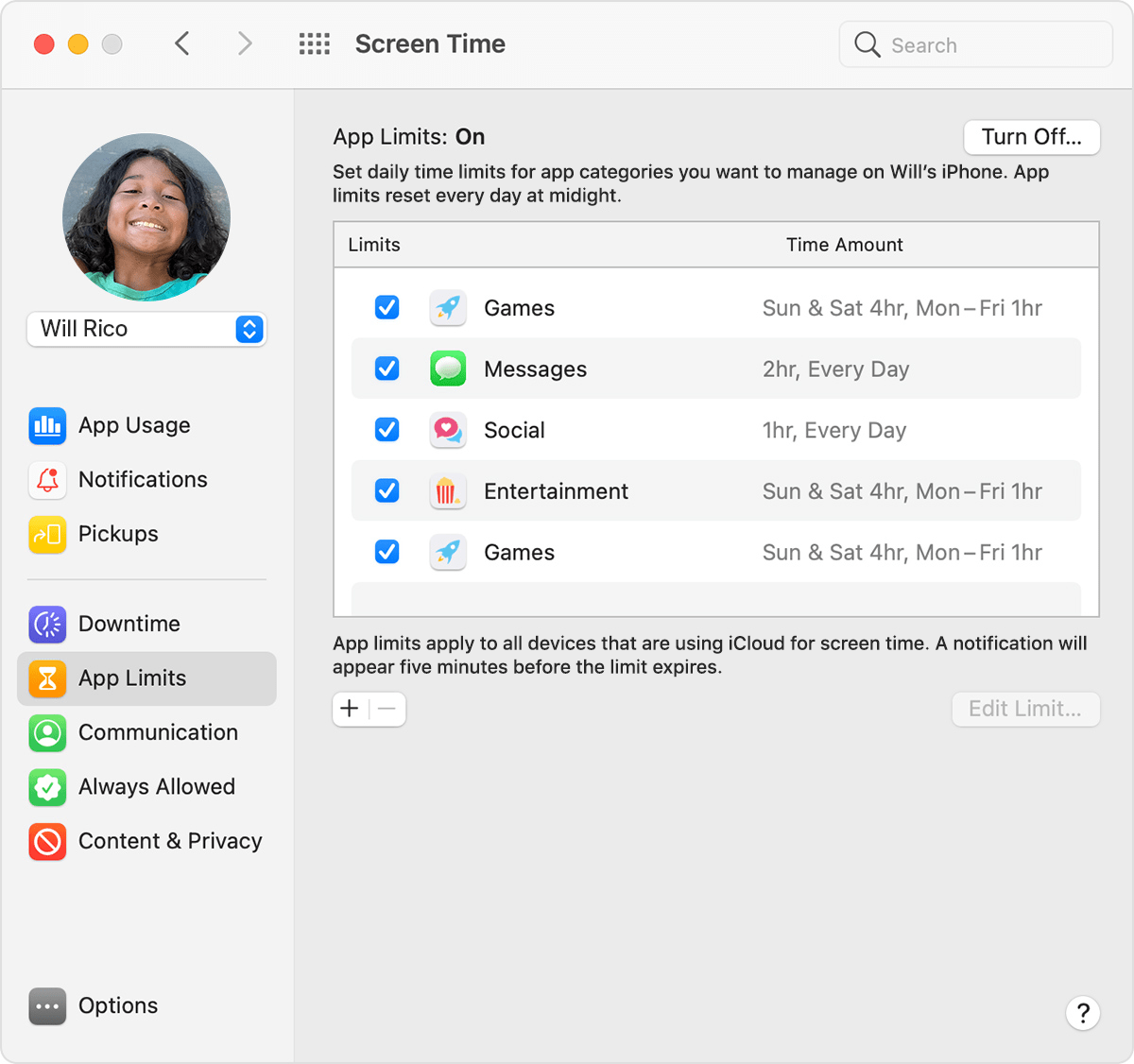
Screen Time preferences: App Limits 

An app-limit notification appears 5 minutes before a limit is reached (expires). After the limit is reached, the app shows a window saying that you've reached your limit. 

  • Click OK to close the app and honor the limit you've set. Or click Ignore Limit, then choose One More Minute, Remind Me in 15 Minutes, or Ignore Limit For Today. 
  • If you've set a Screen Time passcode, App Limits includes an additional setting: “Block at end of limit.” When this setting is selected and you click Ask For More Time when a limit is reached, entering the passcode allows you to approve the app for 15 minutes, an hour, or all day. Child accounts can click One More Minute once, or click Ask For More Time to send their request to the parent account for approval."


Best regards.

This thread has been closed by the system or the community team. You may vote for any posts you find helpful, or search the Community for additional answers.

music time limit

Welcome to Apple Support Community
A forum where Apple customers help each other with their products. Get started with your Apple Account.
