
How can I create my iCloud
Is this helpful
[Image Edited by Moderator]
iPhone 7 Plus
Is this helpful
[Image Edited by Moderator]
iPhone 7 Plus
Hey there, and welcome to Apple Support Communities Temacomminty9,
We can certainly understand your concern and see you came to us from the article If you see a Could Not Create Apple ID or Could Not Set Up iCloud message.
We recommend checking out these steps for more information on how to setup a new account.
" Create an Apple ID on your Mac
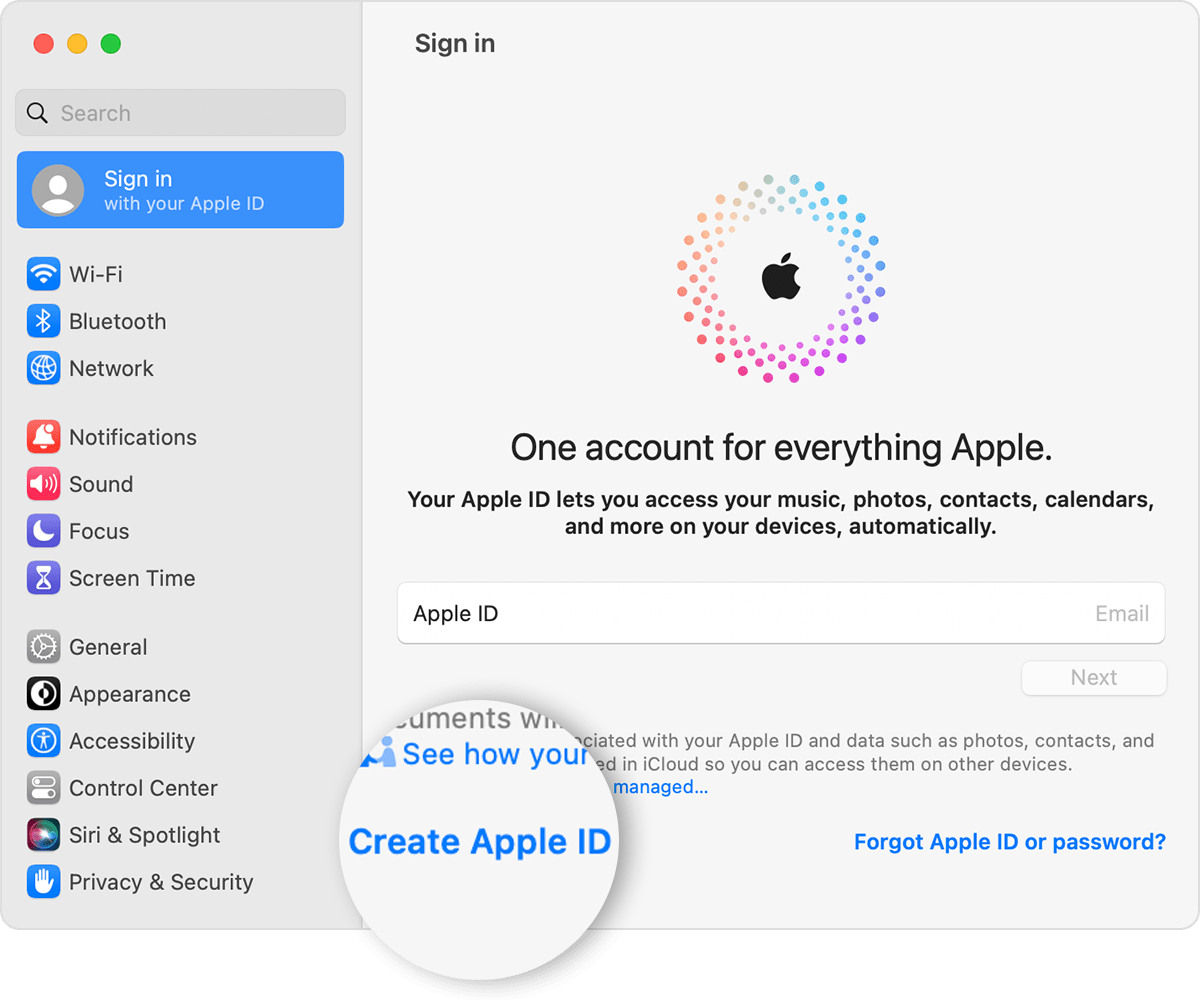
4. Enter your credit card and billing information, then click Continue. You can also choose None. Learn what to do if None isn't showing or you can't select it. You won't be charged until you make a purchase.
5. Check your email for a verification email from Apple and verify your email address.
After you verify your email address, you can use your new Apple ID to sign in to the App Store and other Apple services such as iCloud.
* In China mainland, you might be required to provide a +86 phone number for your Apple ID. You can change the number later, or change your country or region to a location that doesn't require it. This number is only used for verification purposes.
Apple IDs can be created on a Mac with OS X Capitan or later. "
For additional information, check out this link: How to create a new Apple ID - Apple Support
These steps will help ensure your device is working with ease when setting up a new account.
Kindest regards!
Hey there, and welcome to Apple Support Communities Temacomminty9,
We can certainly understand your concern and see you came to us from the article If you see a Could Not Create Apple ID or Could Not Set Up iCloud message.
We recommend checking out these steps for more information on how to setup a new account.
" Create an Apple ID on your Mac
4. Enter your credit card and billing information, then click Continue. You can also choose None. Learn what to do if None isn't showing or you can't select it. You won't be charged until you make a purchase.
5. Check your email for a verification email from Apple and verify your email address.
After you verify your email address, you can use your new Apple ID to sign in to the App Store and other Apple services such as iCloud.
* In China mainland, you might be required to provide a +86 phone number for your Apple ID. You can change the number later, or change your country or region to a location that doesn't require it. This number is only used for verification purposes.
Apple IDs can be created on a Mac with OS X Capitan or later. "
For additional information, check out this link: How to create a new Apple ID - Apple Support
These steps will help ensure your device is working with ease when setting up a new account.
Kindest regards!
L
How can I create my iCloud

