Hey there, and welcome to Apple Support Communities Tao_123,
We can certainly understand your concern and can help provide some insight.
You can use Time Machine backup to save all your folders when needed. We recommend checking out these steps on how to use Time Machine backup in order to save your files.
" Make a backup
After you select your storage device in Time Machine settings, Time Machine automatically begins making periodic backups.
To start a backup manually, without waiting for the next automatic backup, choose Back Up Now from the Time Machine menu  in the menu bar.
Use the same menu to check the status of a backup or skip a backup in progress. For example, if a backup is underway, the menu shows how much of it is done. When a backup is not underway, the menu shows the date and time of the latest backup.
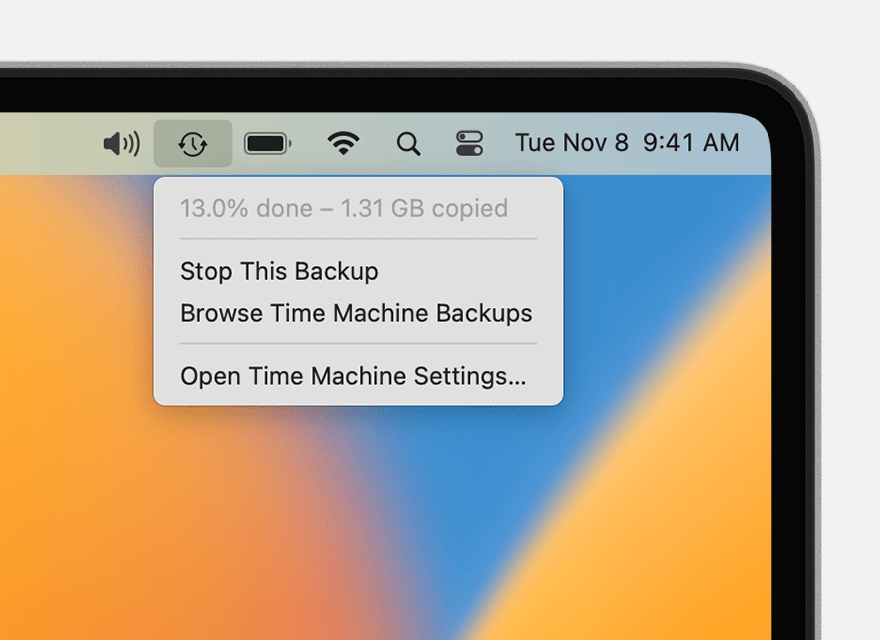
Backup is underway
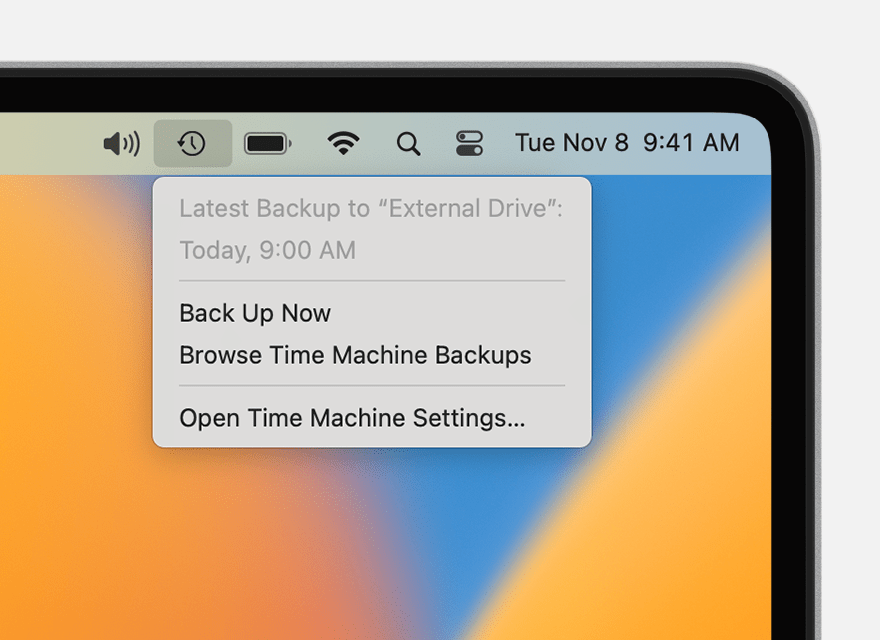
Backup is completed
Backup frequency and duration
Time Machine makes hourly backups for the past 24 hours, daily backups for the past month, and weekly backups for all previous months. The oldest backups are deleted when your backup disk is full.
Beginning with macOS Ventura, you can change the backup frequency: Open Time Machine settings, click Options, then choose a setting from the “Back up frequency” menu.
The first backup might take a long time, but you can continue using your Mac while a backup is underway. Time Machine backs up only the files that changed since the previous backup, so future backups will be faster.
If a Time Machine backup takes longer than you expect "
For additional information, we recommend checking out these links: Back up your Mac with Time Machine - Apple Support & Automator User Guide for Mac - Apple Support
Kindest regards!


