Hello trandafirescu,
Thank you for reaching out to Apple Support Communities.
Let's check to see if you have any color filters enabled:
"Turn on Color Filters
If you have color blindness or other vision challenges, you can use Color Filters to help you differentiate between colors. Color Filters can change the look of things, like pictures and movies, so you might want to use it only when needed.
Open the Settings app, then tap Accessibility > Display & Text Size > Color Filters. You'll see three examples of color spaces to help you select an option that fits your needs. Swipe left or right on the examples to find a filter that works best for you.
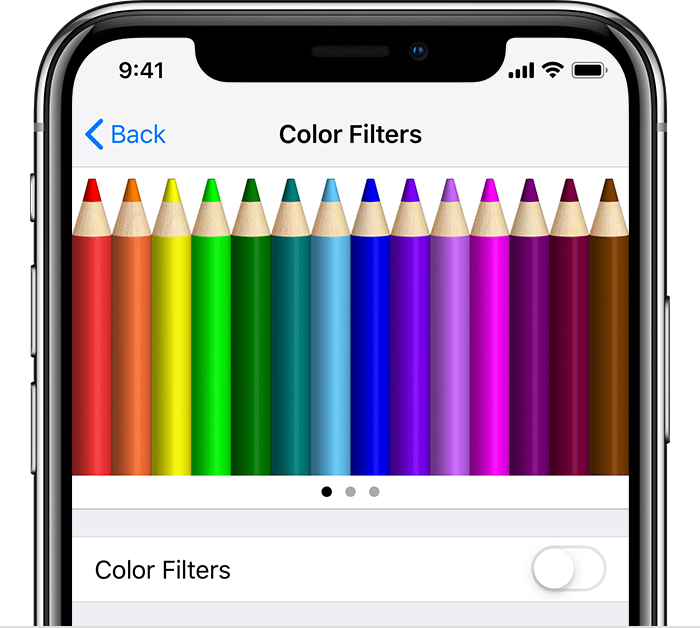
From left to right, this example shows pencils in a rainbow of colors, starting with red and yellow, and ending with purple and brown.
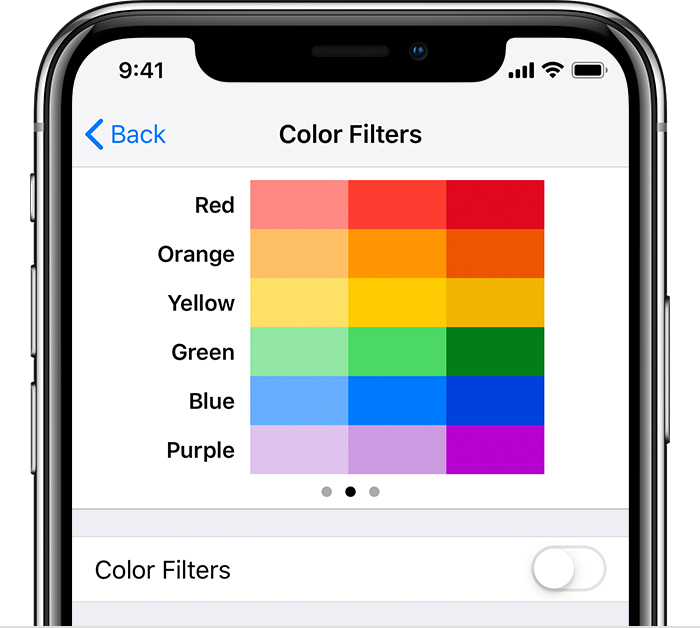
This example shows three columns of color intensity.
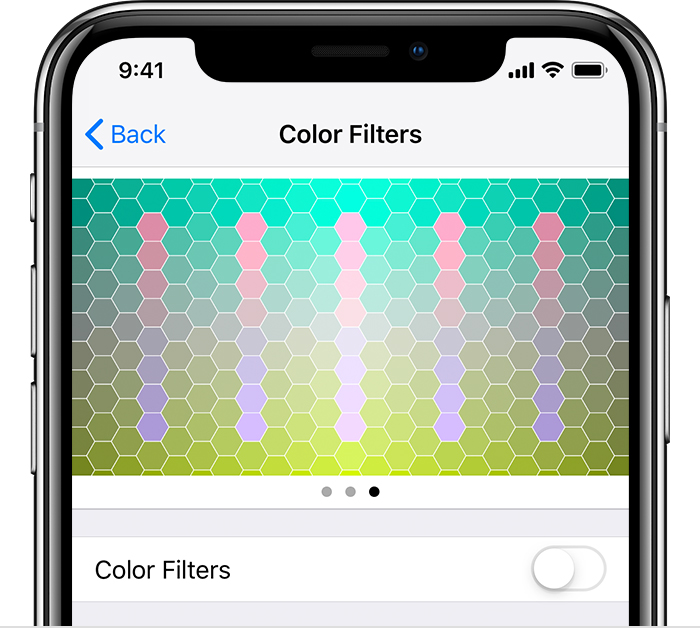
This example shows vertical lines on a variable color background for color deficiencies. Choose the filter that shows the entire line.

Choose a filter
When you turn on Color Filters, you can choose from four preset filters:
- Grayscale
- Red/Green for Protanopia
- Green/Red for Deuteranopia
- Blue/Yellow for Tritanopia
Adjust color intensity
You can adjust the intensity of any of the Color Filters to fit your needs. Use the Intensity slider to customize a filter that's more intense or less intense.
Adjust Color Tint
If you have color or light sensitivity, tap Color Tint to change the hue of the entire display on your iPhone, iPad, or iPod touch. Use the sliders to adjust your display's hue and the intensity of the effect."
More details can be found here: Use display and text size preferences on your iPhone, iPad, and iPod touch
If the issue persists, can you provide a few more details? When did you first notice this? Also, what is your exact iOS version?
Cheers!


