How can I group texting.

How can I send my text to multiple peoples


iPhone 11, iOS 16

Posted on Dec 11, 2022 1:37 PM

Reply
Question marked as Top-ranking reply

Posted on Dec 13, 2022 6:26 PM

Hi rafea80,


Thanks for posting here in Apple Support Communities. You can send both group iMessages and group MMS messages to multiple recipients. This article will walk you through doing it: Send a group text message on your iPhone, iPad, or iPod touch


"There are three types of group messages that you might see: group iMessage, group MMS, and group SMS. The Messages app automatically chooses the type of group message to send based on settings, network connection, and carrier plan. For example:
  • If you and your recipients are using Apple devices and iMessage is turned on, then the group message is sent as an iMessage.
  • If you send a group message to people who aren't using iMessage, then the message is sent as an MMS or SMS message.

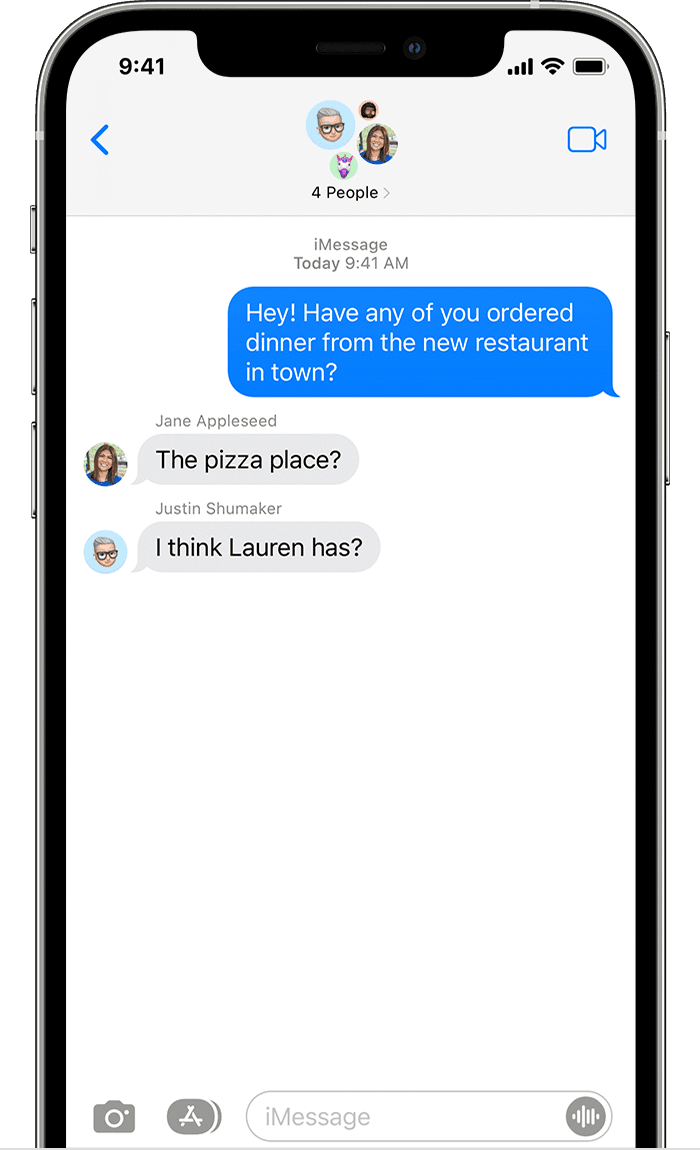
iPhone showing a group text iMessage with five people. 

Group iMessage

These messages appear in blue text bubbles. They go through Apple instead of your carrier, and are protected by end-to-end encryption. In a group iMessage, everyone can:

  • Send and receive photos, videos, and audio messages
  • See all responses from the group
  • Send and receive message effects, like sketches, animations, bubble effects, and more
  • Share their location with the group
  • Give the group a name, add or remove people from the group, mute notifications, or leave the group

iPhone showing a group text MMS message with six people. 

Group MMS

These messages appear in green text bubbles and go through your carrier instead of Apple. In a group MMS, everyone can:

  • Send and receive photos and videos
  • See all responses from the group
  • Mute notifications"


Take care.


1 reply
Question marked as Top-ranking reply

Dec 13, 2022 6:26 PM in response to rafea80

Hi rafea80,


Thanks for posting here in Apple Support Communities. You can send both group iMessages and group MMS messages to multiple recipients. This article will walk you through doing it: Send a group text message on your iPhone, iPad, or iPod touch


"There are three types of group messages that you might see: group iMessage, group MMS, and group SMS. The Messages app automatically chooses the type of group message to send based on settings, network connection, and carrier plan. For example:

  • If you and your recipients are using Apple devices and iMessage is turned on, then the group message is sent as an iMessage.
  • If you send a group message to people who aren't using iMessage, then the message is sent as an MMS or SMS message.

iPhone showing a group text iMessage with five people. 

Group iMessage

These messages appear in blue text bubbles. They go through Apple instead of your carrier, and are protected by end-to-end encryption. In a group iMessage, everyone can:
  • Send and receive photos, videos, and audio messages
  • See all responses from the group
  • Send and receive message effects, like sketches, animations, bubble effects, and more
  • Share their location with the group
  • Give the group a name, add or remove people from the group, mute notifications, or leave the group

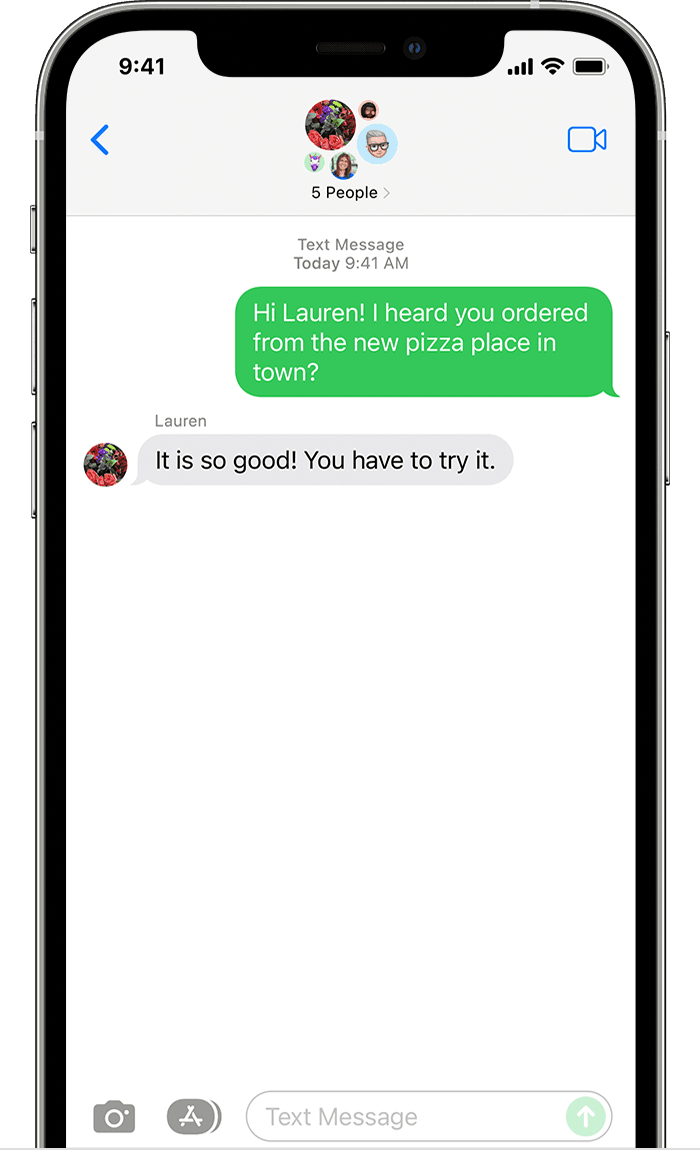
iPhone showing a group text MMS message with six people. 

Group MMS

These messages appear in green text bubbles and go through your carrier instead of Apple. In a group MMS, everyone can:

  • Send and receive photos and videos
  • See all responses from the group
  • Mute notifications"


Take care.


This thread has been closed by the system or the community team. You may vote for any posts you find helpful, or search the Community for additional answers.

How can I group texting.

Welcome to Apple Support Community
A forum where Apple customers help each other with their products. Get started with your Apple Account.