Hi! How do i connect my IMEI2 and Esim if my ATT states it is locked even though it is Unlocked, and ATT will not assist. On hold all day.

Support

iPhone 12 Pro Max, iOS 16

Posted on Dec 12, 2022 11:42 AM

Reply
1 reply

Dec 14, 2022 2:53 PM in response to MOTHERYUKEE

Hi MOTHERYUKEE,


Thanks for posting in Apple Support Communities! If you're trying to activate an eSIM with your iPhone, the steps below from the article About eSIM on iPhone will help:


"Transfer a physical SIM or eSIM on your previous iPhone to an eSIM on your new iPhone after setup

  1. On your new iPhone, go to Settings > Cellular > Add Cellular Plan. 
  2. Choose a cellular plan to transfer from another device. If you don't see a list of numbers, tap Transfer From Another Device. This requires both devices to have iOS 16 or later.
  3. Check for instructions on your previous iPhone to confirm the transfer. To confirm, tap Transfer or, if asked for a verification code, enter the code that's displayed on your new iPhone.
  4. Wait for the cellular plan to activate on your new iPhone. Your previous SIM is deactivated when the cellular plan on your new iPhone activates.
  5. If a banner appears on your new iPhone that says Finish Setting Up Your Carrier's Cellular Plan, tap it. You will be redirected to your carrier's webpage to transfer your eSIM. If you need help, contact your carrier.


Convert a physical SIM to an eSIM on the same iPhone

You can convert a physical SIM to an eSIM on the same iPhone, if your carrier supports it. Follow these steps:
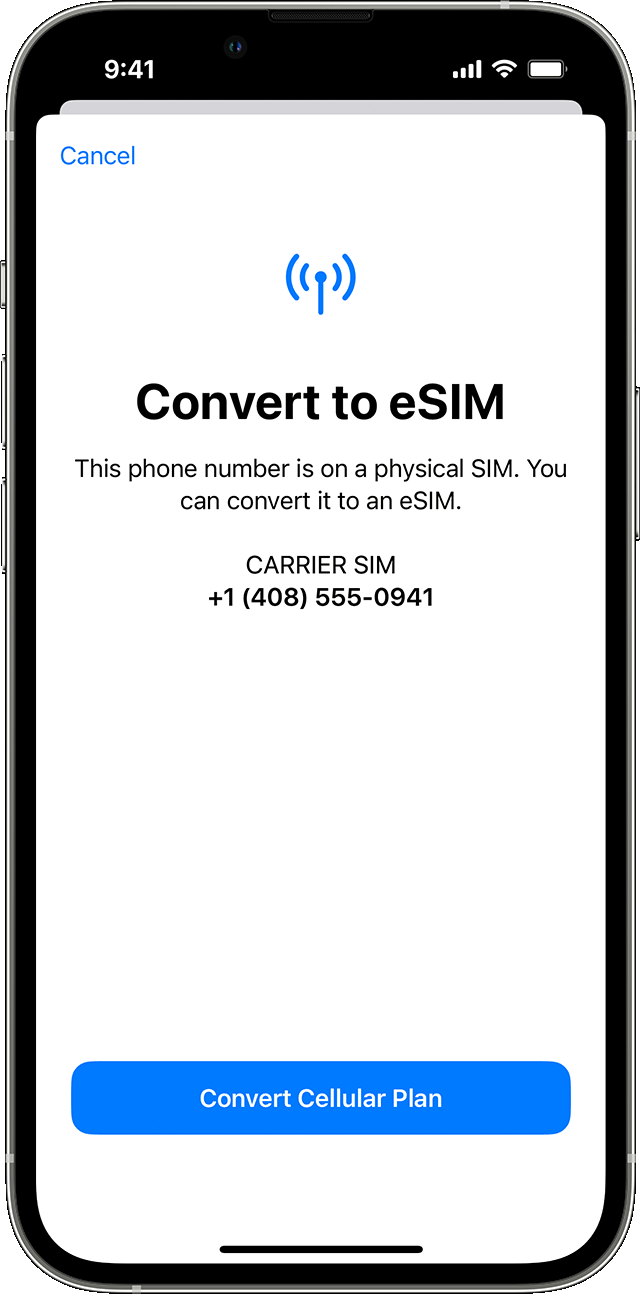
  1. On your iPhone, go to Settings > Cellular.
  2. Tap Convert to eSIM.
  3. If you don't see Convert to eSIM, your carrier doesn't support this option. Contact your carrier to move your phone number from your physical SIM to an eSIM using eSIM Carrier Activation or by scanning a QR code.
  4. Tap Convert Cellular Plan.

5. Tap Convert to eSIM.

6. Wait for your eSIM to activate. Your previous SIM card is deactivated when the cellular plan on your iPhone activates.

7. Remove the physical SIM from your iPhone. Then restart your iPhone."


Should you run into any issues setting it up, follow the guidance here: If you can't set up an eSIM on your iPhone. If you're still unable to set it up, tell us more about what issues you're running into. Are you getting an error message?


Cheers!

This thread has been closed by the system or the community team. You may vote for any posts you find helpful, or search the Community for additional answers.

Hi! How do i connect my IMEI2 and Esim if my ATT states it is locked even though it is Unlocked, and ATT will not assist. On hold all day.

Welcome to Apple Support Community
A forum where Apple customers help each other with their products. Get started with your Apple Account.