
delete groups
How does one delete a group on messages and delete individual names in a group?
iPhone 13
How does one delete a group on messages and delete individual names in a group?
iPhone 13
Hello Sjtdiego,
Thanks for choosing the Apple Support Communities. We see you're trying to edit or remove group Messages on your iPhone. To do this, they must be a group iMessage. Group SMS can be deleted, but if someone messages the group, they will reappear in your inbox. Here is more info on using group messages using iMessage.
Send a group text message on your iPhone, iPad, or iPod touch - Apple Support
Leave a group text message thread on your iPhone or iPad - Apple Support
"Leave a group text message thread on your iPhone or iPad
You can leave a group text message as long as there are three other people on the thread and everyone is using an Apple device. You can also mute notifications for certain group text messages.
To leave a group text, everyone needs to be using iMessage, which is an Apple feature. Not sure if you're using iMessage or SMS/MMS? Learn the difference between iMessage and SMS/MMS.
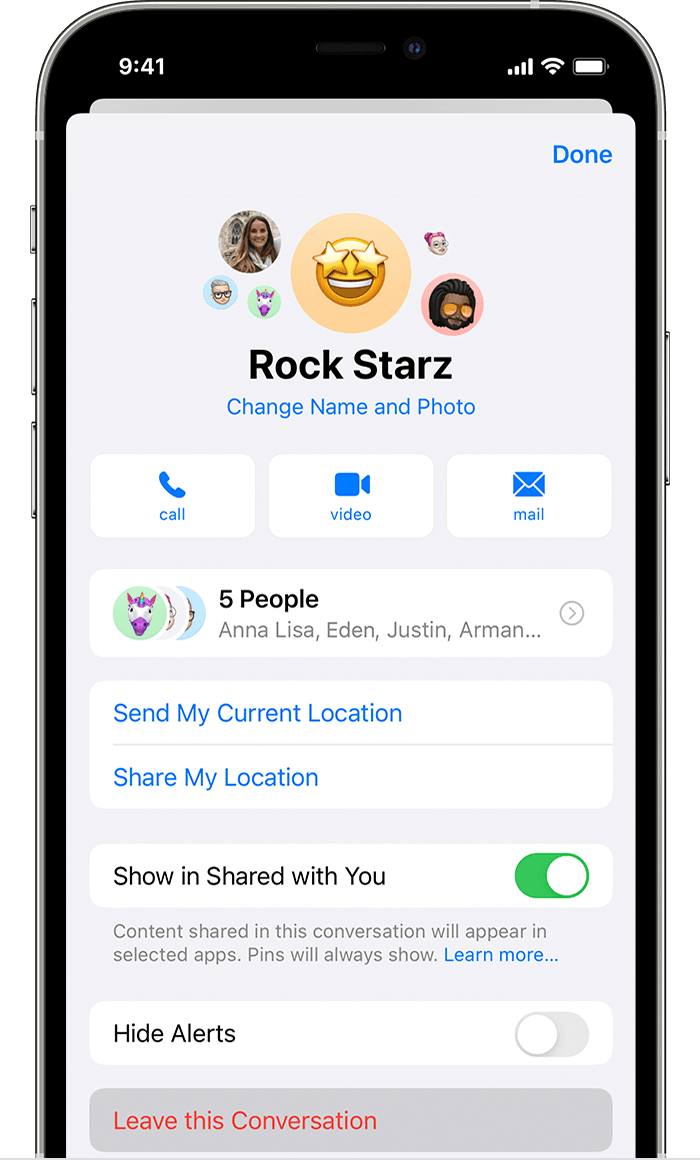
How to leave a group text message
 , then tap Leave this Conversation.
You can leave a group text message as long as there are three other people on the thread and everyone is using an Apple device, like an iPhone or iPad. If you don't see the option to leave, it might mean that one or more of the users isn't using an Apple device with iMessage.
With iOS 16 and later, you can use Messages to colaborate on a project with others. If you leave a group message where everyone collaborates on a project, you may still have access to the project afterwards. Apps that host the shared project usually control access.
If you can't leave a group text message, you can mute the conversation so you don't get notifications.

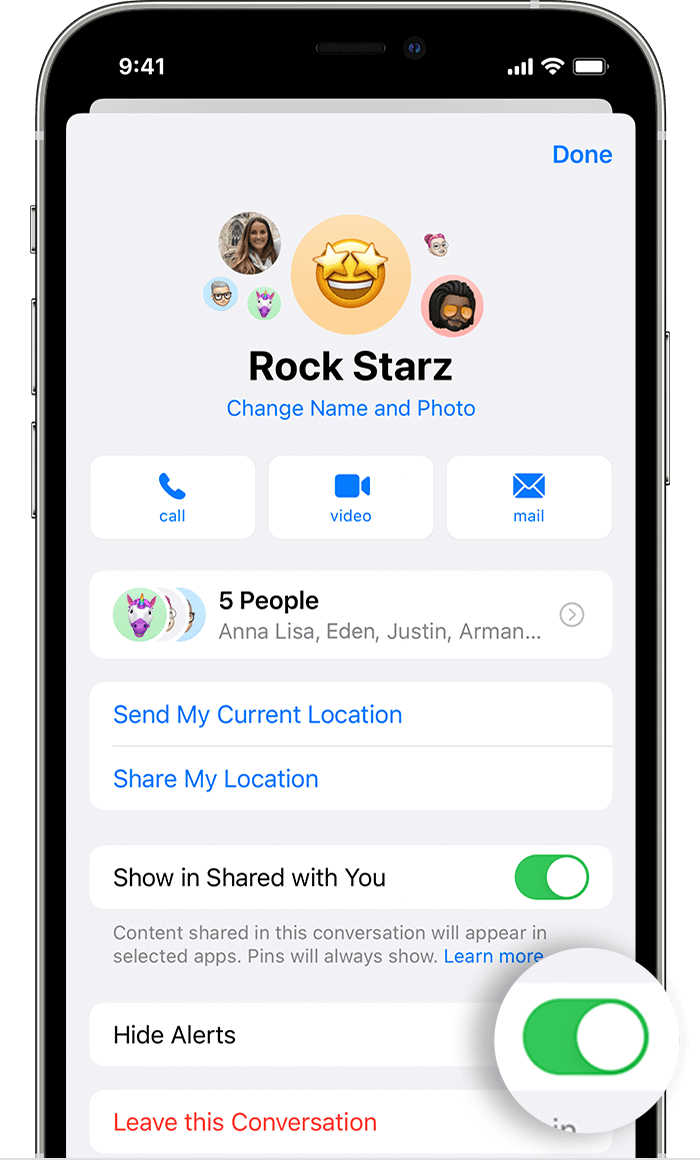
How to mute a group text message
.Or, from your list of messages conversations, you can swipe left over the group text message and tap the Alerts button  . With iOS 15, When Hide Alerts is on, the Hide Alerts icon appears next to the conversation on the right side. With iOS 14 or earlier, a crescent moon icon
  will appear next to the conversation.
Hide Alerts stops notifications for a specific group text message, but not for all the messages on your device. You'll still receive all other messages and notifications. Learn more about managing your notifications."
We hope this helps.
Cheers!
Thanks!
delete groups

