Hey g_quinzon,
We'd be happy to help out. There's not a limit to how many songs you can add on the Apple Music trial. It's no different than a regular subscription in terms of what you're capable of doing while using it.
As for your MacBook Air, you'd want to use the Music app in order to manage and add music to your Apple Music library.
For more help on adding songs to your library, check out these steps:
Add music from Apple Music to your library
Follow the steps below for your device.
How to add music from Apple Music on your iPhone, iPad, or Android
1. Open the Apple Music app.
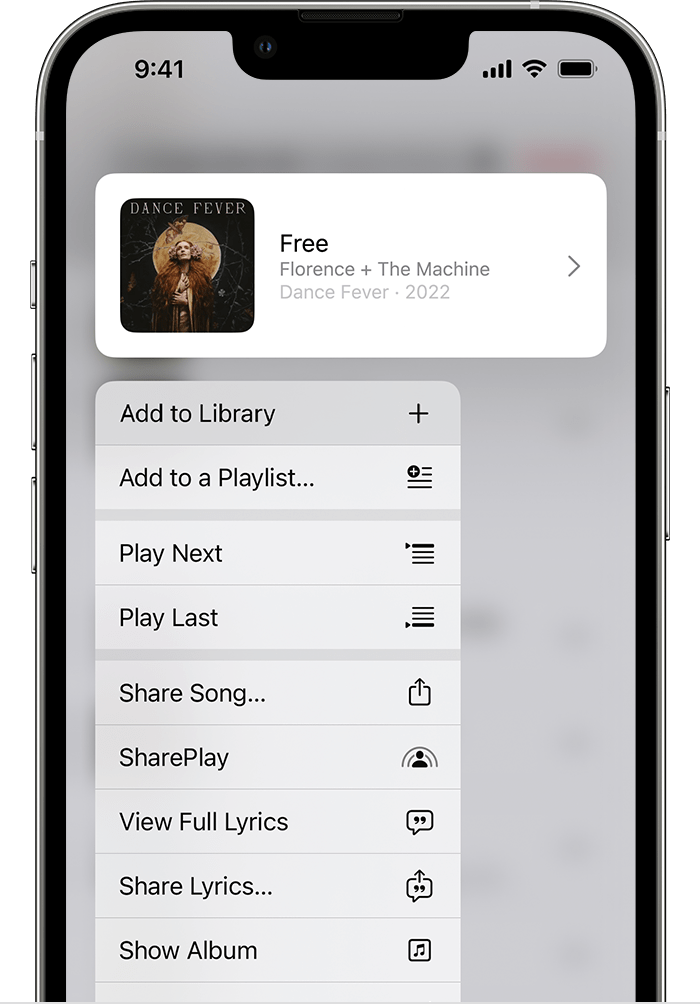
2. Touch and hold a song, album, or playlist that you want to add to your library.
3. Tap Add to Library.
How to add music from Apple Music on your Mac or PC
1. Open the Apple Music app or iTunes.
2. Find music that you want to add to your library.
3. To add a song, click the Add button  . To add an album, playlist, or music video, click +Add.
All this and more is available here: Add and download music from Apple Music
We hope this helps out.
Take care!


