Different password for same Apple ID

I changed my password for my Apple ID using my MacBook but it does not seem to have updated on the iCloud or the Apple ID website. So now I have 2 different passwords for the same Apple ID. The Apple ID website puts the correct date I changed my password but it has not updated to the same as my other devices! I don't understand this. I thought the website would automatically updated when I change the password on another device. I'm really confused now.


Posted on Dec 13, 2022 5:27 AM

Reply
Question marked as Top-ranking reply

Posted on Dec 15, 2022 9:12 AM

Hi apple-in-the-jeans,


Just to confirm, did you change your Apple ID password or the login password on your Mac with these steps: Change the login password on Mac. If you changed your login password, this does not impact your Apple ID password.


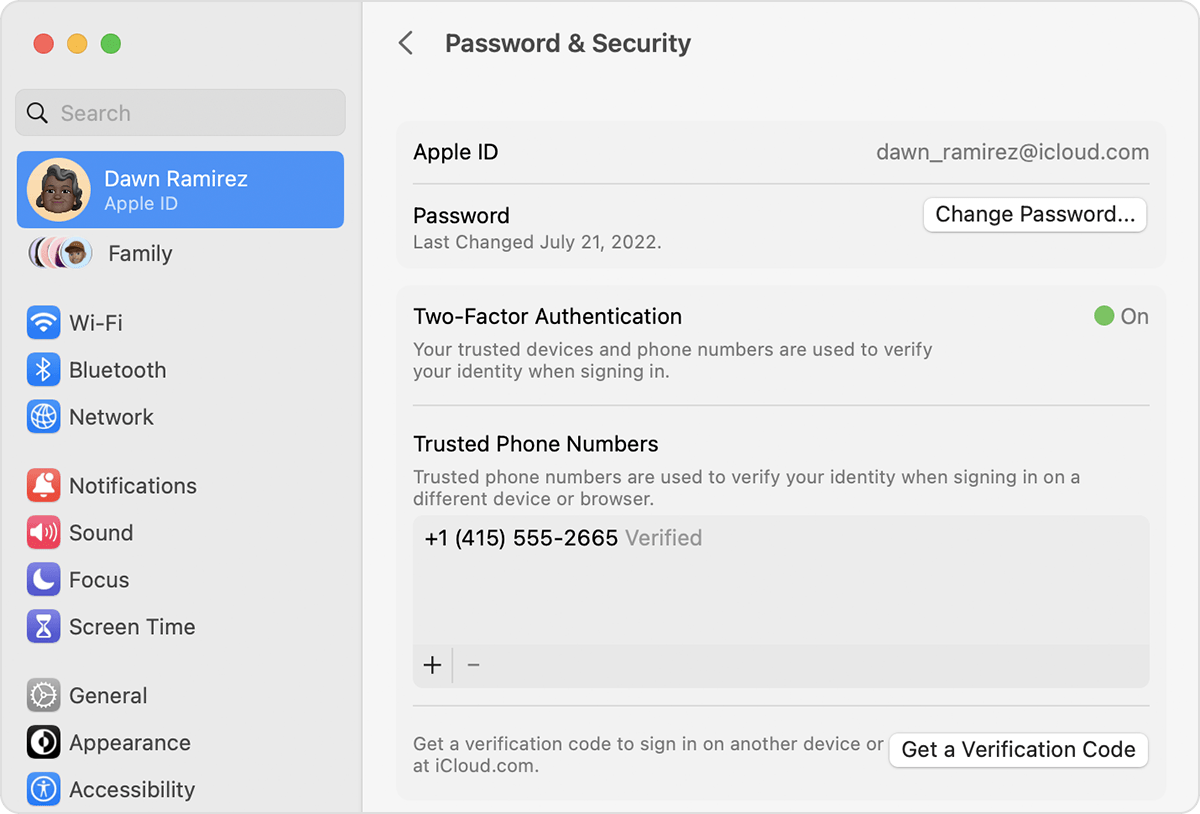
You would need to follow these steps to Change your Apple ID password.

Change your Apple ID password on your Mac

1. Choose Apple menu  > System Settings (or System Preferences), then click your name (or Apple ID).
2. Click Password & Security.
3. Click Change Password. Before you can reset your Apple ID password, you'll be required to enter the password used to unlock your Mac. 
Change your Apple ID password on Mac

The following resource has information on What to do after you change your Apple ID or password.


Cheers.

3 replies
Question marked as Top-ranking reply

Dec 15, 2022 9:12 AM in response to apple-in-the-jeans

Hi apple-in-the-jeans,


Just to confirm, did you change your Apple ID password or the login password on your Mac with these steps: Change the login password on Mac. If you changed your login password, this does not impact your Apple ID password.


You would need to follow these steps to Change your Apple ID password.

Change your Apple ID password on your Mac

1. Choose Apple menu  > System Settings (or System Preferences), then click your name (or Apple ID).
2. Click Password & Security.
3. Click Change Password. Before you can reset your Apple ID password, you'll be required to enter the password used to unlock your Mac. 
Change your Apple ID password on Mac

The following resource has information on What to do after you change your Apple ID or password.


Cheers.

This thread has been closed by the system or the community team. You may vote for any posts you find helpful, or search the Community for additional answers.

Different password for same Apple ID

Welcome to Apple Support Community
A forum where Apple customers help each other with their products. Get started with your Apple Account.