I have 3 different Apple ID’S because 2 of my phones were lost now I can’t access my photos. What can I do about this
I have 3 Apple ID’s because 2 of my phones were lost. Therefore my photos were also lost. How can I recover them
😡😡😡
iPhone 8 Plus
I have 3 Apple ID’s because 2 of my phones were lost. Therefore my photos were also lost. How can I recover them
😡😡😡
iPhone 8 Plus
Hello Needmorecowbel,
To access content associated with a particular Apple ID, it will be necessary to login to that particular Apple ID.
If you are unable to login as a result of needing a verification code for an Apple ID with two-factor authentication then this page can help out with that: Get a verification code and sign in with two-factor authentication
For example, one option would be to get a text or phone call at the trusted number, if your current iPhone is using the same one:
If you don’t have a trusted device handy, you can have a verification code sent to your trusted phone number as a text message or phone call.
1. Click Didn't get a verification code on the sign in screen.
2. Choose to have the code sent to your trusted phone number.
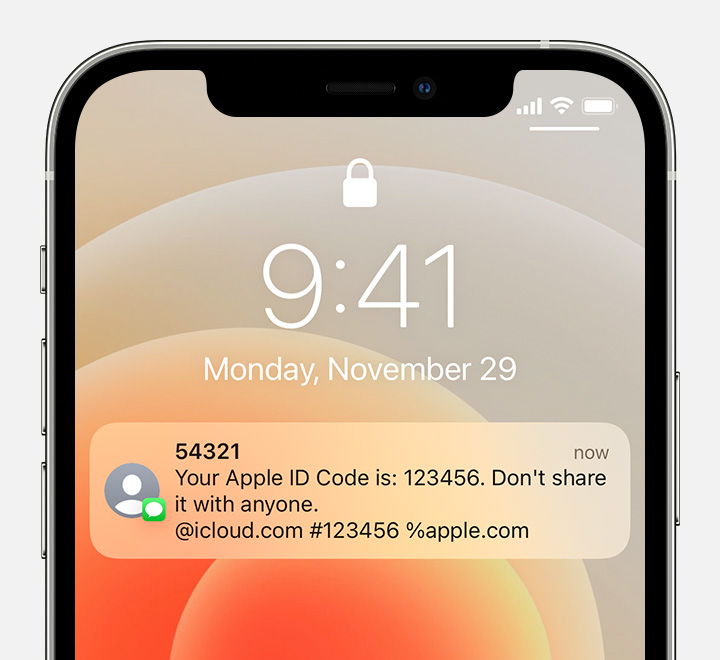
3. You'll get a text message or phone call from Apple with your verification code. This text message might include an additional domain validation line. This line includes the @ symbol, the website name, and your code (for example: @icloud.com #123456 %apple.com).
4. Enter the code on your other device to complete sign in.
The page helps to note the following info to review if none of the available options on the page are able to help:
If you still can't sign in
If you can’t sign in, reset your password, or receive verification codes, you can request account recovery to regain access to your account. Account recovery might take a few days or longer, depending on the specific account information you can provide to verify your identity.
Take care.
Hello Needmorecowbel,
To access content associated with a particular Apple ID, it will be necessary to login to that particular Apple ID.
If you are unable to login as a result of needing a verification code for an Apple ID with two-factor authentication then this page can help out with that: Get a verification code and sign in with two-factor authentication
For example, one option would be to get a text or phone call at the trusted number, if your current iPhone is using the same one:
If you don’t have a trusted device handy, you can have a verification code sent to your trusted phone number as a text message or phone call.
1. Click Didn't get a verification code on the sign in screen.
2. Choose to have the code sent to your trusted phone number.
3. You'll get a text message or phone call from Apple with your verification code. This text message might include an additional domain validation line. This line includes the @ symbol, the website name, and your code (for example: @icloud.com #123456 %apple.com).
4. Enter the code on your other device to complete sign in.
The page helps to note the following info to review if none of the available options on the page are able to help:
If you still can't sign in
If you can’t sign in, reset your password, or receive verification codes, you can request account recovery to regain access to your account. Account recovery might take a few days or longer, depending on the specific account information you can provide to verify your identity.
Take care.
I have 3 different Apple ID’S because 2 of my phones were lost now I can’t access my photos. What can I do about this