Message
How do I create a group message for more than 20 people
iPhone 13 Pro Max, iOS 16
How do I create a group message for more than 20 people
iPhone 13 Pro Max, iOS 16
Hello __Mike__,
Thanks for posting in the Apple Support Communities.
It sounds like you're looking to create a group message on your iPhone for texting, right?
If we have this correct, let's see if the following information is able to help out! If you're unable to do this with SMS messages, check with your wireless provider to see if there is a block on your account preventing this. As for getting started with the group message, check out the steps below. Once you have everyone added to the group message, you can send the message to get started. The details below can also be located here: Send a group text message on your iPhone, iPad, or iPod touch - Apple Support
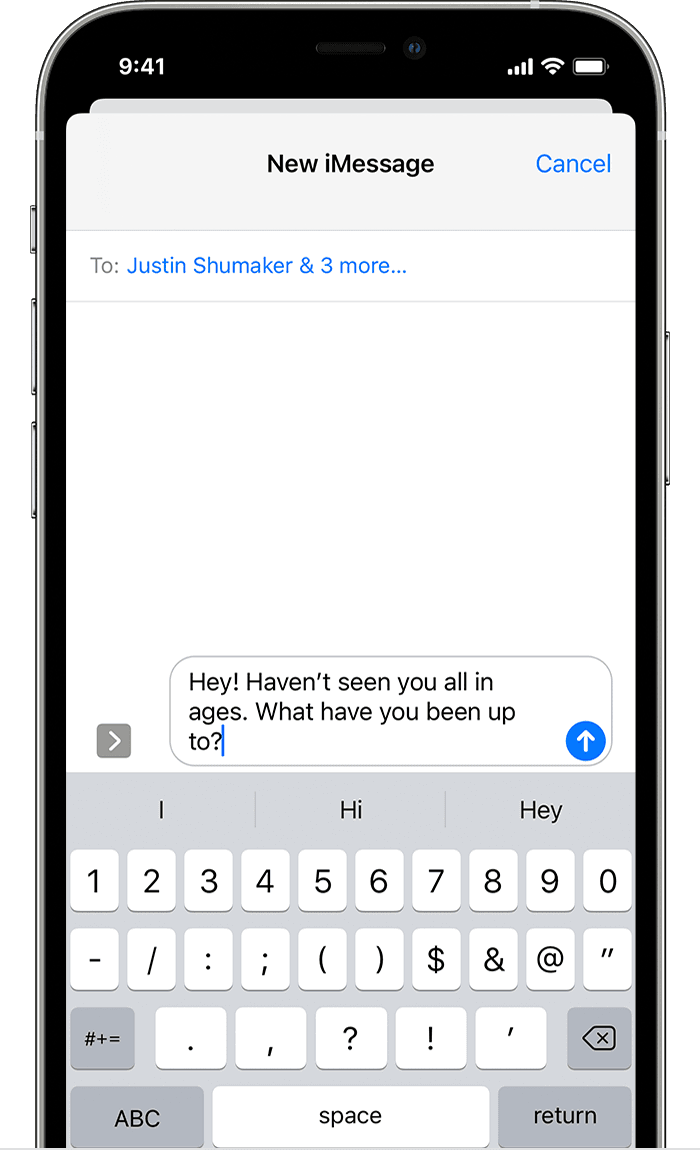
Send a group text message
1. Open Messages and tap the Compose button.
2. Enter the names or tap the Add buttonto add people from your contacts.
3. Type your message, then tap the Send button.
To send a group MMS message on an iPhone, make sure MMS Messaging is turned on. Go to Settings > Messages and turn on MMS Messaging. If you don’t see an option to turn on MMS Messaging or Group Messaging, contact your carrier to see if your plan supports Group MMS Messaging.
With iOS 15 and iPadOS 15, photos, links, and other content that are sent within the group message will appear in the Shared with You section of the corresponding content apps. If you don't want to see the photos and other content in Shared with You, go to the group message, tap the top of the thread, then turn off Show in Shared with You.
We hope that's able to help. If not, provide more details on what occurs when you try to send a message. If you're getting an error message, let us know what it shows. We'll use these details to gain a better understanding of what could be occurring.
Have a great day!
Hello __Mike__,
Thanks for posting in the Apple Support Communities.
It sounds like you're looking to create a group message on your iPhone for texting, right?
If we have this correct, let's see if the following information is able to help out! If you're unable to do this with SMS messages, check with your wireless provider to see if there is a block on your account preventing this. As for getting started with the group message, check out the steps below. Once you have everyone added to the group message, you can send the message to get started. The details below can also be located here: Send a group text message on your iPhone, iPad, or iPod touch - Apple Support
Send a group text message
1. Open Messages and tap the Compose button
2. Enter the names or tap the Add button
3. Type your message, then tap the Send button
To send a group MMS message on an iPhone, make sure MMS Messaging is turned on. Go to Settings > Messages and turn on MMS Messaging. If you don’t see an option to turn on MMS Messaging or Group Messaging, contact your carrier to see if your plan supports Group MMS Messaging.
With iOS 15 and iPadOS 15, photos, links, and other content that are sent within the group message will appear in the Shared with You section of the corresponding content apps. If you don't want to see the photos and other content in Shared with You, go to the group message, tap the top of the thread, then turn off Show in Shared with You.
We hope that's able to help. If not, provide more details on what occurs when you try to send a message. If you're getting an error message, let us know what it shows. We'll use these details to gain a better understanding of what could be occurring.
Have a great day!
Message