
iPad synchronizing
Hi,
Does anyone know what this question mark means?
iPad Pro, iPadOS 16
Hi,
Does anyone know what this question mark means?
iPad Pro, iPadOS 16
Hi Nesceo,
Are you having an issue syncing content between your iPad and Mac using Finder? If so, for help with syncing test the steps below found in the article here: Use the Finder to sync your iPhone, iPad, or iPod with your computer
"Sync or remove content using the Finder
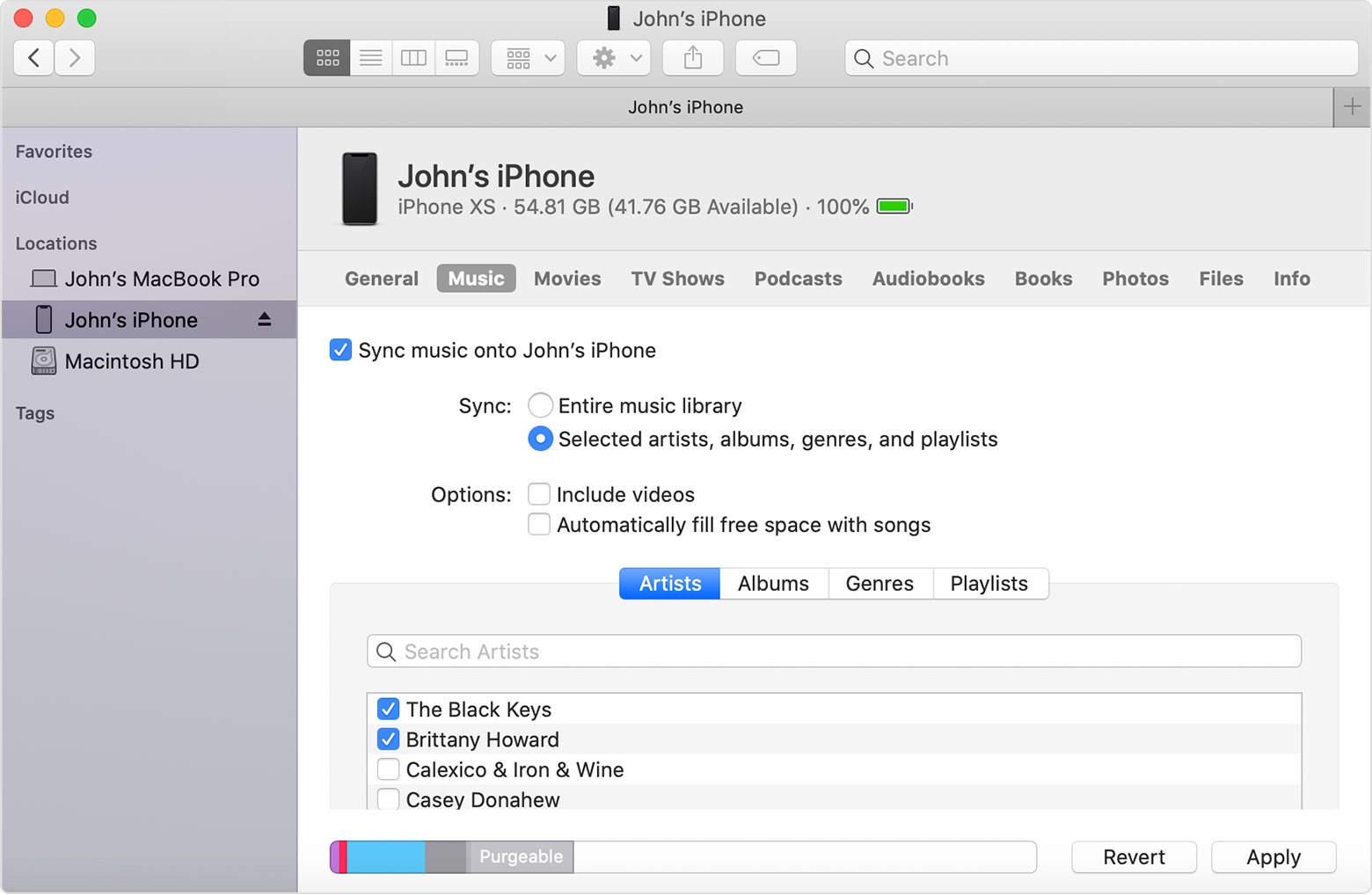
Additionally, the icon will typically show a blank screen or the image of a Home Screen. You can view helpful information and an example here: Locate and view your connected device on your computer
If you're not having issues with syncing, test a normal restart of your iPad and Mac to see if the icon returns. If you still have concerns, reach out to Apple Support to further assist.
Contact Apple for support and service
Best.
Hi Nesceo,
Are you having an issue syncing content between your iPad and Mac using Finder? If so, for help with syncing test the steps below found in the article here: Use the Finder to sync your iPhone, iPad, or iPod with your computer
"Sync or remove content using the Finder
Additionally, the icon will typically show a blank screen or the image of a Home Screen. You can view helpful information and an example here: Locate and view your connected device on your computer
If you're not having issues with syncing, test a normal restart of your iPad and Mac to see if the icon returns. If you still have concerns, reach out to Apple Support to further assist.
Contact Apple for support and service
Best.
Hey Nesceo,
The play count and playlists are updated in one of the .itl files. One thing you can try is to create a new music library and import the songs to that library and then try to sync that to your iPad.
"Create or choose a library
 on your Mac, choose Music > Quit Music.
Use multiple libraries in Music on Mac - Apple Support
Keep us posted.
Hi OrigamiFan1,
Thank you for your response. Much appreciated.
I sync my iPad by using Finder with a USB cable or WiFi.
But it happens sometimes that my entire music library gets re-synced.
Also, iPad played tracks doesn't update the info of my music library.
Greetings,
Sorry for my terrible English. Bad translate prog. I guess ;-)
Hi mario69,
Thanks for your possible solution. I will try it out as soon as I have the time.
I will keep you all informed.
Regards
Hi All,
Problems are solved.
Thanks for your kind help.
Greetings,
iPad synchronizing


