HOW DO I ADD APPS TO MY ICLOUD
HOW DO I ADD APPS TO MY ICLOUD?
TERRIBLYCLUELESS
HOW DO I ADD APPS TO MY ICLOUD?
TERRIBLYCLUELESS
Hello TERRIBLYCLUELESS,
If we understand correctly, you're wanting to know how to find and install apps on your iPhone. If that's right, the following guide has those steps: Download apps and games on your iPhone or iPad - Apple Support
How to get apps
1. On your iPhone or iPad, open the App Store app.
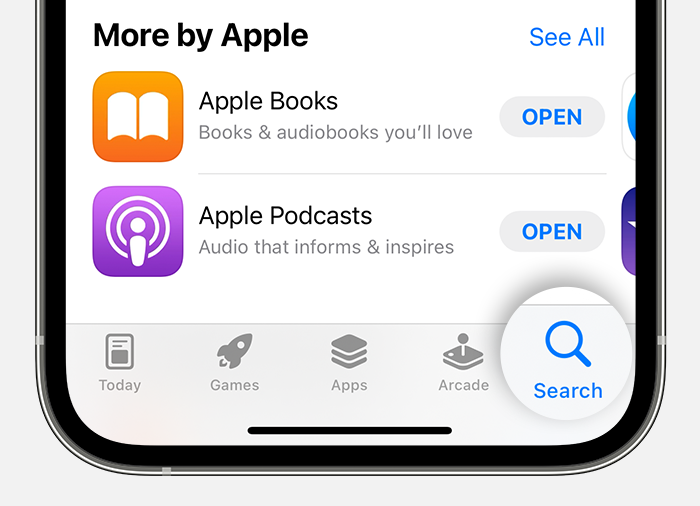
2. Browse through the Today, Games, Apps, or Arcade tabs to find apps you like. Or tap the Search tab to look for something specific. If you find a game that says Arcade, subscribe to Apple Arcade to play the game.
3. Tap or click the price or Get button. If you see the Open button instead of a price or Get button, you already bought or downloaded that app.
In the App Store, if an app has a Get button instead of a price, the app is free. You won't be charged for downloading a free app. Some free apps offer in-app purchases and subscriptions that you can buy. Subscriptions and in-app purchases give you access to more features, content, and more.
Learn more about in-app purchases and subscriptions
Thanks for using Apple Support Communities.
Take care!
Hello TERRIBLYCLUELESS,
If we understand correctly, you're wanting to know how to find and install apps on your iPhone. If that's right, the following guide has those steps: Download apps and games on your iPhone or iPad - Apple Support
How to get apps
1. On your iPhone or iPad, open the App Store app.
2. Browse through the Today, Games, Apps, or Arcade tabs to find apps you like. Or tap the Search tab to look for something specific. If you find a game that says Arcade, subscribe to Apple Arcade to play the game.
3. Tap or click the price or Get button. If you see the Open button instead of a price or Get button, you already bought or downloaded that app.
In the App Store, if an app has a Get button instead of a price, the app is free. You won't be charged for downloading a free app. Some free apps offer in-app purchases and subscriptions that you can buy. Subscriptions and in-app purchases give you access to more features, content, and more.
Learn more about in-app purchases and subscriptions
Thanks for using Apple Support Communities.
Take care!
HOW DO I ADD APPS TO MY ICLOUD