
Apple Music
can we find our friends on Apple Musir or can we see their playlist?
iPhone 11, iOS 16
can we find our friends on Apple Musir or can we see their playlist?
iPhone 11, iOS 16
Hello sanem777,
Thanks for choosing the Apple Support Communities. You can see what friends are listening to, and they can see what you are listening to as well. Here is how.
"If you subscribe to Apple Music, you can create a profile so your friends can see what you're listening to. And you can see what your friends are listening to.
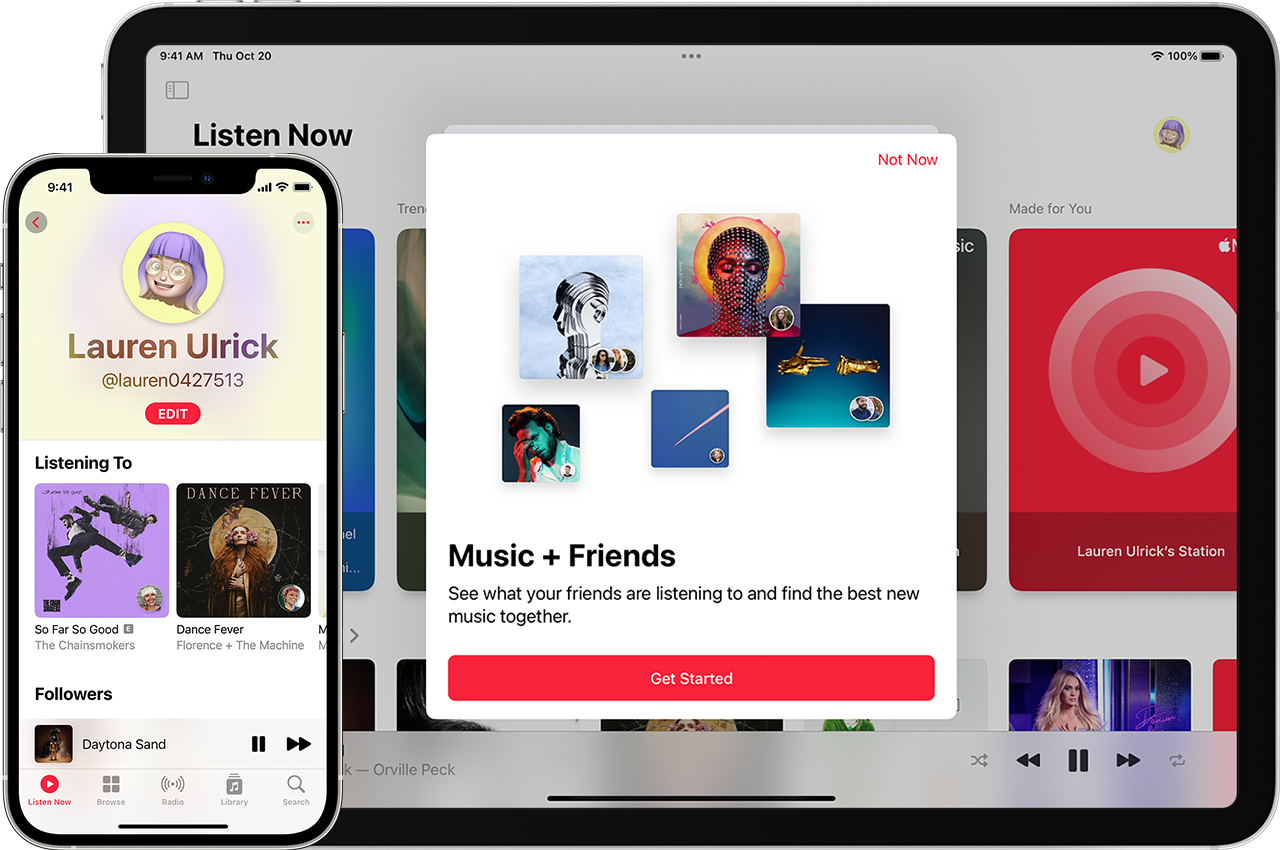

Create a profile
 .
. , then tap Account.
Manage what you share
You can choose to share the music that you’re listening to with followers on your profile. If you make your listening history and playlists private, your profile picture and user name will still be visible in Search. To remove yourself entirely, delete your Apple Music profile.
If you change your profile or a playlist to private, it might take several minutes before your profile or playlist is hidden from search.
View your profile
or your photo.Share or hide your playlists
Hide music that you're listening to
To hide something that you're listening to, go to your profile, touch and hold an album or playlist, then tap Hide from Profile.
To hide all of the music that you're listening to:
Delete your profile
When you delete your profile, your usernames and music activity clear from Apple Music, but your Apple Music subscription isn't affected. If you shared a playlist with a friend and they saved it to their device, the playlist disappears. Your library and playlists don't change.
Find and follow friends
Here are a few ways you can find friends to follow:
If someone requests to follow you, you can accept or decline the request at the top of your profile.
Sharing music with friends isn't available for Child accounts that are part of Family Sharing.
See what your friends are listening to
To see and play music that your friends are sharing, go to Listen Now, then scroll down to Friends Are Listening To.
To see a specific friend's profile, go to your profile, then tap their photo under Followers or Following. From here, you can see their shared playlists and what they're listening to.
Unfollow and block users
 .
.
Report a concern
If you see something offensive on a user's profile or in an user-created playlist, you can report it to Apple and we'll investigate the issue. You can report a concern with any content that an Apple Music user uploads or shares.
Items that you can report include:
To report an offensive name or image:
. On your Android device, tap the More button .Sharing music with friends isn't available in Cameroon, China mainland, Malawi, Mali, Russia, Turkey, and Uruguay."
We hope this helps.
Cheers!
Hello sanem777,
Thanks for choosing the Apple Support Communities. You can see what friends are listening to, and they can see what you are listening to as well. Here is how.
"If you subscribe to Apple Music, you can create a profile so your friends can see what you're listening to. And you can see what your friends are listening to.
Create a profile
., then tap Account.Manage what you share
You can choose to share the music that you’re listening to with followers on your profile. If you make your listening history and playlists private, your profile picture and user name will still be visible in Search. To remove yourself entirely, delete your Apple Music profile.
If you change your profile or a playlist to private, it might take several minutes before your profile or playlist is hidden from search.
View your profile
or your photo.Share or hide your playlists
Hide music that you're listening to
To hide something that you're listening to, go to your profile, touch and hold an album or playlist, then tap Hide from Profile.
To hide all of the music that you're listening to:
Delete your profile
When you delete your profile, your usernames and music activity clear from Apple Music, but your Apple Music subscription isn't affected. If you shared a playlist with a friend and they saved it to their device, the playlist disappears. Your library and playlists don't change.
Find and follow friends
Here are a few ways you can find friends to follow:
If someone requests to follow you, you can accept or decline the request at the top of your profile.
Sharing music with friends isn't available for Child accounts that are part of Family Sharing.
See what your friends are listening to
To see and play music that your friends are sharing, go to Listen Now, then scroll down to Friends Are Listening To.
To see a specific friend's profile, go to your profile, then tap their photo under Followers or Following. From here, you can see their shared playlists and what they're listening to.
Unfollow and block users
.
Report a concern
If you see something offensive on a user's profile or in an user-created playlist, you can report it to Apple and we'll investigate the issue. You can report a concern with any content that an Apple Music user uploads or shares.
Items that you can report include:
To report an offensive name or image:
. On your Android device, tap the More button .Sharing music with friends isn't available in Cameroon, China mainland, Malawi, Mali, Russia, Turkey, and Uruguay."
We hope this helps.
Cheers!
Apple Music

