How do I stop family sharing
How can I see what they are texting
iPhone 12 Pro
How can I see what they are texting
iPhone 12 Pro
Hello Homeboy29,
You can remove yourself from a family group by following these steps found at Leave Family Sharing - Apple Support:
On your iPhone, iPad, or iPod touch
1. Go to Settings.
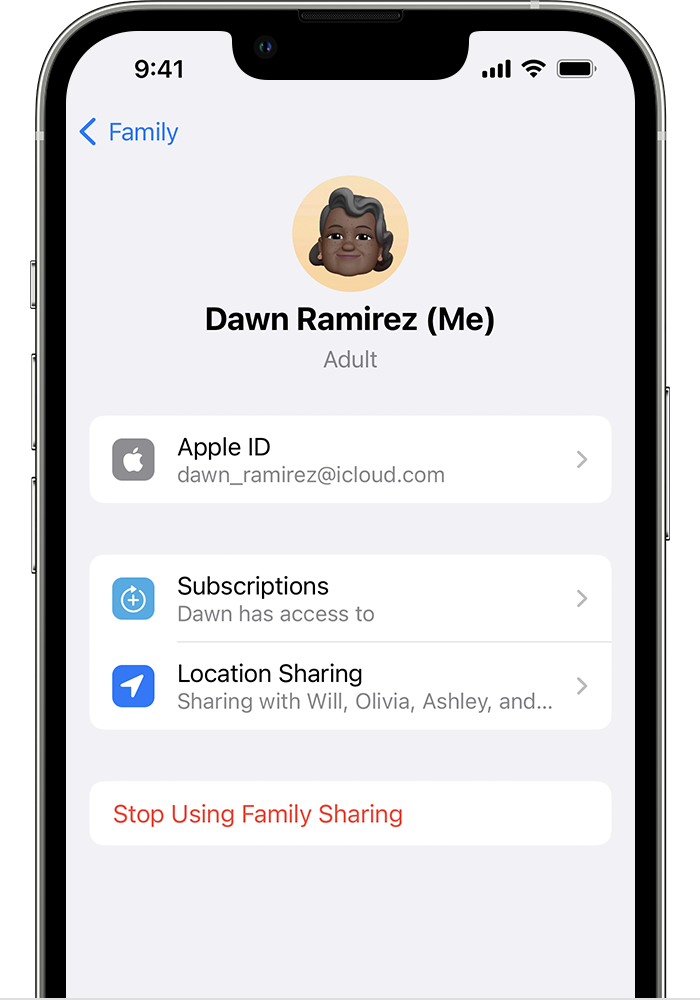
2. Tap Family. If you don't see Family, tap your name, then tap Family Sharing.
3. Tap your name.
4. Tap Stop Using Family Sharing.
You can also find steps for other devices there.
As for seeing other peoples text, based on privacy issues, there would not be a way to do that.
Have a good day.
Hello Homeboy29,
You can remove yourself from a family group by following these steps found at Leave Family Sharing - Apple Support:
On your iPhone, iPad, or iPod touch
1. Go to Settings.
2. Tap Family. If you don't see Family, tap your name, then tap Family Sharing.
3. Tap your name.
4. Tap Stop Using Family Sharing.
You can also find steps for other devices there.
As for seeing other peoples text, based on privacy issues, there would not be a way to do that.
Have a good day.
How do I stop family sharing