Hello taskbu1,
Just to confirm, is this happening with all apps you try to delete, or only certain ones? We ask because some built-in Apple apps can't be deleted from your device. If you get the option to "Remove from Home Screen," but not to delete for specific apps, those apps may not be able to be deleted.
Please be sure to review all of the information outlined in the link you came from, which has more information on deleting apps, and may help: Delete apps on your iPhone, iPad, and iPod touch
How to delete an app
1. Touch and hold the app.
2. Tap Remove App  .
.

3. Tap Delete App, then tap Delete to confirm.
Keep in mind that some built-in Apple apps can't be deleted from your device, so you might not see the option to delete an app. Here’s a list of built-in Apple apps you can delete from your device. If you can't delete an app that's not made by Apple, disable parental controls, then try deleting the app again.
If you touch and hold an app from the Home Screen and the apps start to jiggle:
1. Tap the Remove icon  in the upper-left corner of the app.
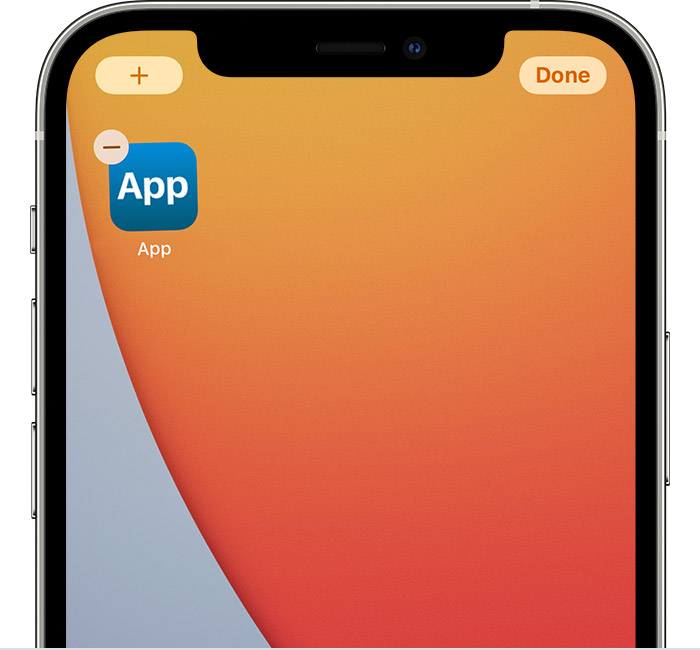
2. Tap Delete App, then tap Delete to confirm.
3. Tap Done.
Thanks!


