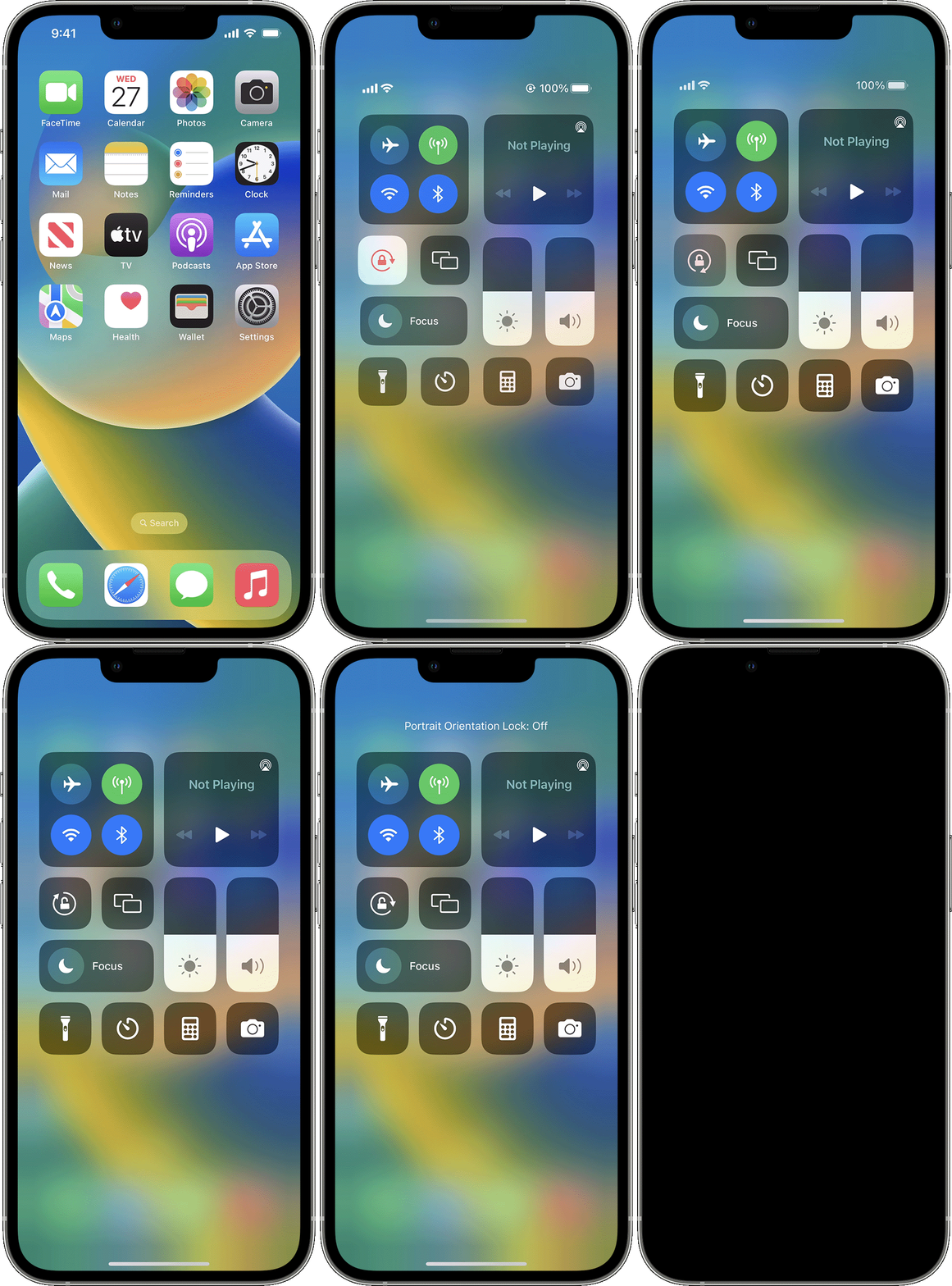
Phone display when phone is rotated
My display no longer changes when I rotate my phone
iPhone 8, iOS 14
My display no longer changes when I rotate my phone
iPhone 8, iOS 14
Hello JJGMD,
Thanks for posting in the Apple Support Communities. We're happy to look into this with you. Is it possible that you've locked the screen so it can't rotate? If you're not sure, check out the information below to check for this.
Rotate the screen on your iPhone or iPod touch
Rotate the screen on an iPhone without a Home button
1. Swipe down from the top-right corner of your screen to open Control Center.
2. Tap the Portrait Orientation Lock buttonto make sure that it's off.
3. Turn your iPhone sideways.
If the screen still doesn't rotate, try a different app — like Safari or Messages — which are known to work in landscape mode.
Learn how to rotate the screen on your iPad.
Rotate the screen on an iPhone or iPod touch with a Home button
1. Swipe up from the bottom edge of your screen to open Contol Center.
2. Tap the Portrait Orientation Lock buttonto make sure that it's off.
3. Turn your iPhone or iPod touch sideways.
If the screen still won't rotate, try another app — like Safari or Messages — which are known to work in landscape mode.
Best regards.
Hello JJGMD,
Thanks for posting in the Apple Support Communities. We're happy to look into this with you. Is it possible that you've locked the screen so it can't rotate? If you're not sure, check out the information below to check for this.
Rotate the screen on your iPhone or iPod touch
Rotate the screen on an iPhone without a Home button
1. Swipe down from the top-right corner of your screen to open Control Center.
2. Tap the Portrait Orientation Lock button
3. Turn your iPhone sideways.
If the screen still doesn't rotate, try a different app — like Safari or Messages — which are known to work in landscape mode.
Learn how to rotate the screen on your iPad.
Rotate the screen on an iPhone or iPod touch with a Home button
1. Swipe up from the bottom edge of your screen to open Contol Center.
2. Tap the Portrait Orientation Lock button
3. Turn your iPhone or iPod touch sideways.
If the screen still won't rotate, try another app — like Safari or Messages — which are known to work in landscape mode.
Best regards.
Phone display when phone is rotated