Store front mismatch
why does it tell me store front mismatch when I try to make purchases
iPhone X
why does it tell me store front mismatch when I try to make purchases
iPhone X
Hi southsidej,
We’ll need some additional information to provide more specific support.
This may occur when the country or region set up for the iTunes Store or App Store isn't set to where you are located currently.
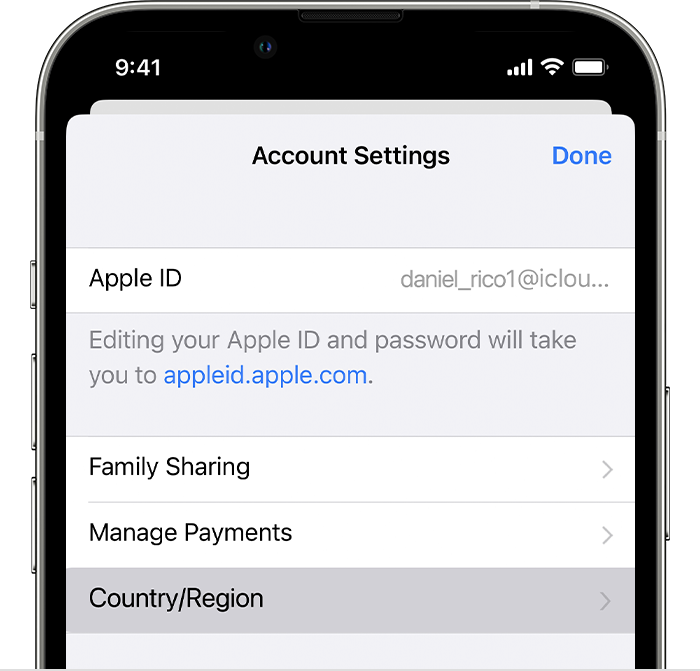
Have you recently changed your Apple ID country or region? If you're not sure, please take a look at the guidance here to find out which country is set up with your account:
1. Open the Settings app.
2. Tap your name, then tap Media & Purchases.
3. Tap View Account. You might be asked to sign in.
4. Tap Country/Region.
5. Tap Change Country or Region.
6. Tap your new country or region, then review the Terms & Conditions.
7. Tap Agree in the upper-right corner, then tap Agree again to confirm.
8. Select a payment method and enter your new payment information and billing address, then tap Next. You must enter a valid payment method for your new country or region.*
This information is from Change your Apple ID country or region.
Cheers.
Hi southsidej,
We’ll need some additional information to provide more specific support.
This may occur when the country or region set up for the iTunes Store or App Store isn't set to where you are located currently.
Have you recently changed your Apple ID country or region? If you're not sure, please take a look at the guidance here to find out which country is set up with your account:
1. Open the Settings app.
2. Tap your name, then tap Media & Purchases.
3. Tap View Account. You might be asked to sign in.
4. Tap Country/Region.
5. Tap Change Country or Region.
6. Tap your new country or region, then review the Terms & Conditions.
7. Tap Agree in the upper-right corner, then tap Agree again to confirm.
8. Select a payment method and enter your new payment information and billing address, then tap Next. You must enter a valid payment method for your new country or region.*
This information is from Change your Apple ID country or region.
Cheers.
Store front mismatch