
My camera is ok it was dirty before but when I cleaned it now the Face ID does not work anymore
How do I set up my Face ID it didn’t work because my camera was dirty but now when I cleaned it it doesn’t let me set up face id
How do I set up my Face ID it didn’t work because my camera was dirty but now when I cleaned it it doesn’t let me set up face id
Hello uros162,
We'd love to assist you with Face ID? To clarify, do you see an alert that Face ID has been disabled on your iPhone? If so, here's what to do:
"You might see the following message on your iPhone X or later, iPad Pro 12.9-inch (3rd generation) or later, or iPad Pro 11-inch (1st generation) or later:
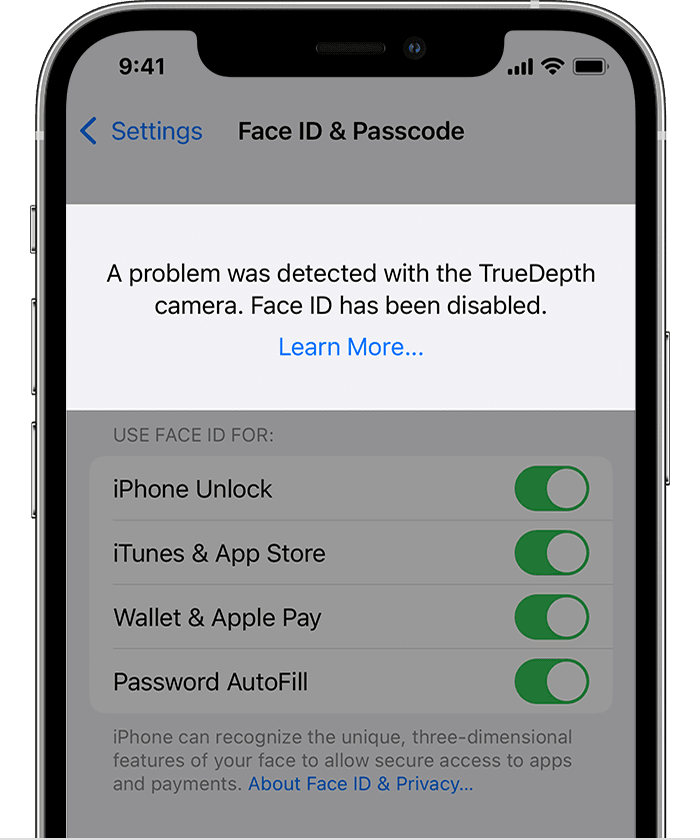
"A problem was detected with the TrueDepth Camera. Face ID has been disabled."
What to do next
Only a trained technician should service your device. Improper repair, modification, or use of nongenuine Apple components in the laser systems might prevent the safety mechanisms from functioning properly and could cause hazardous exposure and injury to eyes or skin."
If an alert says Face ID has been disabled on your iPhone or iPad Pro
If that particular alert does not appear on your device, we suggest that you review the following resource as it may help to correct this behavior: If Face ID isn't working on your iPhone or iPad Pro
If the issue persists, please provide us with the exact details that you're having with Face ID. Having this information will allow the community to better assist you. Thanks for reaching out. We look forward to your reply.
Cheers.
Hello uros162,
We'd love to assist you with Face ID? To clarify, do you see an alert that Face ID has been disabled on your iPhone? If so, here's what to do:
"You might see the following message on your iPhone X or later, iPad Pro 12.9-inch (3rd generation) or later, or iPad Pro 11-inch (1st generation) or later:
"A problem was detected with the TrueDepth Camera. Face ID has been disabled."
What to do next
Only a trained technician should service your device. Improper repair, modification, or use of nongenuine Apple components in the laser systems might prevent the safety mechanisms from functioning properly and could cause hazardous exposure and injury to eyes or skin."
If an alert says Face ID has been disabled on your iPhone or iPad Pro
If that particular alert does not appear on your device, we suggest that you review the following resource as it may help to correct this behavior: If Face ID isn't working on your iPhone or iPad Pro
If the issue persists, please provide us with the exact details that you're having with Face ID. Having this information will allow the community to better assist you. Thanks for reaching out. We look forward to your reply.
Cheers.
My camera is ok it was dirty before but when I cleaned it now the Face ID does not work anymore

