Gmail account used for backup/ recover

I’ve had identity theft via my iPhone. I was trying to get a loan and put all my info in to many times I guess. On to my problem: It was suggested by Apple Care I backup then restore my phone changing everything. So that’s what I’ve done. Recently using my sons laptop I had to change his password to get in with his help, afterusung the laptop to backup my iPhone it won’t except new password, but I noticed on my phone that it had been backed up a few days prior. But to what Apple ID? I had not created one until the present moment. I did notice that Apple had adopted a gmail address of mine but now trying to recover past backups it doesn’t recognize anything not iCloud. How can I recover past backups with a gmail acct?

Posted on Dec 25, 2022 11:42 AM

Reply

Similar questions

1 reply

Dec 27, 2022 11:06 AM in response to MerryChristmas07

HI MerryChristmas07,


Welcome to Apple Support Communities. We understand that you're having an issue with restoring your backup to your iPhone. We'd like to help


Is sounds like you were successful in creating a backup but you're having issues gaining access to it now that you need it. We know how valuable your data is. These steps should help:


Restore your device from a backup on your computer

1. On a Mac with macOS Catalina or later, open the Finder. On a Mac with macOS Mojave or earlier, or on a PC, open iTunes.
2. Connect your device to your computer with a USB cable. If a message asks for your device passcode or to Trust This Computer, follow the onscreen steps. Get help if you forgot your passcode.
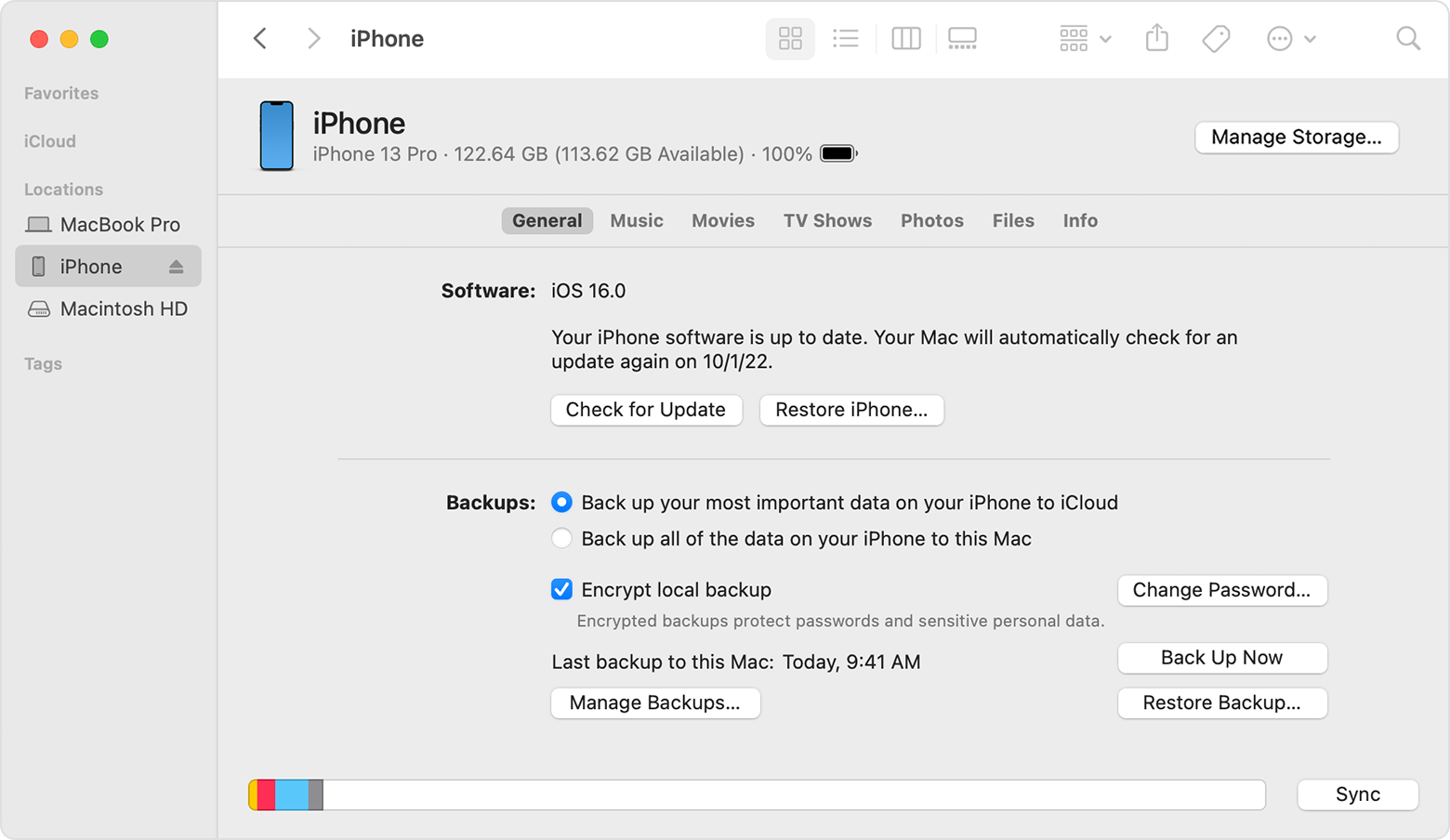
3. Select your iPhone, iPad, or iPod touch when it appears in the Finder window or iTunes. Learn what to do if your device doesn't appear.
A Finder window showing John's iPhone connected.

4. Select Restore Backup. Learn what to do if a message says that your device's software is too old
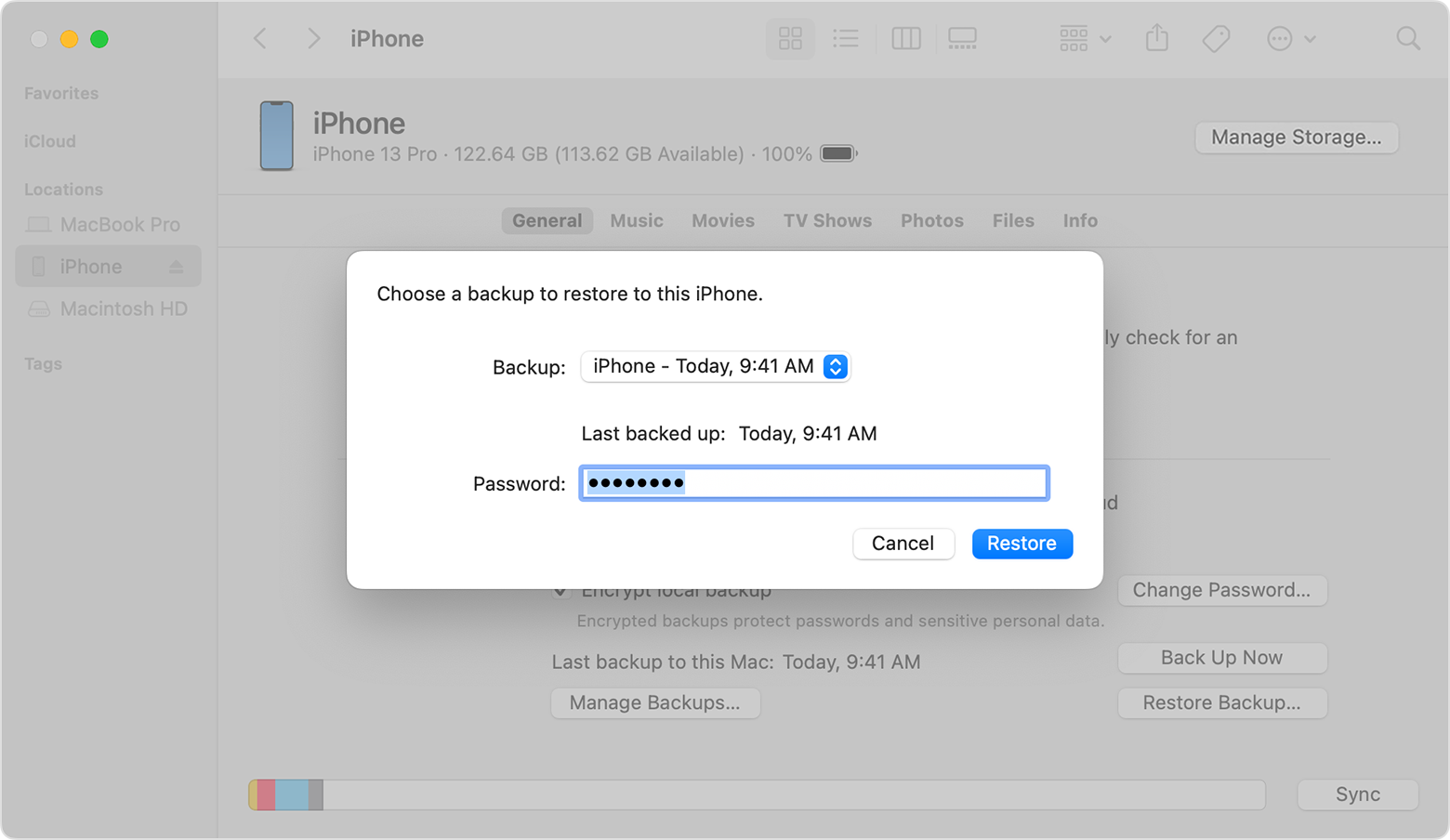
5. Look at the date of each backup and pick the most relevant.
6. Click Restore and wait for the restore to finish. If asked, enter the password for your encrypted backup.
A Finder window with a prompt to choose a backup and enter your password.

7. Keep your device connected after it restarts and wait for it to sync with your computer. You can disconnect after the sync finishes.

Let us know if that helps and we'll continue from there.


Cheers!


This thread has been closed by the system or the community team. You may vote for any posts you find helpful, or search the Community for additional answers.

Gmail account used for backup/ recover

Welcome to Apple Support Community
A forum where Apple customers help each other with their products. Get started with your Apple Account.