Greetings Petra4888,
Thanks for reaching out in Apple Support Communities.
We'd like to provide you with a few steps that may be able to assist with viewing calendar events on your Apple Watch:
• Mirror your devices
- Open the Apple Watch app on your iPhone:
- Select Calendar
- Tap Mirror my iPhone
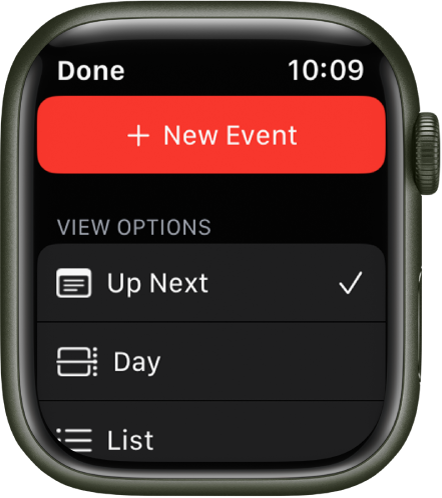
• "Change how you view events
To switch views, open the Calendar app on your Apple Watch, tap
 , then tap an option.
- Up Next: Shows your upcoming events for the week.
- Day: Shows just the events for this day.
- List: Shows all your events from the last two weeks through the next two years.
To see another day, swipe left or right if you’re in Day view; if you’re in List view or Up Next view, turn the Digital Crown.
To jump back to the current day and time, tap the current time in the top-right corner of the display."
More details here: Check and update your calendar on Apple Watch
We hope this helps.
Have a wonderful day!


