
How do i turn off the narrator
How do i turn off the narrator?
How do i turn off the narrator?
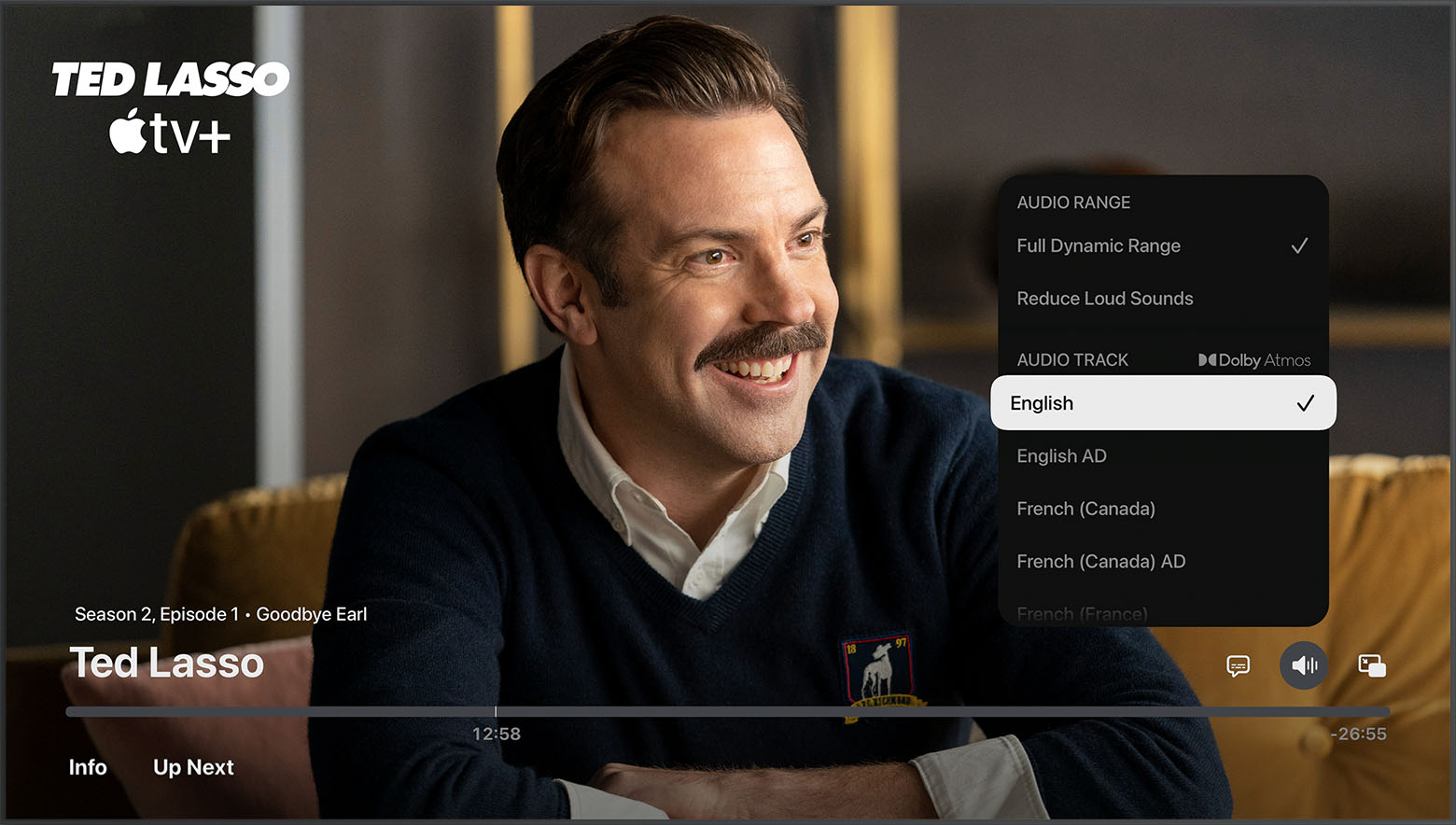
A little more information would be great for clarification purposes. However, I will assume you’re talking about audio description? You would go to settings, then, Accessibility and turn off audio descriptions. If you’re referring to a voice telling you everything that is on the screen, then you would want to turn off voiceover, which is also under the accessibility settings under vision. Alternatively, you can tell Siri turn off voiceover if that is what is going on whenever you move. Focus from item to item on the screen.
Do you mean “Audio Descriptions”?
Select a different audio language track (that doesn’t have ‘AD’ added to it).
Or turn off the default for Audio Descriptions in Settings.
How do i turn off the narrator


