Stream music to multiple devices with Apple Music won't work

Hi, first of all happy new year to anyone who reads this,

The issue:

I use Airplay to stream to a Yamaha RX-V583 home-cinema amplifier. I have already used a similar amp, a Yamaha RX-V483 in a setting where I could stream to another Airplay device simultaneously, It worked fine. Unfortunately both devices blew up, due to marine climat.

BUT my newly added Samsung soundbar HW-S61B can not play with the RX-V583, it either one or the other.

I can check both in the list of the apple music app, but only the Yamaha plays. The Samsung only plays if I un-check the Yamaha.

Besides, the volume control in the Airplay menu of music never worked for the Yamaha, it is whitened out, only the Music App general volume control controls it.

Any ideas?

Posted on Jan 1, 2023 9:04 AM

Reply

Similar questions

7 replies

Jan 11, 2023 3:55 PM in response to EstefanB

Hello EstefanB,


Let's see if we can clarify something.


If the devices meet the requirements listed here, Use AirPlay to stream audio – Apple Support, they can be used for simultaneous streaming:


Play audio on your iPhone, iPad or iPod touch with iOS 11.4 or later, or a Mac with macOS Catalina or later. Then use AirPlay to stream that audio to your AirPlay-compatible speakers or smart TVs.

To stream audio to multiple speakers with AirPlay 2, simply select multiple AirPlay 2-compatible speakers or smart TVs. To ask Siri to play a film or TV programme in the room you want to watch it, add your AirPlay 2-compatible speakers and smart TVs to a room in the Home app. 

Stream audio from an iOS or iPadOS device
Stream audio from Apple TV
Stream audio from Mac

Stream audio from your iPhone, iPad or iPod touch 
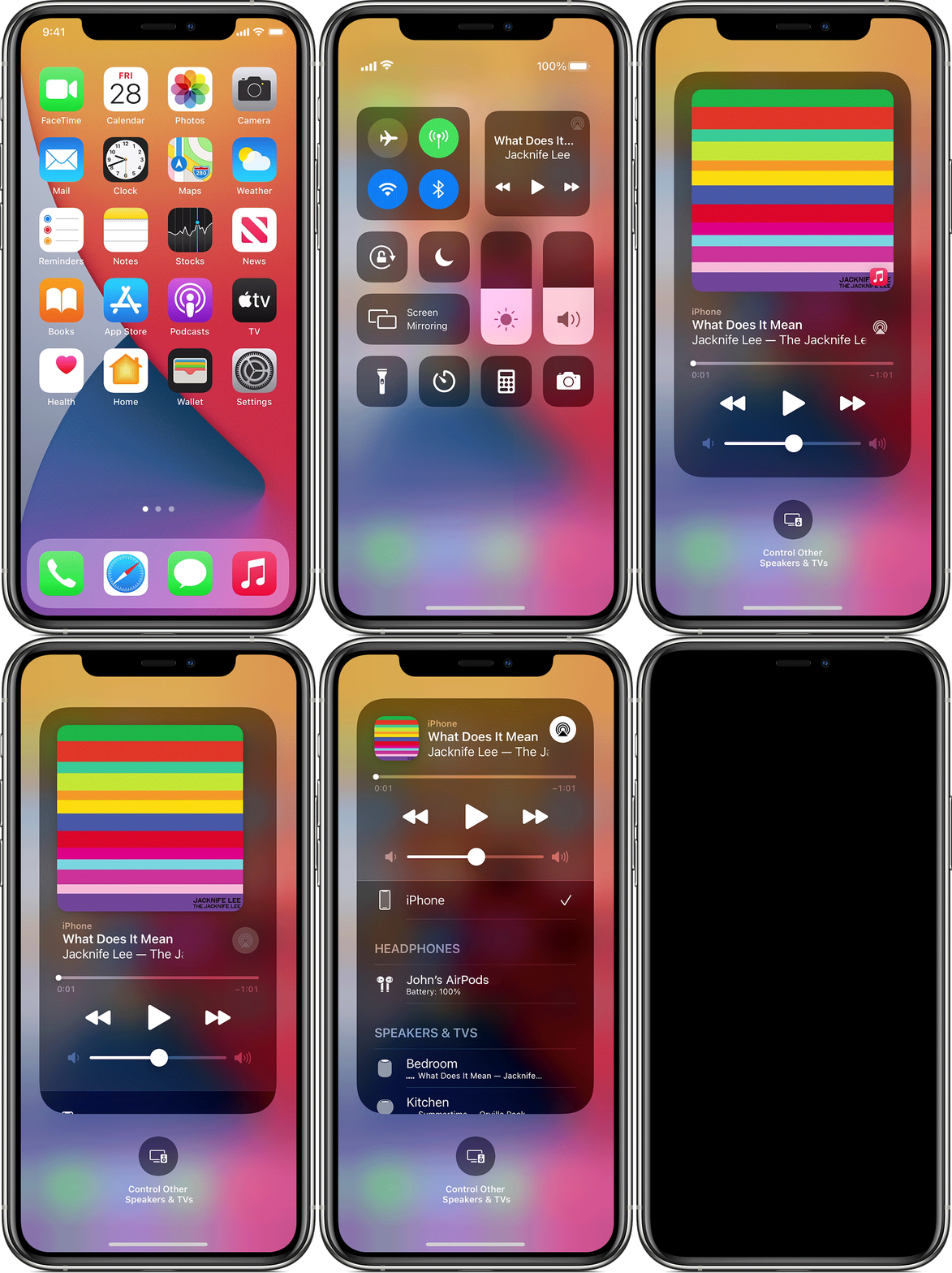
Play music on your iPhone, iPad or iPod touch, then control where it's playing from Control Centre:
1. Open Control Centre on your iPhone, iPod touch or iPad:
• On iPhone X or later, or iPad with iPadOS or later, swipe down from the top right-hand corner of the screen.
• On iPhone 8 or earlier, or iOS 11 or earlier, swipe up from the bottom edge of the screen.
2. Touch and hold the group of controls in the top right-hand corner, then tap AirPlay .
3. Tap each speaker or TV that you want to play the current audio on. 

You can also use AirPlay to stream audio from an app you're using on your device. Just open the app, tap AirPlay , then tap a speaker or multiple speakers.


The key requirement is that they be AirPlay 2 compatible.


Have a good day.


Jan 7, 2023 2:17 PM in response to EstefanB

Hello EstefanB,


You've done a fantastic job explaining the issue.


However, as previously mentioned, Apple Music streaming is only supported on one output device at a time. The only exception is If you are using Apple Music with Family Sharing and have different Apple IDs. Then, you could stream on multiple devices, as explained further in the link you were previously provided.


Please do not hesitate to contact us if you have more questions.


Thanks for using the Apple Support Communities.


Cheers!

Jan 7, 2023 8:04 AM in response to EstefanB

So this is going on:


It doesn't look bad, no,

BUT: Only the RX is playing...besides, the volume control is not working for the RX


Then, the Samsung and the MacBook can play together...


At one point, a weird warning in the AirPlay menu appears...only the RX playing, again...

Is it maybe because the Yamaha is only AirPlay 1, so 1+2 do not (always) work together ???

Jan 2, 2023 12:41 PM in response to EstefanB

Hello EstefanB,


Apple Music streaming is only supported on one output device at a time. If you are using Apple Music with Family Sharing and you have different Apple IDs, you would be able to stream on multiple devices. This is explained further here: Get an Apple Music family subscription.


Let us know if we can help with anything else at all or if this doesn't settle your issue so we can look into this further with you. Thanks and have a fabulous day!


This thread has been closed by the system or the community team. You may vote for any posts you find helpful, or search the Community for additional answers.

Stream music to multiple devices with Apple Music won't work

Welcome to Apple Support Community
A forum where Apple customers help each other with their products. Get started with your Apple Account.