
updating apps on APP STORE
When I update an app, they ask me to add the password of an ID that is not connected to my App Store on any of my apple devices and that doesn't exist anywhere. how can I fix this problem please ?
iPhone 12, iOS 16
When I update an app, they ask me to add the password of an ID that is not connected to my App Store on any of my apple devices and that doesn't exist anywhere. how can I fix this problem please ?
iPhone 12, iOS 16
Hi hind235,
It would seem that those apps were originally downloaded using a different Apple ID. To resolve this issue, you must delete the apps and reinstall them from the App Store:
Delete apps on your iPhone, iPad, and iPod touch
"How to delete an app
 .
.
3. Tap Delete App, then tap Delete to confirm."
Download apps and games on your iPhone or iPad
"How to get apps
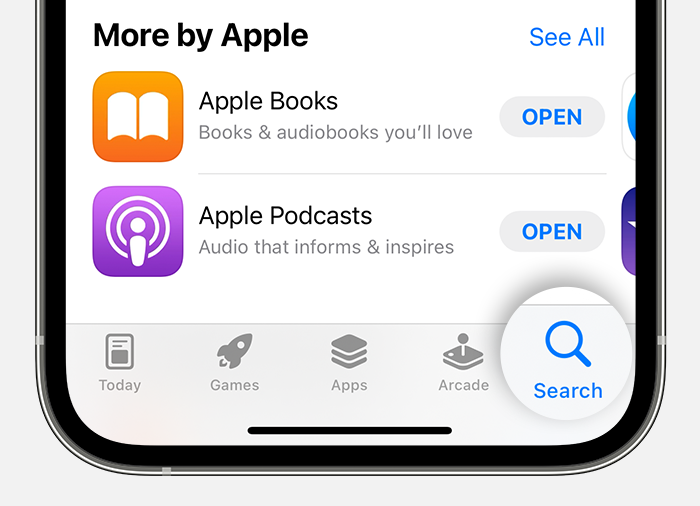
3. Tap or click the price or Get button. If you see the Open button instead of a price or Get button, you already bought or downloaded that app.
In the App Store, if an app has a Get button instead of a price, the app is free. You won't be charged for downloading a free app. Some free apps offer in-app purchases and subscriptions that you can buy. Subscriptions and in-app purchases give you access to more features, content, and more."
Cheers!
Hi hind235,
It would seem that those apps were originally downloaded using a different Apple ID. To resolve this issue, you must delete the apps and reinstall them from the App Store:
Delete apps on your iPhone, iPad, and iPod touch
"How to delete an app
.
3. Tap Delete App, then tap Delete to confirm."
Download apps and games on your iPhone or iPad
"How to get apps
3. Tap or click the price or Get button. If you see the Open button instead of a price or Get button, you already bought or downloaded that app.
In the App Store, if an app has a Get button instead of a price, the app is free. You won't be charged for downloading a free app. Some free apps offer in-app purchases and subscriptions that you can buy. Subscriptions and in-app purchases give you access to more features, content, and more."
Cheers!
updating apps on APP STORE

