How can I get my AppleTV to recognize that I signed up for 3 months AppleTV on my new iPad Air?

I can view programs by casting from the iPad, but I cannot use the remote on AppleTV to view without getting invited to sign up for a free week as a new user.

Apple TV

Posted on Jan 3, 2023 8:04 AM

Reply
Question marked as Top-ranking reply

Posted on Jan 3, 2023 9:33 AM

Once you activate the offer it starts a subscription with a 3 month trial, which is then tied to your account. Make sure you are signed in with the same Apple ID (you can also go into that account to verify the service is active).

5 replies

Jan 4, 2023 6:04 PM in response to tardx

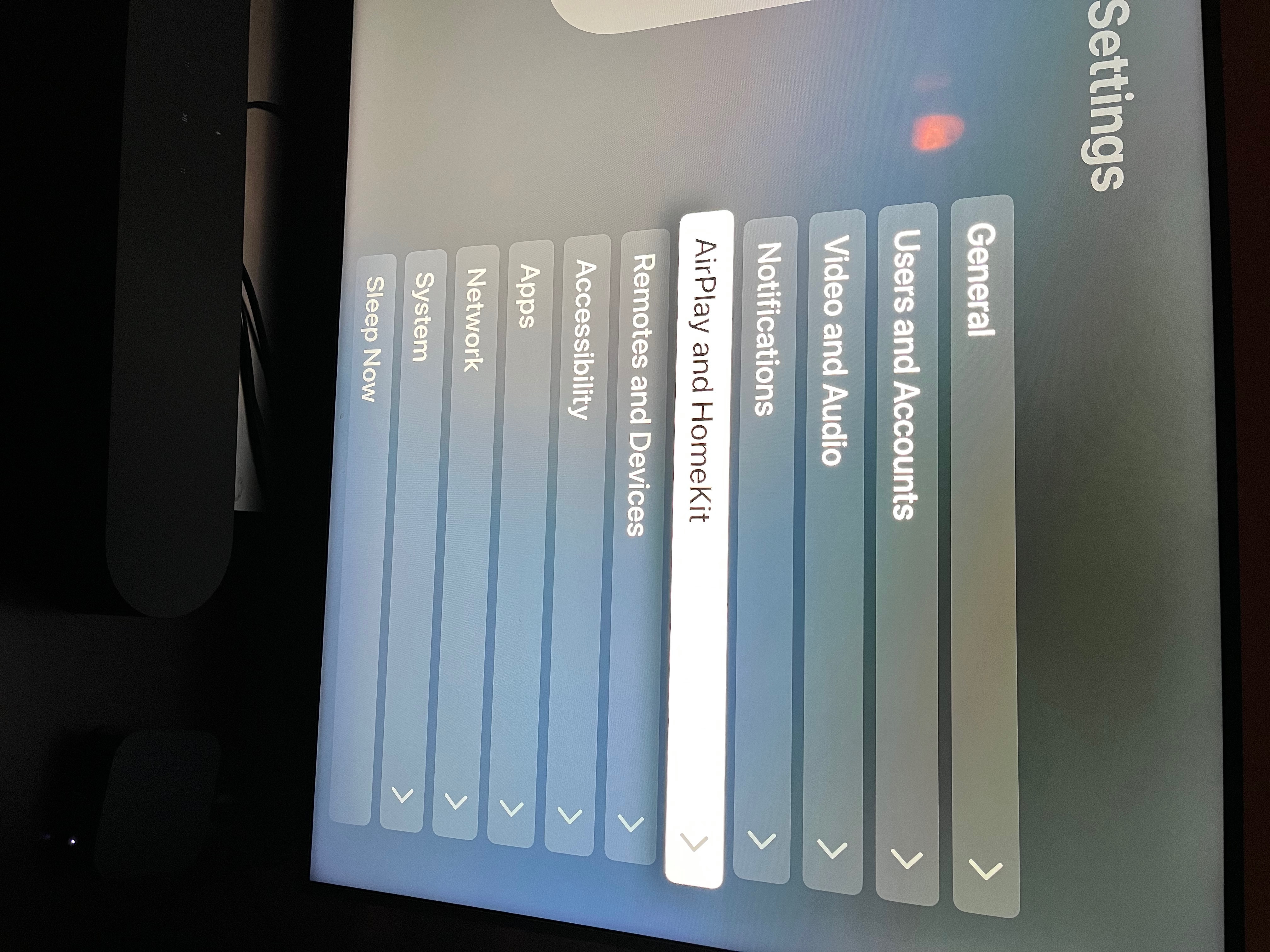
When you go into settings 'Users and Accounts' is the second item (as you can see from my screenshot). It will be such on any modern Apple TV, running TVOS. The only reason you wouldn't see it is if you had an older model, like a 3rd gen. If you have a 4th gen or later make sure it is up to date.


In the meantime you could also check your account on iPad, if you can't see it there either then that means you do not have a current active subscription. However, if you do then you can contact Apple support to investigate further.

Jan 4, 2023 4:16 PM in response to vazandrew

On the AppleTV, using the remote, there is no menu item labelled 'Users and Accounts'. At the top level, there is 'Settings', under which is a list of items including iCloud and Store, both of which show my AppleID. I cannot find anything that indicates I have subscribed to AppleTV - except the receipt I got when I signed up. What am I missing here?

This thread has been closed by the system or the community team. You may vote for any posts you find helpful, or search the Community for additional answers.

How can I get my AppleTV to recognize that I signed up for 3 months AppleTV on my new iPad Air?

Welcome to Apple Support Community
A forum where Apple customers help each other with their products. Get started with your Apple Account.