
Motion&fitness grayed out.
I cannot turn on motion and fitness on my apple watch; it's grayed out and I cannot enable it. The watch does not detect when I'm biking. Please advise
Apple Watch Series 2, watchOS 3
I cannot turn on motion and fitness on my apple watch; it's grayed out and I cannot enable it. The watch does not detect when I'm biking. Please advise
Apple Watch Series 2, watchOS 3
Hi kafka_19,
For help with ensuring your can enable all available features on your iPhone, check your restriction settings first. The article here can assist: Use parental controls on your child's iPhone, iPad, and iPod touch
If there are no restrictions set, and the issue remains after a normal restart of both your Apple Watch and paired iPhone test the steps below found here: Calibrate your Apple Watch for improved Workout and Activity accuracy
"Check your settings
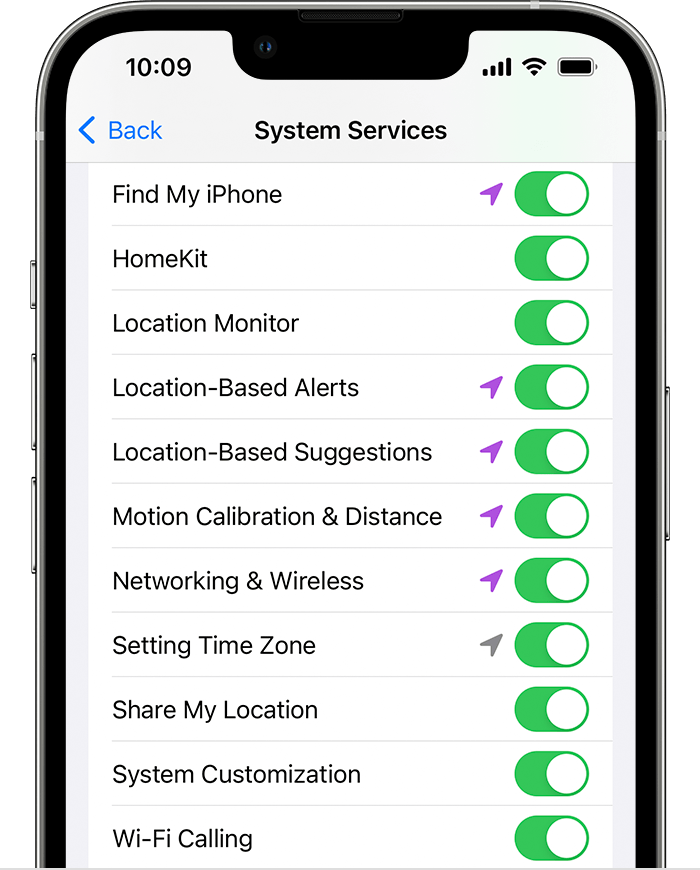
To make sure that your Apple Watch can get the information it needs, check these settings on your iPhone:
 "
"If the issue remains after following the additional steps in the article, reach out to Apple Support directly to further assist.
Contact Apple for support and service
Best.
Hi kafka_19,
For help with ensuring your can enable all available features on your iPhone, check your restriction settings first. The article here can assist: Use parental controls on your child's iPhone, iPad, and iPod touch
If there are no restrictions set, and the issue remains after a normal restart of both your Apple Watch and paired iPhone test the steps below found here: Calibrate your Apple Watch for improved Workout and Activity accuracy
"Check your settings
To make sure that your Apple Watch can get the information it needs, check these settings on your iPhone:
"If the issue remains after following the additional steps in the article, reach out to Apple Support directly to further assist.
Contact Apple for support and service
Best.
Motion&fitness grayed out.
