Hi there TSC65,
If your Beats aren't powering on after ensuring they've been properly charged, there may be a hardware issue with them. Start by making sure you followed these steps to charge them and power them on:
Set up and use your Solo2 Wireless headphones
If the issue persists, try resetting your Beats with these steps:
Reset Solo2 Wireless
1. Make sure your headphones are not plugged in to your USB charging cable.
2. Press and hold the power button for 10 seconds.
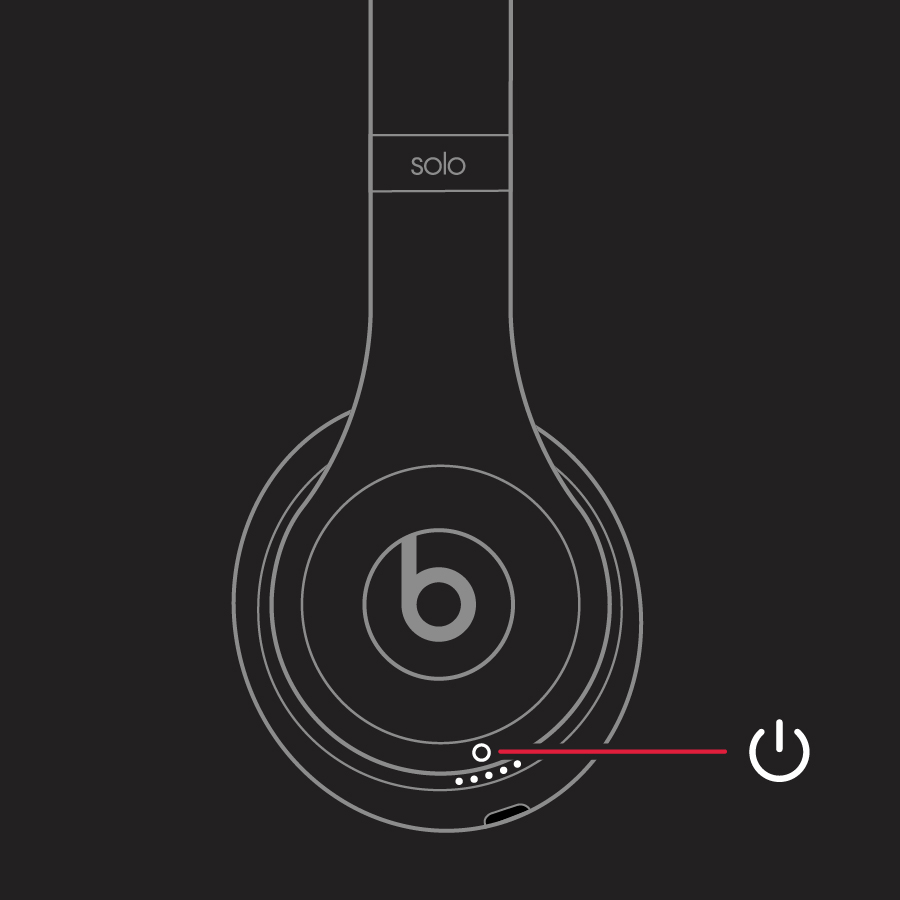
3. Release the power button.
4. All of the Fuel Gauge LEDs blink white, then one LED blinks red. This sequence happens three times. When the lights stop flashing, your headphones are reset.
You'll find those steps here: Reset your Beats on-ear or over-ear headphones
If resetting your Bats still doesn't allow them to power on , you'll want to have them inspected and serviced. This link will help you get started: Beats Repair & Service
Take care.


