How can I change my credit card number for automatic payments
How can I change my credit card number for direct billing
iPhone 8 Plus, iOS 16
How can I change my credit card number for direct billing
iPhone 8 Plus, iOS 16
Thanks for reaching out rowena271,
It sounds like you're trying to update your payment method associated with your Apple ID. We can help.
You can follow these steps If you need to change or update your Apple ID payment method with your iPhone:
Update your payment method on your iPhone or iPad
1. Open the Settings app.
2. Tap your name.
3. Tap Payment & Shipping. You might be asked to sign in with your Apple ID.
4. Tap Add Payment Method, enter the new payment method, then tap Done.
5. Tap Edit.
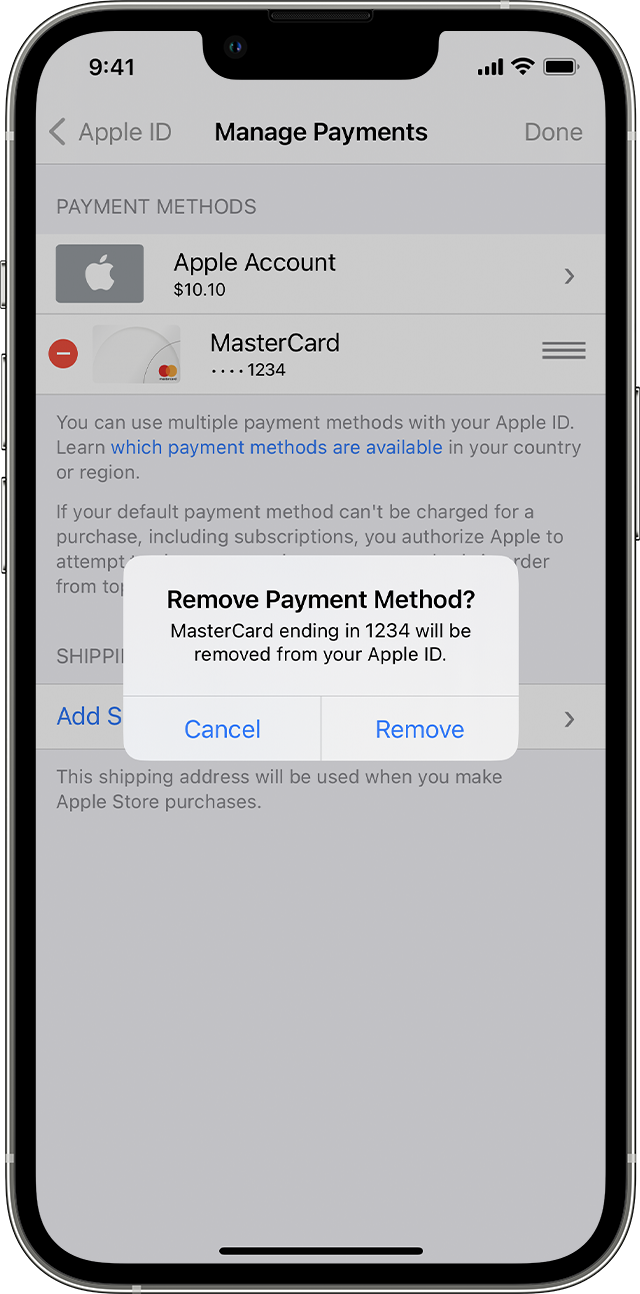
6. Tap the red delete button next to the old payment method, then tap Delete.
Hope that helps.
Take care.
Thanks for reaching out rowena271,
It sounds like you're trying to update your payment method associated with your Apple ID. We can help.
You can follow these steps If you need to change or update your Apple ID payment method with your iPhone:
Update your payment method on your iPhone or iPad
1. Open the Settings app.
2. Tap your name.
3. Tap Payment & Shipping. You might be asked to sign in with your Apple ID.
4. Tap Add Payment Method, enter the new payment method, then tap Done.
5. Tap Edit.
6. Tap the red delete button next to the old payment method, then tap Delete.
Hope that helps.
Take care.
How can I change my credit card number for automatic payments