Hi saroosh239,
Thanks for contacting Apple Support Communities!
We understand that you're not receiving any notifications on your iPhone other than Messages, correct?
Have your notifications been muted? You can follow this guide which will show you how to check: Use notifications on your iPhone or iPad - Apple Support
"Manage notifications
To manage your notifications from the Lock Screen or Notification Center:
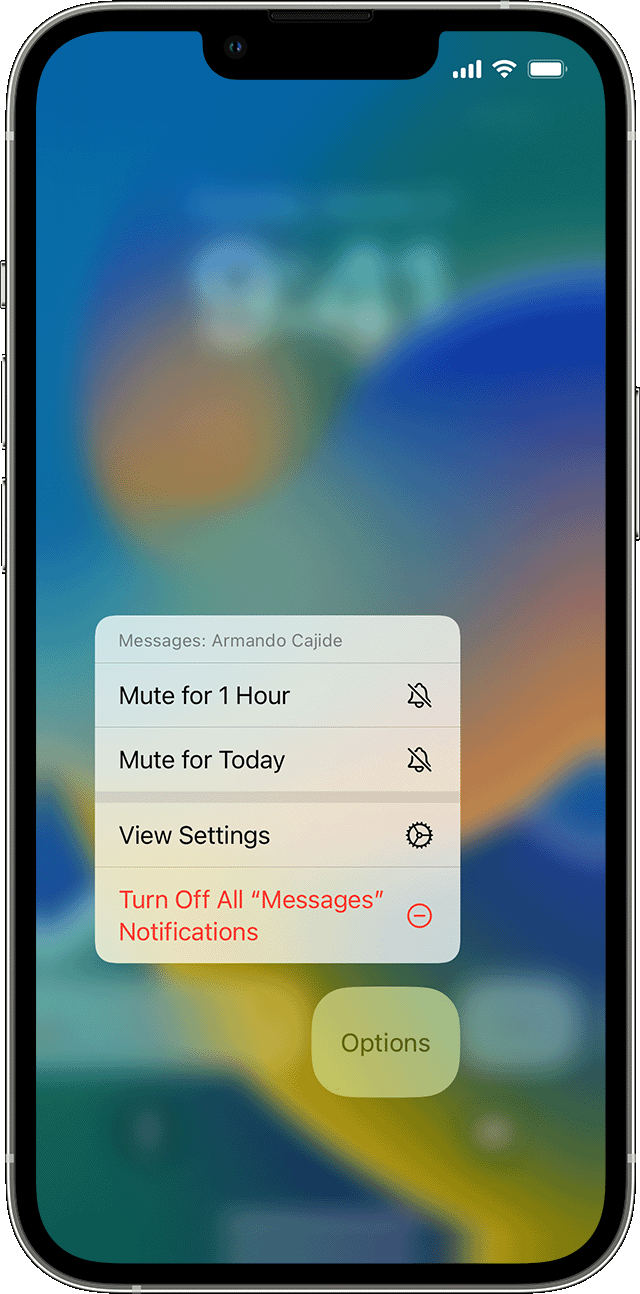
- Swipe left over an alert or group of alerts.
- Tap Options, then select from these options:
- Mute for 1 Hour
- Mute for Today
- View Settings
- Turn Off
You can also tap View Settings to change your alert styles or alert settings for a specific app."
You can also refresh your Notification Settings if you go to Settings > Notifications, select an app then turn off "Allow Notifications", restart your iPhone then follow the same path back to enable your notifications again.
If you've set up Focus on your iPhone, this can also impact how you receive notifications: Use Focus on your iPhone or iPad - Apple Support
We hope this helps.
Cheers!


