
I also plugged in a new LaCie 2T to create a backup MacBook Air OS Big Sur 11.7.1 (2020, M1)

The salesperson at the Apple Store told me just hook it up and follow the instructions. I was not prompted to erase the disk as the previous person was. I went to Time Machine and it seemed to be backing up except when it stopped after multiple days of trying it always said: "waiting to complete first back-up." Today it said 1.01 TB was available. Lacie did not disappear from the desktop and time machine could find it, There is a box that says to exclude something slightly less than 1 TB-which I guess is the backup, but when I click on the disc it doesn't open--so I don't know what's in it. I'm really puzzled. What do you recommend I do?

I haven't been able to upgrade my OS because I have 3rd party software for my medical practice that doesn't play nice when I tried to upgrade.



Posted on Jan 10, 2023 5:56 PM

Reply
1 reply

Jan 13, 2023 2:48 PM in response to Ramimur

Hey Ramimur,


It's OK that you're not able to upgrade your macOS to a newer version, you should still have no issues backing up using Time Machine. When first connecting an external drive to your Mac and selecting it for Time Machine, you'll only be prompted to erase (reformat) if the drive is not in the supported format. Since you weren't prompted, it sounds like it was already in the right format. It does sound like the backup completed, but let's make sure.


Check backup status.
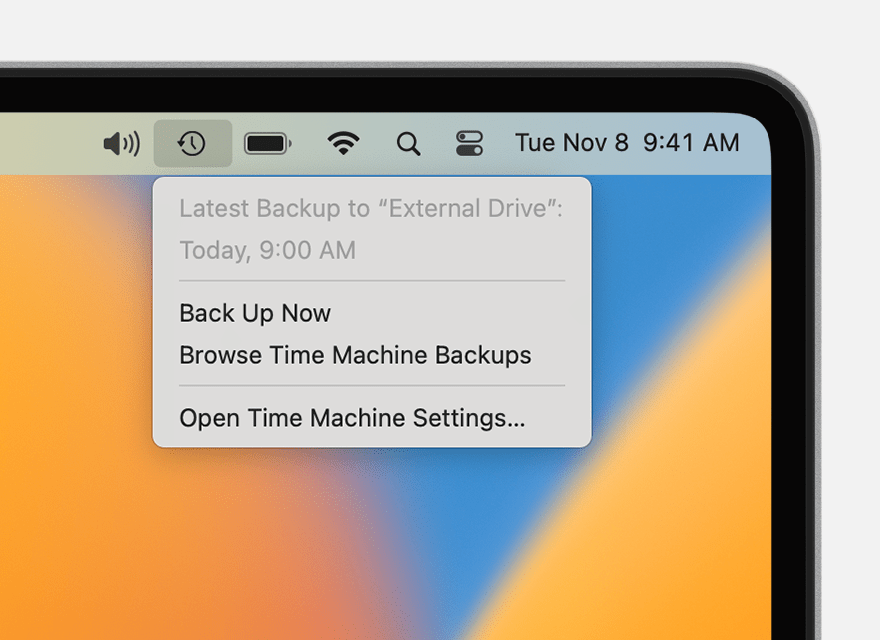
Use the Time Machine menu  in the menu bar to check the status of a backup or skip a backup in progress. For example, if a backup is underway, the menu shows how much of it is done. When a backup is not underway, the menu shows the date and time of the latest backup.
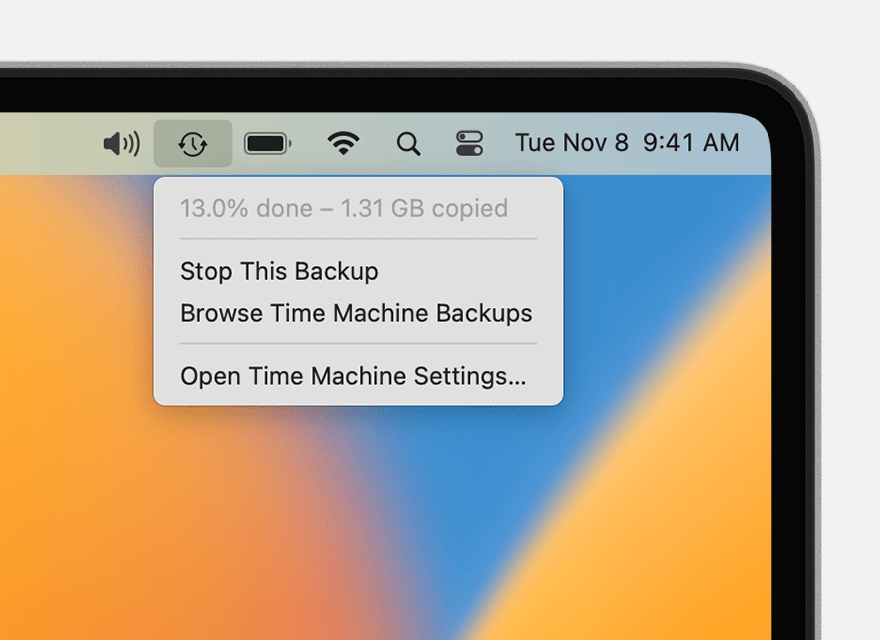
Time Machine menu showing a backup in progress
Backup is underway
Time Machine menu showing details about the latest backup
Backup is completed


Do you show details for the last backup? If so, Time Machine should continue to back up as expected and only alert you if there's an issue. The above steps and more information about setting up Time Machine can be found here: Back up your Mac with Time Machine - Apple Support


You also mention seeing a box about excluding items from the backup. Here's more details on that: Exclude files from a Time Machine backup on Mac - Apple Support


Thanks for using Apple Support Communities.


Take care!


This thread has been closed by the system or the community team. You may vote for any posts you find helpful, or search the Community for additional answers.

I also plugged in a new LaCie 2T to create a backup MacBook Air OS Big Sur 11.7.1 (2020, M1)

Welcome to Apple Support Community
A forum where Apple customers help each other with their products. Get started with your Apple Account.