How do I know if my Apple 2SE is charged
How do I know is my Apple Watch 2SE 2nd generation is charged
iPhone 11, iOS 15
How do I know is my Apple Watch 2SE 2nd generation is charged
iPhone 11, iOS 15
Thanks for reaching out Mygodisreal,
It sounds like you're wanting to know some more about how to charge your Apple Watch, and how to tell that it is charged as well. We can help.
You can check out these steps to learn how to Charge Apple Watch:
Begin charging Apple Watch
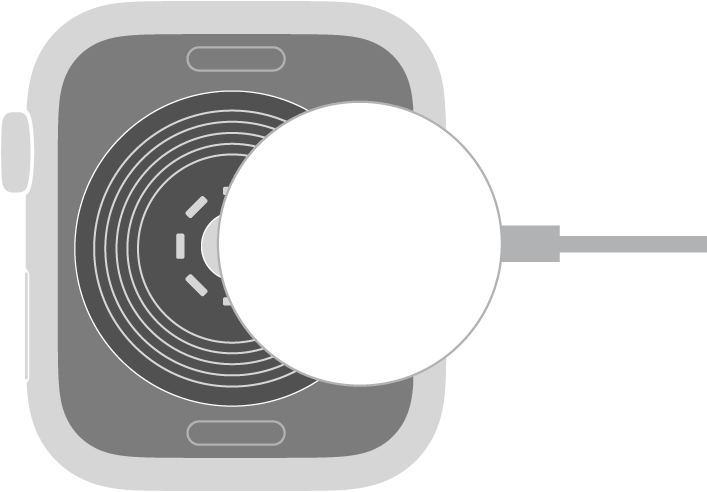
Place the Apple Watch Magnetic Fast Charger to USB-C cable (included with Apple Watch Series 7 or later) or Apple Watch Magnetic Charging Cable (included with earlier models) on the back of your Apple Watch. The concave end of the charging cable magnetically snaps to the back of your Apple Watch and aligns it properly.
Apple Watch plays a chime when charging begins (unless your watch is in silent mode) and a charging symbolshows on the watch face. The symbol is red when Apple Watch needs power and turns green when it’s charging. When Apple Watch is in Low Power Mode, the charging symbol is yellow.
You can charge your Apple Watch in a flat position with its band open, or on its side.
- If you’re using the Apple Watch Magnetic Charging Dock or MagSafe Duo Charger: Lay your Apple Watch on the dock.
- If your battery is very low: You may see an image of the Apple Watch Magnetic Fast Charger to USB-C Cable or Apple Watch Magnetic Charging Cable and the low battery symbolon the screen. For more information, see the Apple Support article If your Apple Watch won’t charge or it won’t turn on.
Apple Watch SE (2nd Generation)
Check remaining power
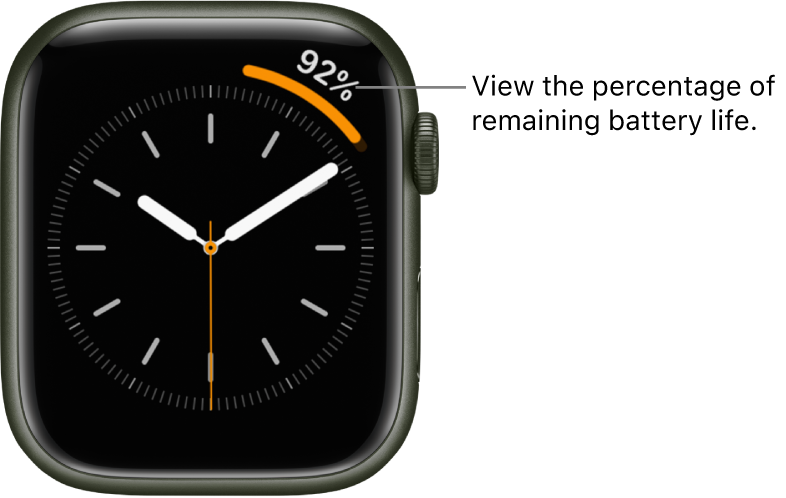
To see remaining power, touch and hold the bottom of the screen, then swipe up to open Control Center. To more quickly check the remaining power, add a battery complication to the watch face. See Customize the watch face.
Hope that helps.
Take care.
Thanks for reaching out Mygodisreal,
It sounds like you're wanting to know some more about how to charge your Apple Watch, and how to tell that it is charged as well. We can help.
You can check out these steps to learn how to Charge Apple Watch:
Begin charging Apple Watch
Place the Apple Watch Magnetic Fast Charger to USB-C cable (included with Apple Watch Series 7 or later) or Apple Watch Magnetic Charging Cable (included with earlier models) on the back of your Apple Watch. The concave end of the charging cable magnetically snaps to the back of your Apple Watch and aligns it properly.
Apple Watch plays a chime when charging begins (unless your watch is in silent mode) and a charging symbol
You can charge your Apple Watch in a flat position with its band open, or on its side.
- If you’re using the Apple Watch Magnetic Charging Dock or MagSafe Duo Charger: Lay your Apple Watch on the dock.
- If your battery is very low: You may see an image of the Apple Watch Magnetic Fast Charger to USB-C Cable or Apple Watch Magnetic Charging Cable and the low battery symbol
Apple Watch SE (2nd Generation)
Check remaining power
To see remaining power, touch and hold the bottom of the screen, then swipe up to open Control Center. To more quickly check the remaining power, add a battery complication to the watch face. See Customize the watch face.
Hope that helps.
Take care.
How do I know if my Apple 2SE is charged