
iPad is not accepting password after factory reset
How to fix your iPad is not accepting password after factory reset
iPad
How to fix your iPad is not accepting password after factory reset
iPad
Hey there, and welcome to Apple Support Communities bettyann240,
We can certainly understand your concern and see you came to us from the article If Touch ID isn't working on your iPhone or iPad.
We recommend checking out these steps for more information on what to do if you forgot your password and see if it matches up with your procedures.
" Forgot your iPad passcode? Learn how to get your iPad into recovery mode so you can erase it and set it up again.
If you enter the wrong passcode on your iPad Lock Screen too many times, an alert lets you know that your iPad is disabled. (Learn what to do if you see "[Device] unavailable" or "Security Lockout" on your iPad.)
If you can’t remember your passcode when you try again, you need to use a computer to put your iPad in recovery mode. This process deletes your data and settings, including your passcode, giving you access to set up your iPad again.
After you erase your iPad, you can restore your data and settings from backup. If you didn't back up your iPad, you can set it up as a new device and then download any data that you have in iCloud.
Restore your iPad
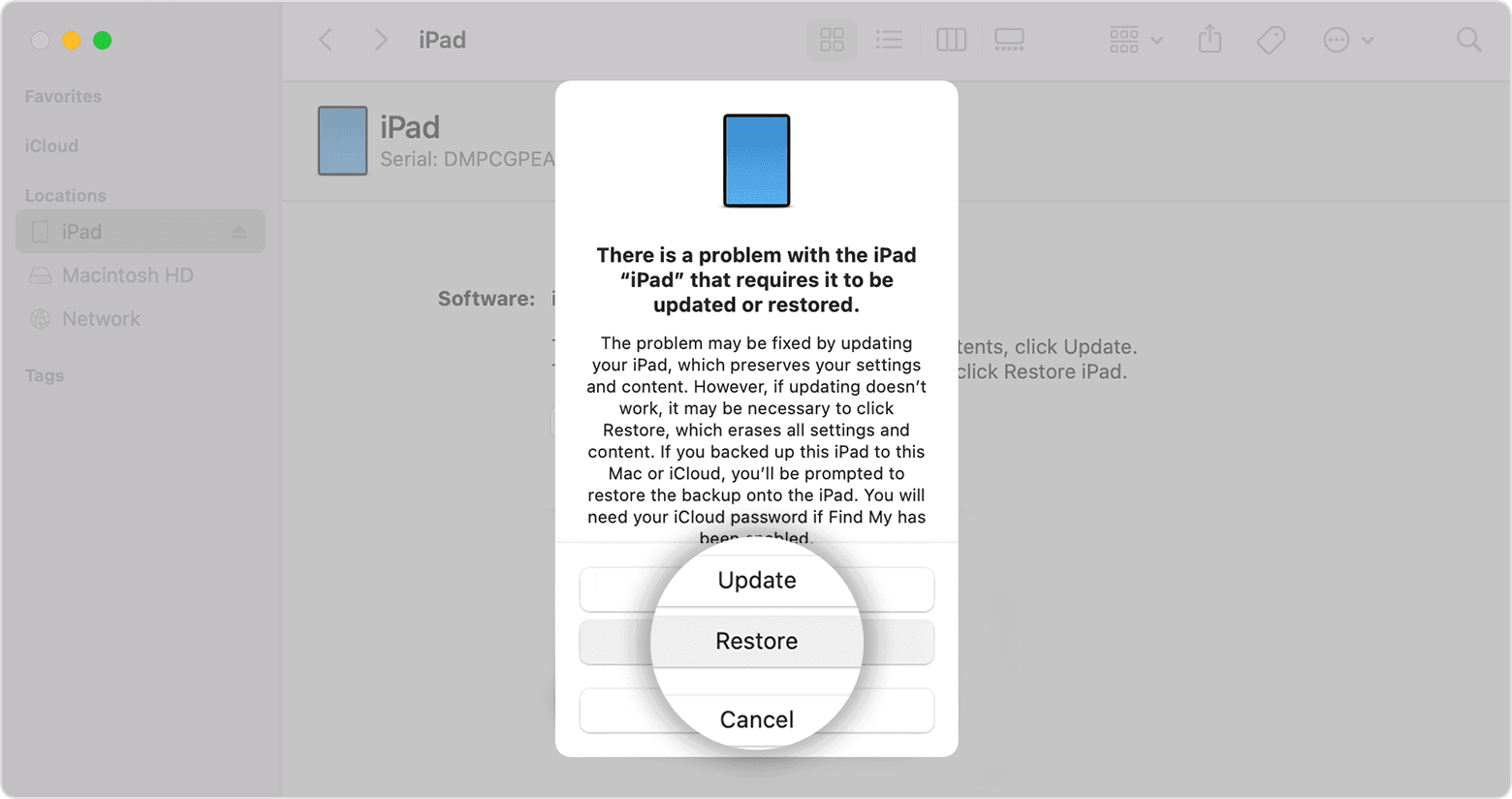
3. Wait for the process to finish.
4. Disconnect your iPad from the computer, then set up and use your iPad.
If you can't complete any of these steps, if you're still prompted for a passcode, or if you need any other assistance, contact Apple Support."
For additional information, check out this link: If you forgot your iPad passcode - Apple Support
These steps will help ensure your device is working with ease and can fix common issues like the ones you’re experiencing.
Kindest regards!
Hey there, and welcome to Apple Support Communities bettyann240,
We can certainly understand your concern and see you came to us from the article If Touch ID isn't working on your iPhone or iPad.
We recommend checking out these steps for more information on what to do if you forgot your password and see if it matches up with your procedures.
" Forgot your iPad passcode? Learn how to get your iPad into recovery mode so you can erase it and set it up again.
If you enter the wrong passcode on your iPad Lock Screen too many times, an alert lets you know that your iPad is disabled. (Learn what to do if you see "[Device] unavailable" or "Security Lockout" on your iPad.)
If you can’t remember your passcode when you try again, you need to use a computer to put your iPad in recovery mode. This process deletes your data and settings, including your passcode, giving you access to set up your iPad again.
After you erase your iPad, you can restore your data and settings from backup. If you didn't back up your iPad, you can set it up as a new device and then download any data that you have in iCloud.
Restore your iPad
3. Wait for the process to finish.
4. Disconnect your iPad from the computer, then set up and use your iPad.
If you can't complete any of these steps, if you're still prompted for a passcode, or if you need any other assistance, contact Apple Support."
For additional information, check out this link: If you forgot your iPad passcode - Apple Support
These steps will help ensure your device is working with ease and can fix common issues like the ones you’re experiencing.
Kindest regards!
iPad is not accepting password after factory reset

