Scrolling on FB
My I pad just starting scrolling by itself. Can anyone help me stop this.
My I pad just starting scrolling by itself. Can anyone help me stop this.
Hello 36apr,
Thanks for posting in the Apple Support Communities.
We understand your iPad seems to be scrolling on it's own and unresponsive, right?
If we have that correct, check out the steps below to see if this helps with clearing up what's happening. You can also find these details and more information, here: If your iPad won't turn on or is frozen - Apple Support
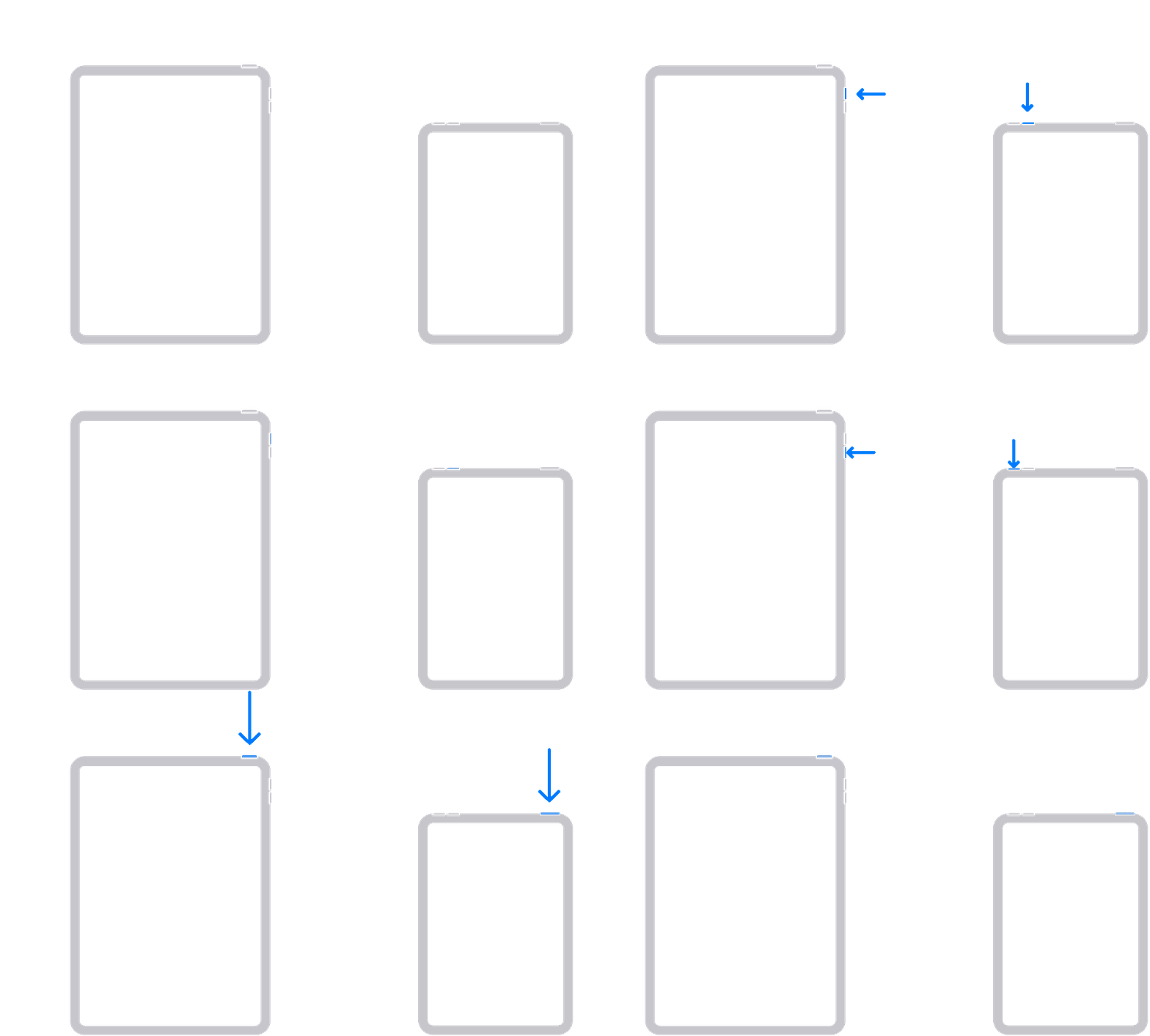
On your iPad without a Home button
1. Press and quickly release the volume button closest to the top button.
2. Press and quickly release the volume button farthest from the top button.
3. Press and hold the top button until the device begins to restart.
4. If your iPad doesn't turn on, follow these steps to check your hardware and charge your device. You might need to charge for up to an hour.
5. If your iPad still doesn't turn on, contact Apple Support.
We hope that's able to help.
Have a great day!
Hello 36apr,
Thanks for posting in the Apple Support Communities.
We understand your iPad seems to be scrolling on it's own and unresponsive, right?
If we have that correct, check out the steps below to see if this helps with clearing up what's happening. You can also find these details and more information, here: If your iPad won't turn on or is frozen - Apple Support
On your iPad without a Home button
1. Press and quickly release the volume button closest to the top button.
2. Press and quickly release the volume button farthest from the top button.
3. Press and hold the top button until the device begins to restart.
4. If your iPad doesn't turn on, follow these steps to check your hardware and charge your device. You might need to charge for up to an hour.
5. If your iPad still doesn't turn on, contact Apple Support.
We hope that's able to help.
Have a great day!
I don’t think you can, in that my FB feed also scrolls by itself. If I’m in a group it does not but my newsfeed jumps all by itself, which suggests it’s an issue with how FB is coding their pages
all we can do is wait it out until they fix it.
My MacPro also started this on 01/14/23! I went in and cleaned up my cookies and cache but it did not help. Any other ideas?
Thank you! 😊
Scrolling on FB