Hello ND_G,
Just to clarify, are you using Apple Watch, and want to manage the notification settings? If so, please check out this link, which outlines the available options to manage notification settings on Apple Watch, and may help: Change notification settings on Apple Watch
Change notification settings directly on Apple Watch
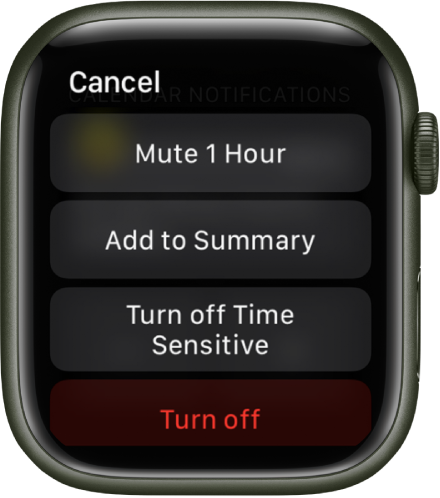
You can manage other notifications preferences directly on your Apple Watch by swiping left on a notification and tapping  . Options may include:
• Mute 1 hour or Mute for Today: For the next hour or for the rest of the day, notifications are sent directly to Notification Center without your Apple Watch making a sound or displaying the notification. To see and hear these notification alerts again, swipe left on a notification, tap , then tap Unmute.
• Add to Summary: Future notifications from the app appear in the Notification Summary on your iPhone.
To have the app once again notify you immediately, open the Settings app on your iPhone, tap Notifications, tap the app, then tap Immediate Delivery.
• Turn off Time Sensitive: Time-sensitive notifications are always delivered immediately, even if you’re using a Focus that delays most notifications. However, if you want to prevent this app from delivering even time-sensitive notifications immediately, tap this option.
• Turn off: The app sends no notifications. To reenable notifications from the app, open the Apple Watch app on your iPhone, tap My Watch, tap Notifications, tap the app you want to adjust, then tap Allow Notifications.
Thanks!


