
how to unlock a iwatch ?
How do I unlock an iwatch 3 ???
How do I unlock an iwatch 3 ???
Hi Preamycat,
Thanks for posting in Apple Support Communities.
We understand that you want to unlock an Apple Watch.
Unlock Apple Watch when you unlock your iPhone: Open the Apple Watch app on your iPhone, tap My Watch, tap Passcode, then turn on Unlock with iPhone.
This and additional details can be found in Lock or unlock Apple Watch.
If you're referring to removing Activation Lock, this can be done in different ways depending on whether you have the Apple Watch in your possession.
"Turn off Activation Lock before you send your Apple Watch in for service, sell it, or give it away
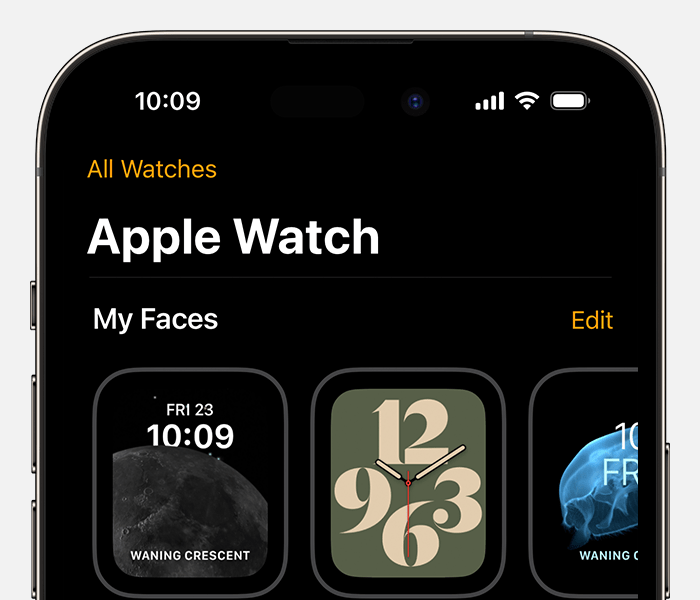
Before you send your Apple Watch in for service, sell it, or give it away, you should turn off Activation Lock on your Apple Watch. Just unpair your Apple Watch from your iPhone:
 next to your Apple Watch.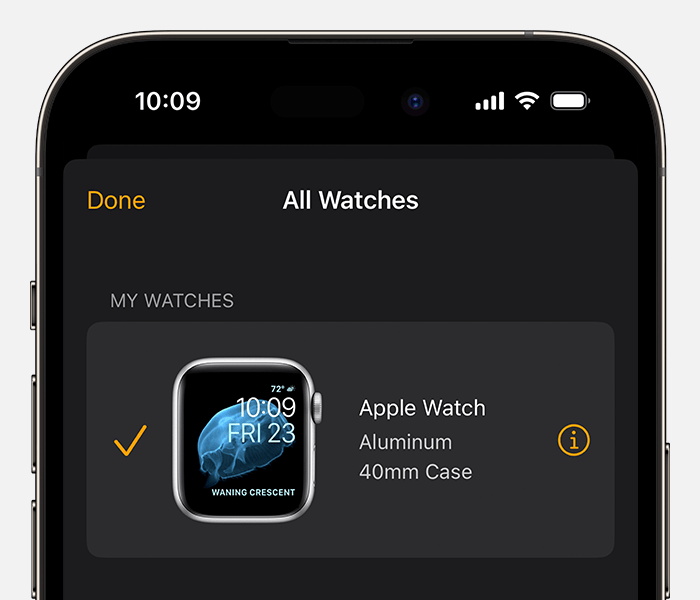
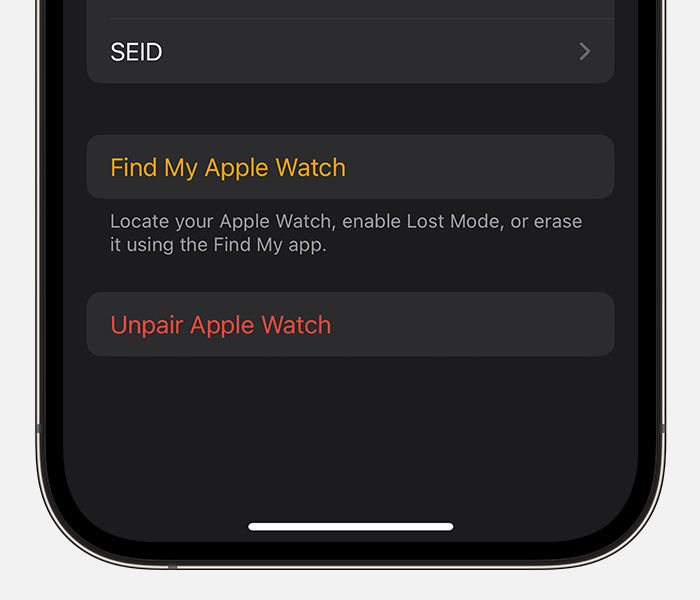 For cellular models of Apple Watch, tap Remove [Carrier] Plan. If you aren't going to pair with a different Apple Watch or iPhone, you might need to contact your carrier to cancel your cellular subscription.*
 These details are found in About Activation Lock on your Apple Watch.
Regards.
Hi Preamycat,
Thanks for posting in Apple Support Communities.
We understand that you want to unlock an Apple Watch.
Unlock Apple Watch when you unlock your iPhone: Open the Apple Watch app on your iPhone, tap My Watch, tap Passcode, then turn on Unlock with iPhone.
This and additional details can be found in Lock or unlock Apple Watch.
If you're referring to removing Activation Lock, this can be done in different ways depending on whether you have the Apple Watch in your possession.
"Turn off Activation Lock before you send your Apple Watch in for service, sell it, or give it away
Before you send your Apple Watch in for service, sell it, or give it away, you should turn off Activation Lock on your Apple Watch. Just unpair your Apple Watch from your iPhone:
next to your Apple Watch.For cellular models of Apple Watch, tap Remove [Carrier] Plan. If you aren't going to pair with a different Apple Watch or iPhone, you might need to contact your carrier to cancel your cellular subscription.* These details are found in About Activation Lock on your Apple Watch.
Regards.
how to unlock a iwatch ?

