
Do scans have to be saved in notes or can they saved in photos? Also can I share a scan without saving it first?
Do scans have to be saved in notes or can they saved in photos? Also can I share a scan without saving it first?
iPhone 14, iOS 16
Do scans have to be saved in notes or can they saved in photos? Also can I share a scan without saving it first?
iPhone 14, iOS 16
Hi meryl115,
Thanks for your question. Scanned documents are saved to the Notes app by default. Since there is not an option to save scanned documents in another location or share without saving, we'd recommend submitting some feedback here: Feedback - Notes - Apple
For additional information on Notes, see the following: How to scan documents on your iPhone or iPad - Apple Support
"
Scan a document
 , then tap Scan Documents
  .
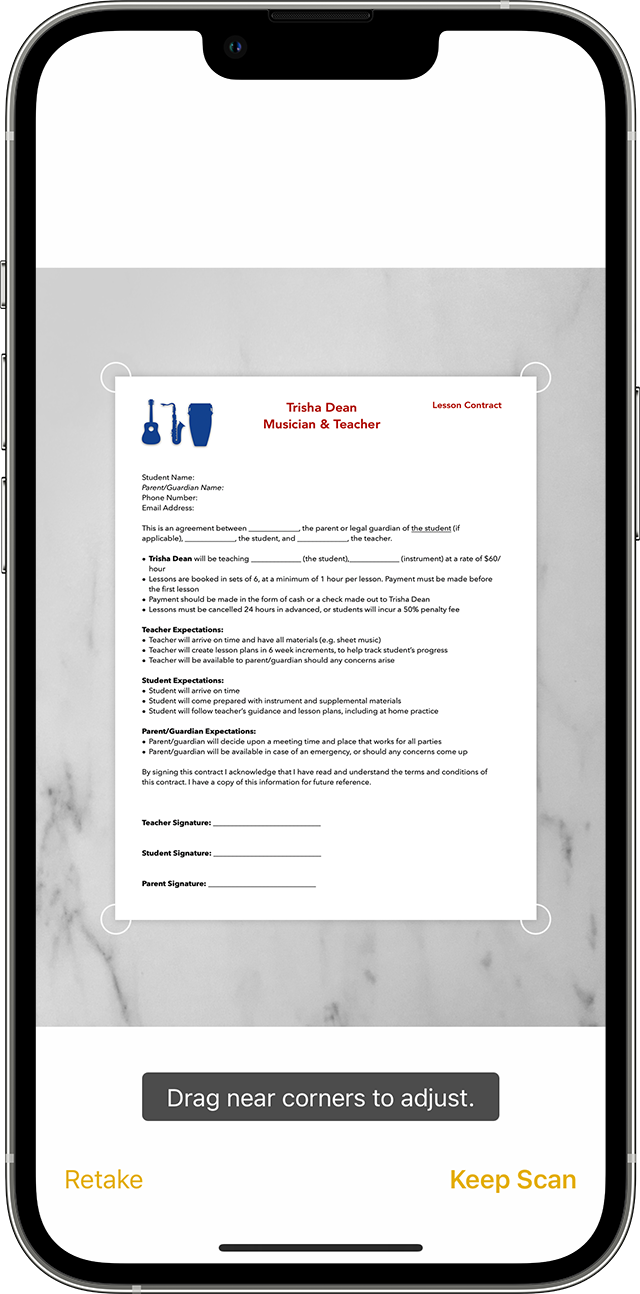
. or one of the Volume buttons. Then drag the corners to adjust the scan to fit the page, then tap Keep Scan.
Learn how to use the Continuity Camera to scan notes from your iPhone or iPad to your Mac.

Sign a document
 , then tap Markup
  .
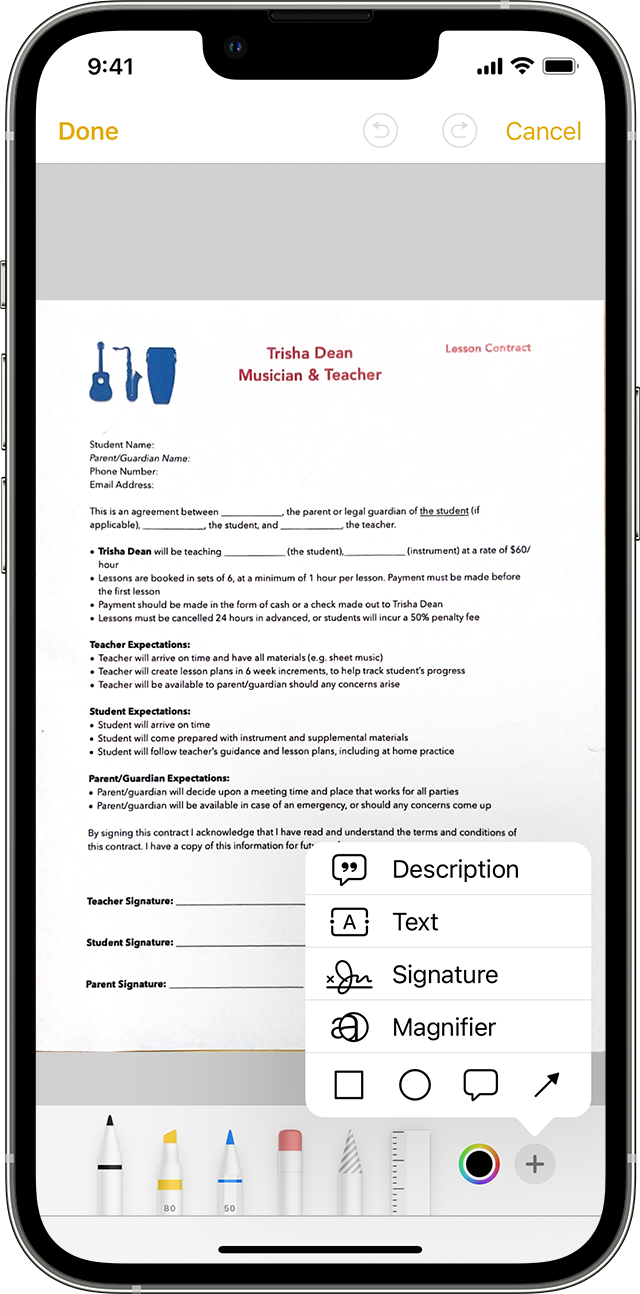
. , then tap Signature
  and add a saved signature or create a new signature. Then you can adjust the size of the signature box and place it wherever you want on the document.
To manually sign your document, follow steps 1-2, then select a tool to use and sign the document with your finger or an Apple Pencil with a compatible iPad.
"
Cheers.
Hi meryl115,
Thanks for your question. Scanned documents are saved to the Notes app by default. Since there is not an option to save scanned documents in another location or share without saving, we'd recommend submitting some feedback here: Feedback - Notes - Apple
For additional information on Notes, see the following: How to scan documents on your iPhone or iPad - Apple Support
"
Scan a document
, then tap Scan Documents . or one of the Volume buttons. Then drag the corners to adjust the scan to fit the page, then tap Keep Scan.Learn how to use the Continuity Camera to scan notes from your iPhone or iPad to your Mac.
Sign a document
, then tap Markup ., then tap Signature and add a saved signature or create a new signature. Then you can adjust the size of the signature box and place it wherever you want on the document.To manually sign your document, follow steps 1-2, then select a tool to use and sign the document with your finger or an Apple Pencil with a compatible iPad.
"
Cheers.
Do scans have to be saved in notes or can they saved in photos? Also can I share a scan without saving it first?

