Hello fekim,
We'd recommend reviewing the following for FaceTime and expected behavior: Use FaceTime with your iPhone or iPad - Apple Support
Use FaceTime with your iPhone or iPad
Learn how to use FaceTime to make video and audio calls on your iPhone or iPad.

You can use FaceTime over Wi-Fi1 or over cellular on supported iOS or iPadOS devices. FaceTime isn't available or might not appear on devices purchased in United Arab Emirates. Group FaceTime and FaceTime Audio are not available in China mainland on iPhone and iPad with cellular.
Turn on FaceTime
Open the FaceTime app and sign in with your Apple ID. You can also do this from Settings > FaceTime.
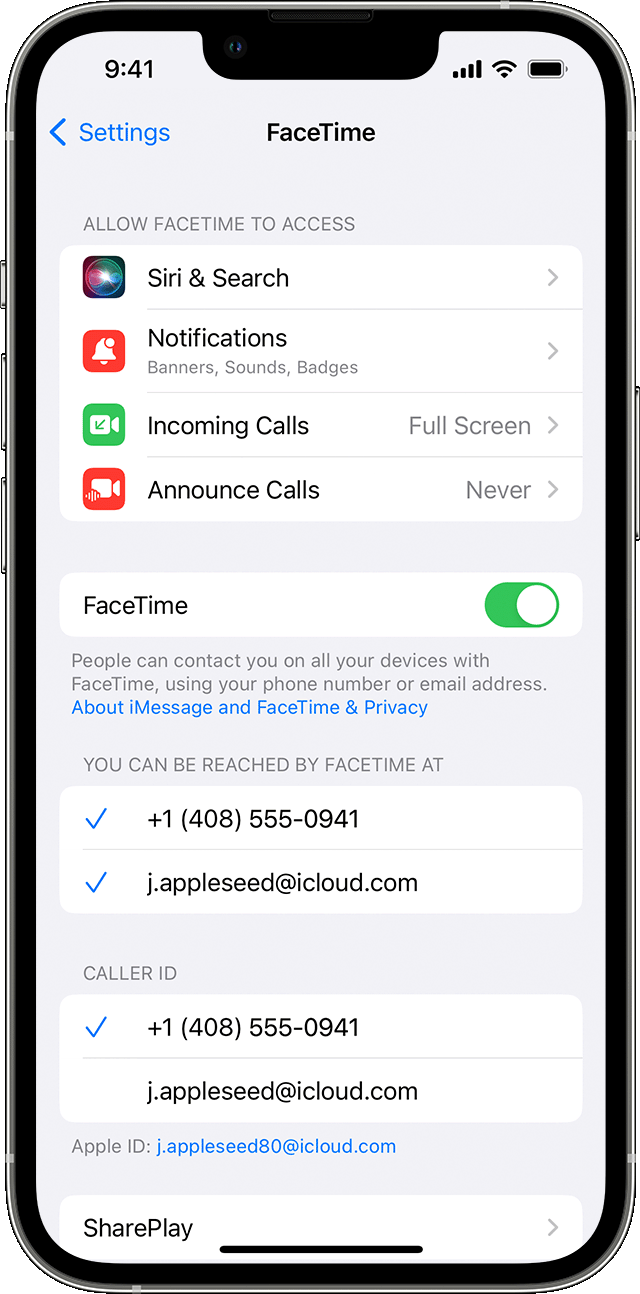
If you're using an iPhone, FaceTime automatically registers your phone number.
If you're using an iPhone or iPad, you can register your email address:
1. Open Settings.
2. Tap FaceTime, then tap Use your Apple ID for FaceTime.
3. Sign in with your Apple ID.

The biggest take away should be that, the iPad would require an email address and since you're using the same Apple ID on both devices, this would be expected behavior. Unless you decided to use another Apple ID on one of these devices.
As an alternative, you could use the Camera app to view yourself before taking a call.
Hoping this helps out, take care.


