unable to accept icloud terms on macbook pro
Any suggestions would be greatly appreciated
MacBook Air
Any suggestions would be greatly appreciated
MacBook Air
Hello Lexus160,
Thank you for reaching out in Apple Support Communities. We recommend to make sure that your Mac is updated to the latest version of macOS 13.2. Updating the macOS version helps provide software improvements that can help you in this situation. If needed, here's how to update the software on your Mac:
Use Software Update
Before following these steps, it's a good idea to back up your Mac.
1. From the Apple menu in the corner of your screen, choose System Settings or System Preferences.
∙ If you chose System Settings, click General on the left side of the window. Then click Software Update on the right.
∙ If you chose System Preferences, click Software Update in the window.
2. Software Update then checks for new software.
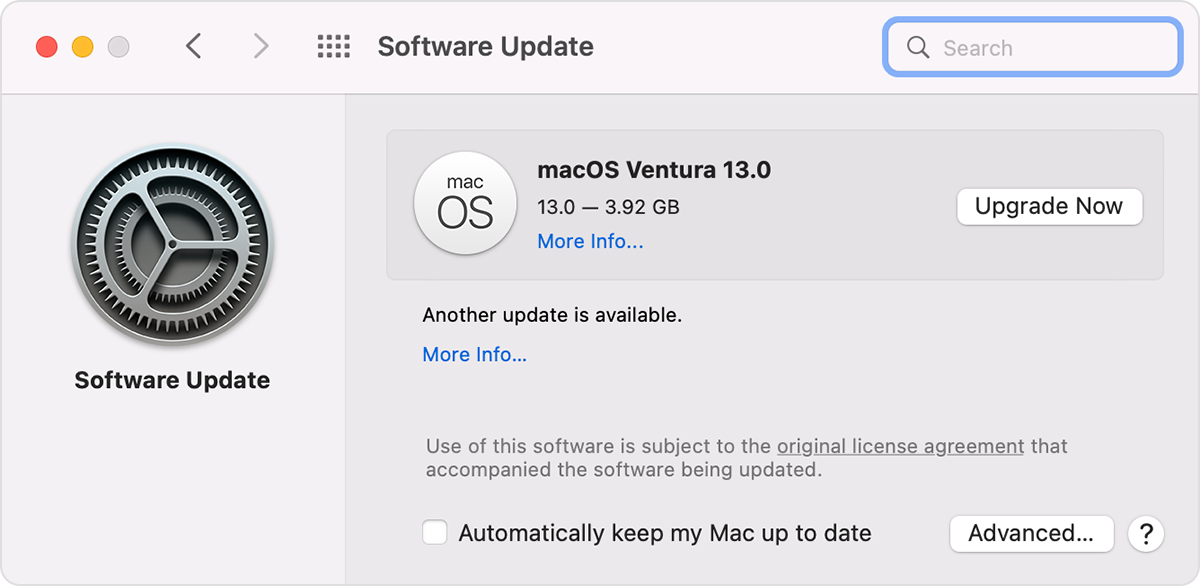
∙If Software Update finds new software, click the button to install it. The button might be named Update Now, Upgrade Now, Install Now, or Restart Now, for example. You might then be asked to enter your administrator password.
∙If Software Update says that your Mac is up to date, then no new software is currently available for your Mac model. Software Update shows only software that is compatible with your Mac.
Following these steps can help and is outlined in this article: Update macOS on Mac - Apple Support
If that doesn't help, we recommend to contact Apple Support. They can investigate this further. You can contact them through this link here: Apple Support
Kind regards.
Hello Lexus160,
Thank you for reaching out in Apple Support Communities. We recommend to make sure that your Mac is updated to the latest version of macOS 13.2. Updating the macOS version helps provide software improvements that can help you in this situation. If needed, here's how to update the software on your Mac:
Use Software Update
Before following these steps, it's a good idea to back up your Mac.
1. From the Apple menu in the corner of your screen, choose System Settings or System Preferences.
∙ If you chose System Settings, click General on the left side of the window. Then click Software Update on the right.
∙ If you chose System Preferences, click Software Update in the window.
2. Software Update then checks for new software.
∙If Software Update finds new software, click the button to install it. The button might be named Update Now, Upgrade Now, Install Now, or Restart Now, for example. You might then be asked to enter your administrator password.
∙If Software Update says that your Mac is up to date, then no new software is currently available for your Mac model. Software Update shows only software that is compatible with your Mac.
Following these steps can help and is outlined in this article: Update macOS on Mac - Apple Support
If that doesn't help, we recommend to contact Apple Support. They can investigate this further. You can contact them through this link here: Apple Support
Kind regards.
unable to accept icloud terms on macbook pro