I want to cancel my amazon music subscription that is handled through I-Tunes
how do I my amazon music subscription?
iPhone 8 Plus, iOS 16
how do I my amazon music subscription?
iPhone 8 Plus, iOS 16
Hey maelette,
We'd be happy to help out. If your Amazon Music subscription is billed through the App Store, you can cancel it using these steps:
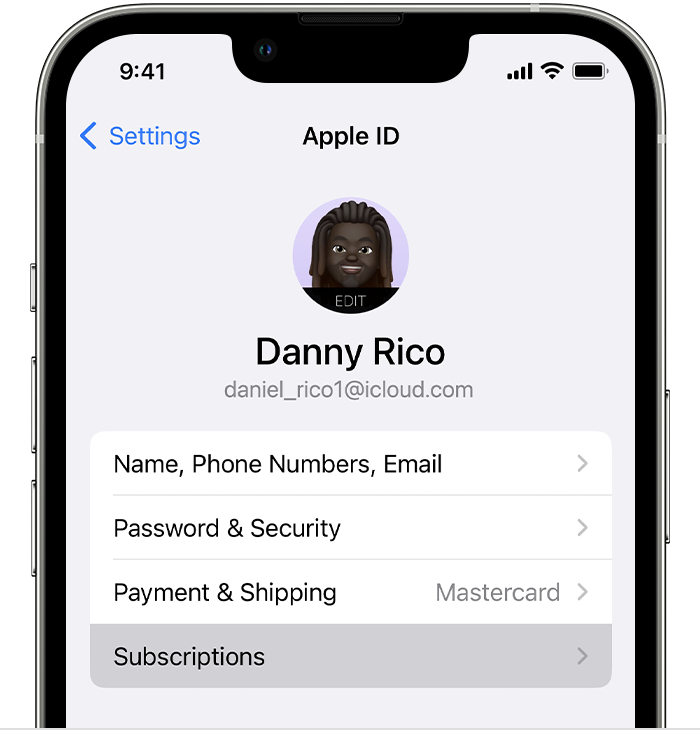
How to cancel a subscription on your iPhone or iPad
1. Open the Settings app.
2. Tap your name.
3. Tap Subscriptions.
4. Tap the subscription.
5. Tap Cancel Subscription. You might need to scroll down to find the Cancel Subscription button. If there is no Cancel button or you see an expiration message in red text, the subscription is already canceled.
If you can't find the subscription that you want to cancel
This is outlined further here: If you want to cancel a subscription from Apple - Apple Support
We hope this helps out.
Take care!
Hey maelette,
We'd be happy to help out. If your Amazon Music subscription is billed through the App Store, you can cancel it using these steps:
How to cancel a subscription on your iPhone or iPad
1. Open the Settings app.
2. Tap your name.
3. Tap Subscriptions.
4. Tap the subscription.
5. Tap Cancel Subscription. You might need to scroll down to find the Cancel Subscription button. If there is no Cancel button or you see an expiration message in red text, the subscription is already canceled.
If you can't find the subscription that you want to cancel
This is outlined further here: If you want to cancel a subscription from Apple - Apple Support
We hope this helps out.
Take care!
I want to cancel my amazon music subscription that is handled through I-Tunes