Safari Newest Bookmarks missing after updating and syncing.

Hello!


I searched a lot, but i can't find somebody report the same problem.


I found out that from a long time my bookmarks are not syncing with iCloud.

I.e. i'm adding my bookmarks on my MacBook, but they are not appear on my iMac or iPhone.

Today i tried to fix the problem. I did disable and enable Safari in the iCloud menu several times, restart the app, but no effect. Than i saw that there is Big Sur update with Safari too (yes, my MacBook is older).

I updated it, and after that i open Safari and i saw, that all newly added bookmarks are disappeared :(

They are now up to date with the old bookmarks from my iMac and iPhone.

I checked the iCloud option to recover bookmarks, but as it was out of sync, they are not even went to iCloud. So now i lost about 15-20 bookmarks that i probably wouldn't remember what they were to put them back on.


I mean... iCloud should check for every bookmark date, and the date of last sync before it scratch everything... Or something else in the sync algorithm is wrong...


Is there any chance the old Bookmarks.plist is still alive somewhere?


Posted on Feb 6, 2023 7:37 AM

Reply

Similar questions

1 reply

Feb 7, 2023 4:32 PM in response to NicoxDJ

Hello NicoxDJ,


Thank you for using Apple Support Communities and for sharing these details. It sounds like you've already checked on the iCloud website and you don't see your bookmarks there. Just in case, this resource can show you how to restore your Safari bookmarks: Restore your Safari bookmarks and Reading List on iCloud.com - Apple Support


1.) On iCloud.com, click the App Launcher button in the toolbar, then click Data Recovery.
2.) Click Restore Bookmarks.
You can sort available bookmarks by Date Deleted, Name, or Folder.
3.) To the right of the version you want to restore, click Restore.
There may be more versions than can be displayed. Scroll to see them all.
Note: Wait until iCloud finishes restoring your Safari bookmarks and Reading List before you change them. During the restore process, any changes you make aren’t saved.


If no bookmarks are listed or recovered, you still might be able to recover missing data by using Time Machine. If you were using Time Machine to backup your data, then you can follow these steps here: Restore items backed up with Time Machine on Mac - Apple Support


1.) On your Mac, open a window for the item you want to restore.
For example, to recover a file you accidentally deleted from your Documents folder, open the Documents folder.
If you’re missing an item from the desktop, you don’t need to open a window.
2.) Use Launchpad to view and open apps on Mac and open Time Machine (in the Other folder). A message may appear while your Mac connects to the backup disk.
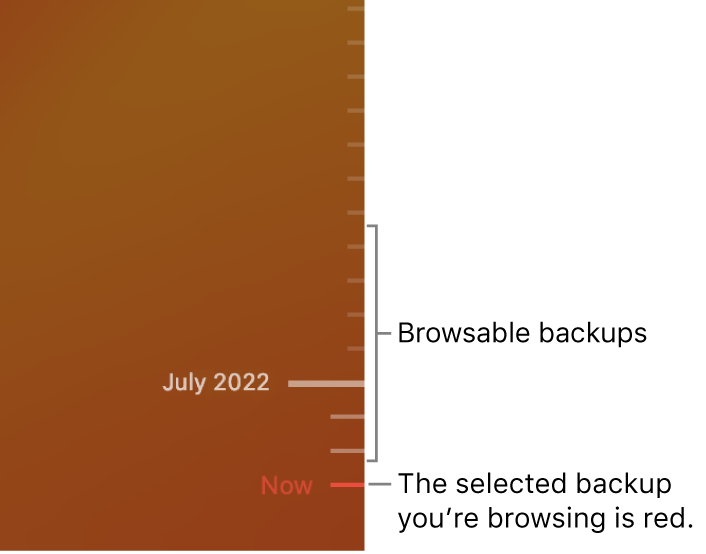
3.) Use the arrows and timeline to browse the local snapshots and backups.
Tick marks in the backup timeline. The red tick mark indicates the backup you’re browsing.
If you see a pulsing light to semi-dark gray tick mark, it represents a backup that’s still loading or validating on the backup disk.
4.) Select one or more items you want to restore (these can include folders or your entire disk), then click Restore.
Restored items return to their original location. For example, if an item was in the Documents folder, it’s returned to the Documents folder.


We hope these steps help you. Thank you for using Apple Support Communities.


This thread has been closed by the system or the community team. You may vote for any posts you find helpful, or search the Community for additional answers.

Safari Newest Bookmarks missing after updating and syncing.

Welcome to Apple Support Community
A forum where Apple customers help each other with their products. Get started with your Apple Account.