
Do Beats Solo3 announce notifications?
Do Beats Solo 3 announce notifications? I can’t figure out how together them to
[Re-Titled by Moderator]
Do Beats Solo 3 announce notifications? I can’t figure out how together them to
[Re-Titled by Moderator]
Greetings SketchyD,
Yes! Siri is able to announce incoming notifications from apps such as Messages and Reminders, and from supported third-party apps with Beats Solo Pro. Here's how:
"Your compatible headphones need to be paired with one of these devices:
Turn on Announce Notifications
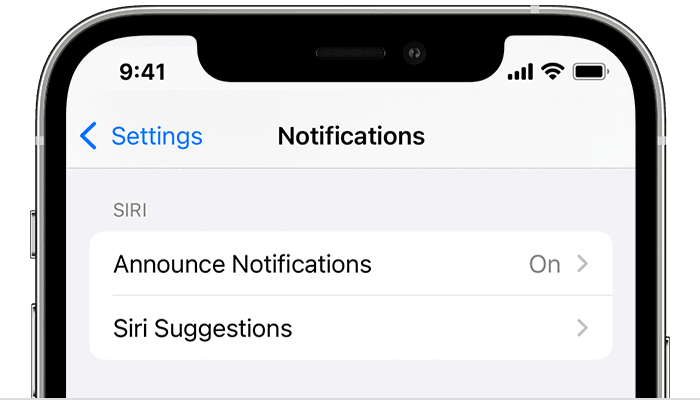
4. Turn on Announce Notifications.
Use Announce Notifications
With this feature turned on, Siri announces incoming notifications from apps such as Messages and Reminders, and from supported third-party apps. Siri reads your incoming notifications out loud when your headphones are connected to your iPhone or iPad, you're wearing them, and your device is locked.
If the app that you're using classifies a notification as time sensitive or as a direct message, Siri plays a tone, then announces the notification automatically. You can also choose which notifications Siri reads:
If you customize Control Center on your iPhone or iPad to include Announce Notifications, you can use Control Center to turn the feature on or off quickly.
If you're receiving multiple notifications at once, you can stop Siri from announcing them all by taking out one of your earbuds or removing your headphones.
Reply to notifications
For apps in which you can send a reply, such as Messages, you can reply to the notifications that Siri announces on compatible headphones or in a vehicle that supports CarPlay:
If you don’t hear Siri announcements
If you don’t hear Siri announce your notifications, try these steps:
More details here: Announce notifications with Siri on AirPods or Beats
Cheers!
Do Beats Solo3 announce notifications?

