cannot find my password on iphne 13 pro
All my passwords are gone. I have an Iphone 13 pro. How to I restore them?
All my passwords are gone. I have an Iphone 13 pro. How to I restore them?
Thanks for reaching out SusanCer,
It sounds like you might be using iCloud Keychain, and your saved passwords aren't showing as available. We can help.
A great place to start is with these steps to Set up iCloud Keychain:
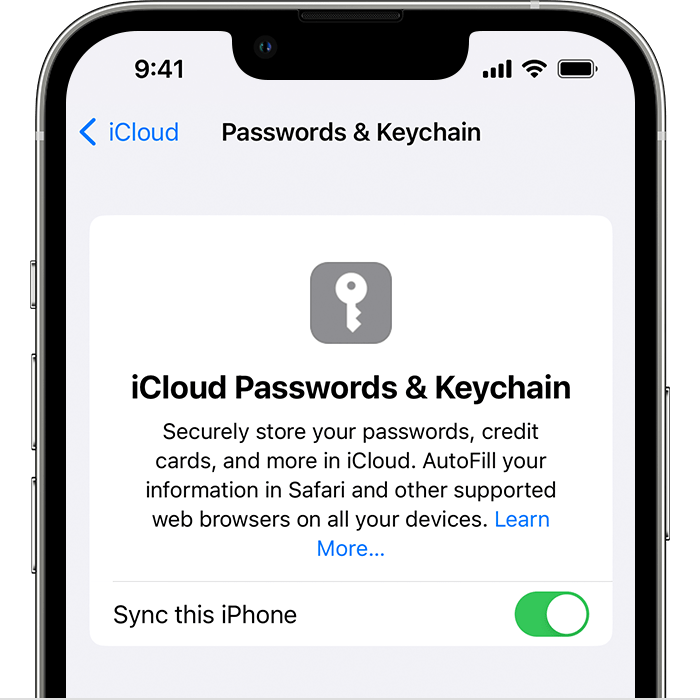
Turn on iCloud Keychain on your iPhone, iPad, or iPod touch
1. Tap Settings, tap [your name], then choose iCloud.
2. Tap Passwords and Keychain.*
3. Turn on iCloud Keychain. You might be asked for your passcode or Apple ID password.
Additionally, you may also want to check out this article covering How to find saved passwords and passkeys on your iPhone:
View saved passwords and passkeys in Settings
1. Tap Settings, then select Passwords. In iOS 13 or earlier, select Passwords & Accounts, then tap Website & App Passwords.
2. Use Face ID or Touch ID when prompted, or enter your passcode.
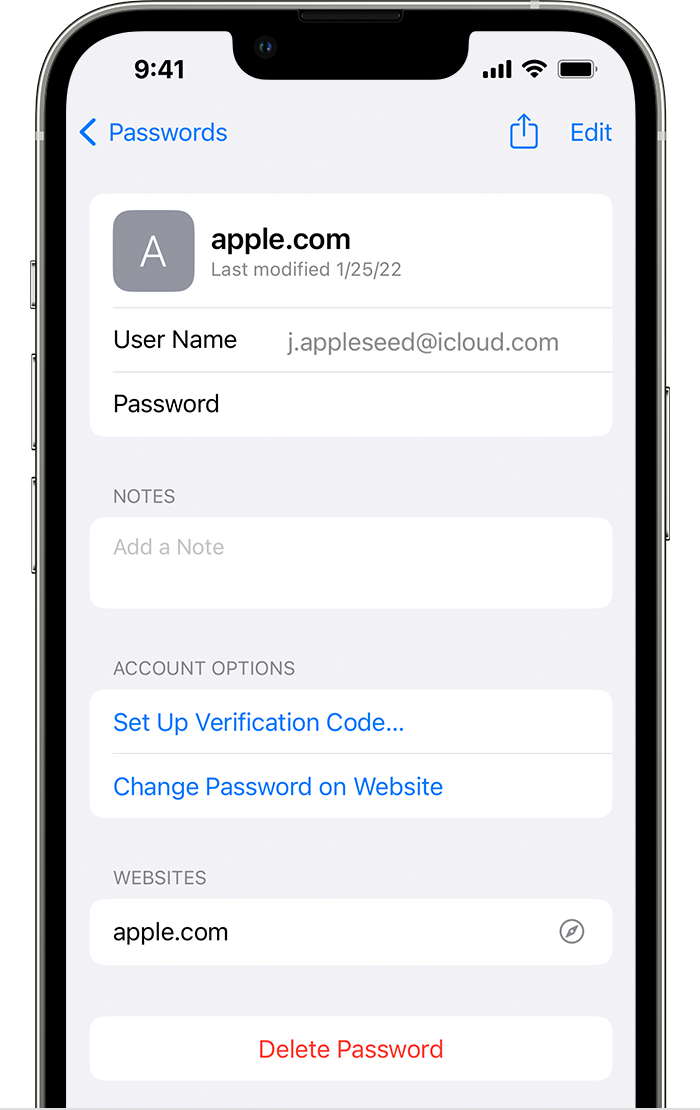
3. To see a password or passkey, select a website or app.
- To delete a saved password or passkey, tap Delete Password or Delete Passkey.
- To update a password or passkey, tap Edit.
Get help if you don't see your saved passwords or passkeys in iCloud Keychain.
Hope that helps.
Take care.
Thanks for reaching out SusanCer,
It sounds like you might be using iCloud Keychain, and your saved passwords aren't showing as available. We can help.
A great place to start is with these steps to Set up iCloud Keychain:
Turn on iCloud Keychain on your iPhone, iPad, or iPod touch
1. Tap Settings, tap [your name], then choose iCloud.
2. Tap Passwords and Keychain.*
3. Turn on iCloud Keychain. You might be asked for your passcode or Apple ID password.
Additionally, you may also want to check out this article covering How to find saved passwords and passkeys on your iPhone:
View saved passwords and passkeys in Settings
1. Tap Settings, then select Passwords. In iOS 13 or earlier, select Passwords & Accounts, then tap Website & App Passwords.
2. Use Face ID or Touch ID when prompted, or enter your passcode.
3. To see a password or passkey, select a website or app.
- To delete a saved password or passkey, tap Delete Password or Delete Passkey.
- To update a password or passkey, tap Edit.
Get help if you don't see your saved passwords or passkeys in iCloud Keychain.
Hope that helps.
Take care.
cannot find my password on iphne 13 pro