Hello Deedee8365,
We appreciate you reaching out to Apple Support Communities, and we're sorry for your loss. We see you have some questions about using the Health App, and we'll do our best to help as much as we can. When you go back through the set up process, to change/edit your cycle, do you still see this after choosing "none of these"? Track your period with Cycle Tracking
Add cycle factors
You can also add factors that can influence the timing and length of your cycle, such as pregnancy.
1) On your iPhone, open the Health app and tap the Browse tab.
2) Tap Cycle Tracking.
3) Under the Cycle Log section, tap Set Up next to Factors.
4) Select Pregnant, Lactating, Using Contraceptives, or None of These.
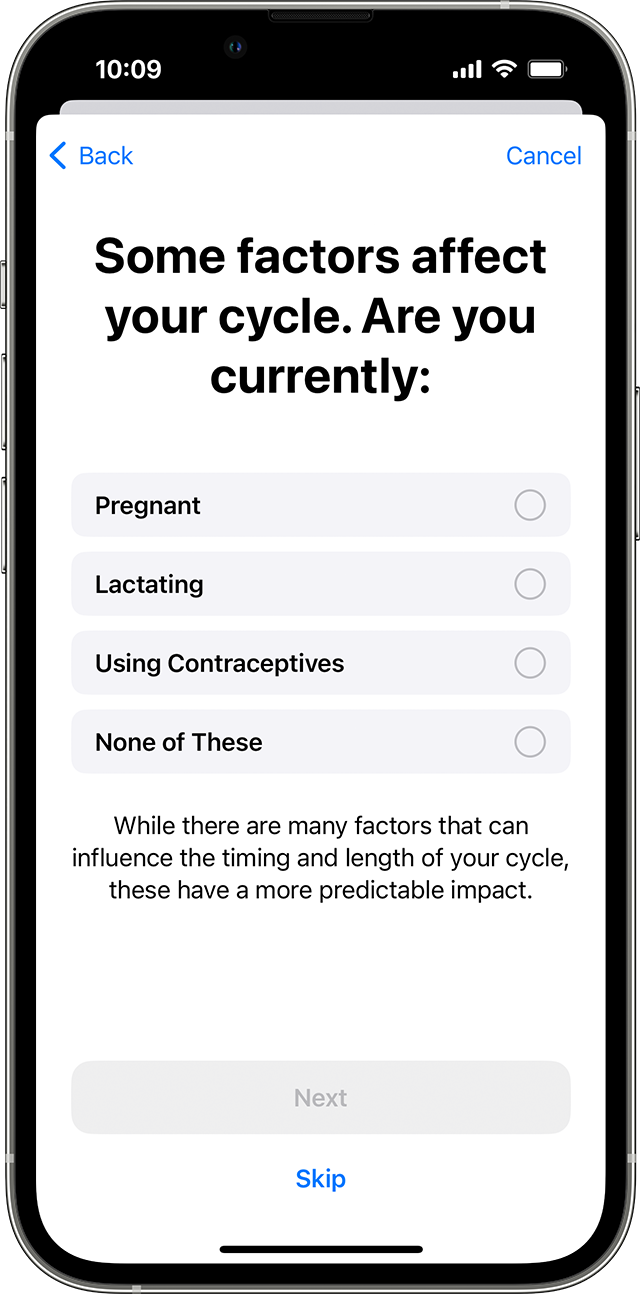
5) Enter a start date for the factor and tap Done.
If a factor was added incorrectly, tap the factor and tap Delete Factor to remove it.
To end a factor, tap the factor and tap Ended. Enter an end date and tap Done. You can tap Show All Factors to see a history of your previous factors.
If you still have questions after, we'd recommend reaching out to Apple Support to look into this further: Contact Apple Support
Take care.


