Thanks for posting in the Apple Support Communities ThePMC19,
The following information explains how full-screen mode works in supported apps on Mac, and how to view content in a larger window, without going full-screen.
Use apps in full screen on Mac
Many apps on your Mac support full-screen mode—an app fills the entire screen—so you can take advantage of every inch of the screen and work without desktop distractions.
1: On your Mac, move the pointer to the green button in the top-left corner of the window, then choose Enter Full Screen from the menu that appears or click the button  .
.
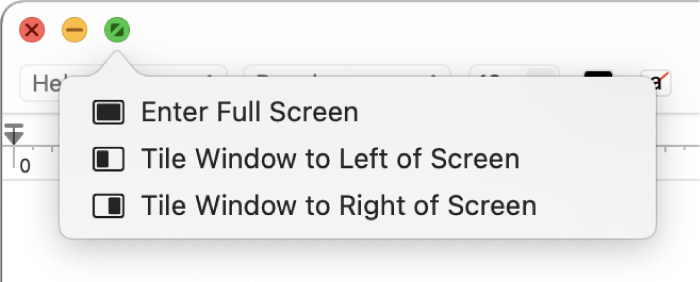
2: In full screen, do any of the following:
• Show or hide the menu bar: Move the pointer to or away from the top of the screen. If you deselected the option to hide and show the menu bar in full screen, the menu bar is always shown.
• Show or hide the Dock: Move the pointer to or away from the Dock’s location.
• Move between other apps in full screen: Swipe left or right on the trackpad with three or four fingers, depending on how you set your trackpad settings.
3: To stop using the app full screen, move the pointer to the green button again, then choose Exit Full Screen from the menu that appears or click the button  .
.
To work in a bigger window without going full screen, you can maximize the window; the window expands, but the menu bar and the Dock remain visible. See Maximize or minimize app windows.
If you’re using an app full screen, you can quickly choose another app to use in Split View. Press Control-Up Arrow (or swipe up with three or four fingers) to enter Mission Control, drag a window from Mission Control onto the thumbnail of the full-screen app in the Spaces bar, then click the Split View thumbnail. You can also drag an app’s thumbnail onto another in the Spaces bar.
Use apps in full screen on Mac
We hope this helps!



