Hi dadamiami,
For help with connecting the audio to a Bluetooth device, check out the steps below found in the article here: Play audio from iPhone on HomePod and other wireless speakers - Apple Support
"Play audio from iPhone on a wireless device
- On your iPhone, open an audio app, such as Podcasts
 or Music
  , then choose an item to play.
 - Tap
 , then choose a playback destination.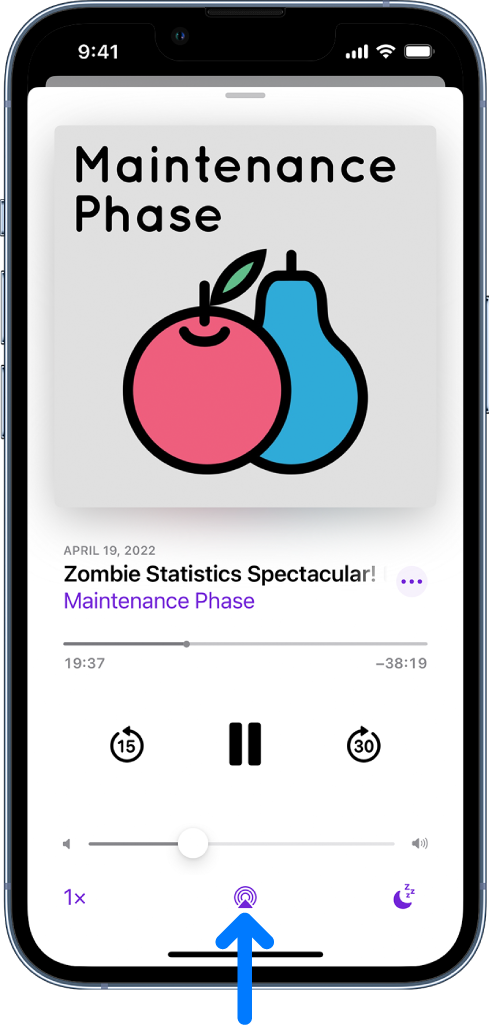
- Note: If your AirPlay 2-enabled devices don’t appear in the list of playback destinations, make sure they’re on the same Wi-Fi network. With a Bluetooth device, the playback destination returns to iPhone if you move the device out of Bluetooth range.
To select the playback destination, you can also tap on the Lock Screen or in Control Center."
You can also find helpful information in the articles here: Pair a third-party Bluetooth accessory with your iPhone or iPad, and here: Set up and use Bluetooth accessories on iPhone
If you're looking to use CarPlay check your compatibility and find connecting help below.
iOS - CarPlay - Available Models - Apple
Connect iPhone to CarPlay - Apple Support
Cheers.


