iPhone restore interrupted

I accidentally interrupted my iPhone restore from my backup on my MacBook (not iCloud). Can I reconnect and continue the restoration? I tried that but couldn’t see any progression on Finder like before but on the iPhone it says “Restoration in Progress” but it is taking forever so I am not sure if it is working.

iPhone 8 Plus

Posted on Feb 16, 2023 5:14 AM

Reply
Question marked as Top-ranking reply

Posted on Feb 17, 2023 1:27 PM

Hi PKLeong,


If the restore was interrupted, your best option is going to be to start over.


See more info here: Restore your iPhone, iPad, or iPod touch from a backup - Apple Support


"Restore your device from a backup on your computer

  1. On a Mac with macOS Catalina or later, open the Finder. On a Mac with macOS Mojave or earlier, or on a PC, open iTunes.
  2. Connect your device to your computer with a USB cable. If a message asks for your device passcode or to Trust This Computer, follow the onscreen steps. Get help if you forgot your passcode.
  3. Select your iPhone, iPad, or iPod touch when it appears in the Finder window or iTunes. Learn what to do if your device doesn't appear.
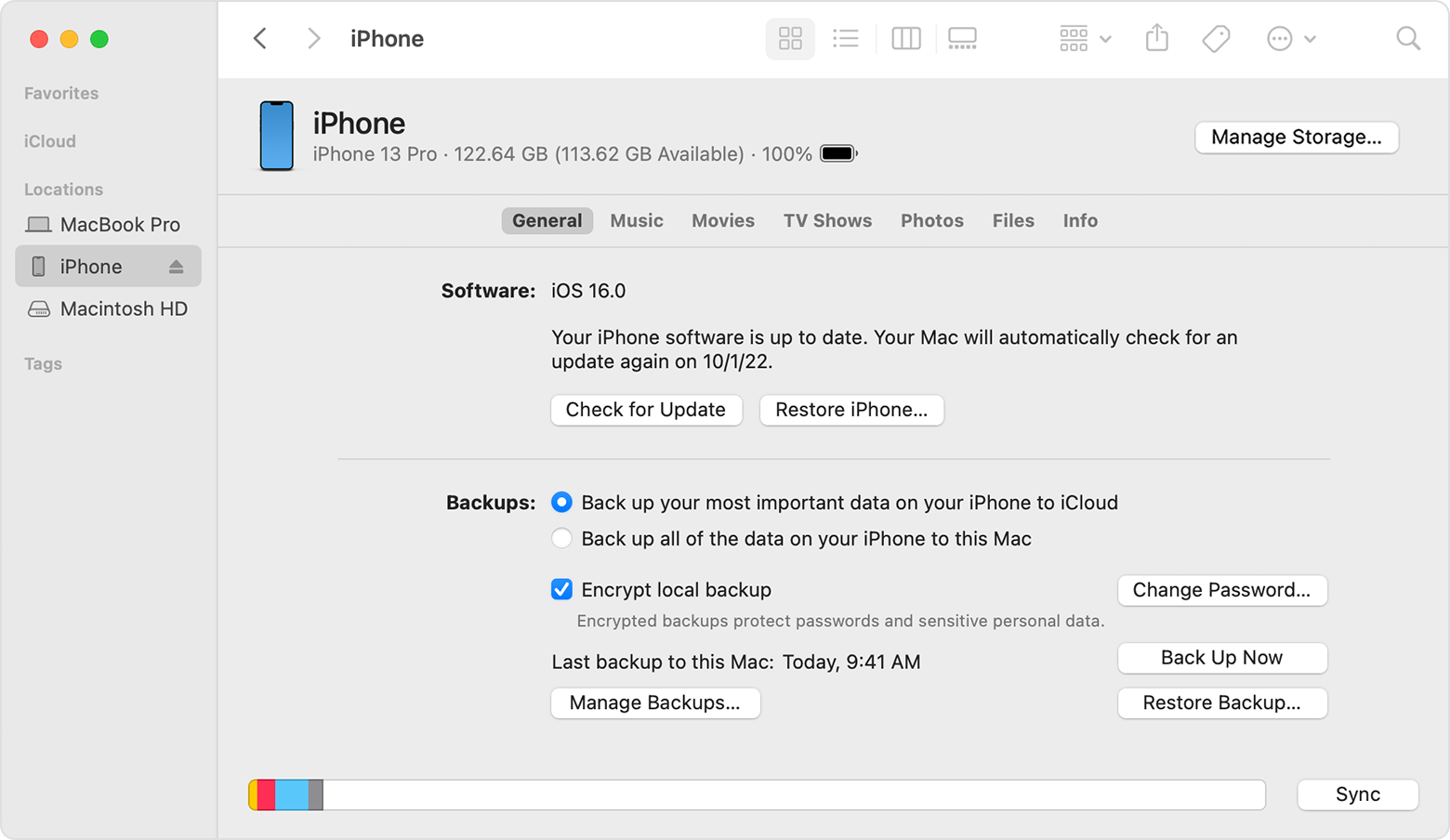
  4. A Finder window showing John's iPhone connected.

  5. Select Restore Backup. Learn what to do if a message says that your device's software is too old
  6. Look at the date of each backup and pick the most relevant.
  7. Click Restore and wait for the restore to finish. If asked, enter the password for your encrypted backup.
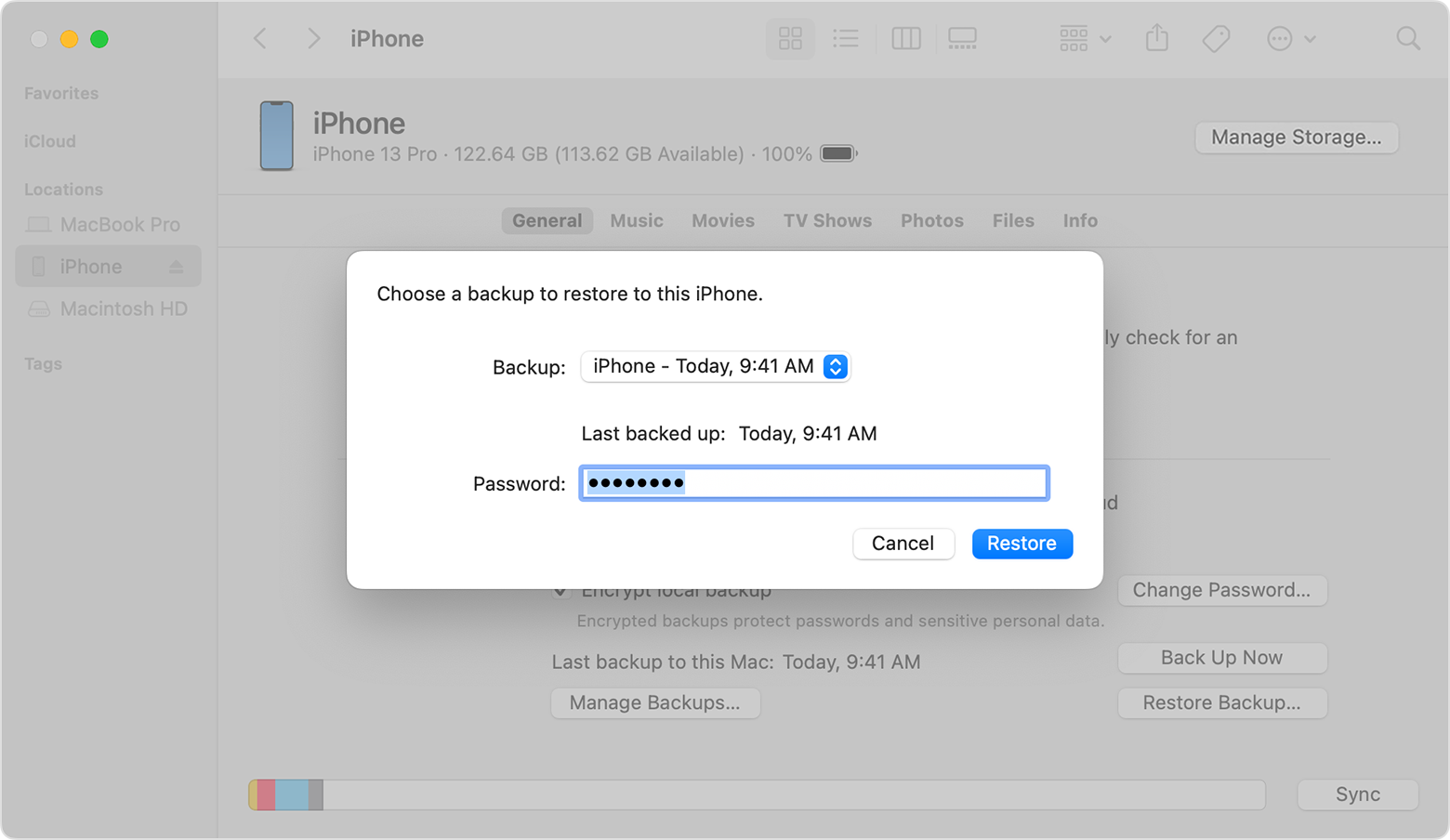
  8. A Finder window with a prompt to choose a backup and enter your password.

  9. Keep your device connected after it restarts and wait for it to sync with your computer. You can disconnect after the sync finishes."


Cheers!


1 reply
Question marked as Top-ranking reply

Feb 17, 2023 1:27 PM in response to PKLeong

Hi PKLeong,


If the restore was interrupted, your best option is going to be to start over.


See more info here: Restore your iPhone, iPad, or iPod touch from a backup - Apple Support


"Restore your device from a backup on your computer

  1. On a Mac with macOS Catalina or later, open the Finder. On a Mac with macOS Mojave or earlier, or on a PC, open iTunes.
  2. Connect your device to your computer with a USB cable. If a message asks for your device passcode or to Trust This Computer, follow the onscreen steps. Get help if you forgot your passcode.
  3. Select your iPhone, iPad, or iPod touch when it appears in the Finder window or iTunes. Learn what to do if your device doesn't appear.
  4. A Finder window showing John's iPhone connected.

  5. Select Restore Backup. Learn what to do if a message says that your device's software is too old
  6. Look at the date of each backup and pick the most relevant.
  7. Click Restore and wait for the restore to finish. If asked, enter the password for your encrypted backup.
  8. A Finder window with a prompt to choose a backup and enter your password.

  9. Keep your device connected after it restarts and wait for it to sync with your computer. You can disconnect after the sync finishes."


Cheers!


This thread has been closed by the system or the community team. You may vote for any posts you find helpful, or search the Community for additional answers.

iPhone restore interrupted

Welcome to Apple Support Community
A forum where Apple customers help each other with their products. Get started with your Apple Account.