
How can I see Reminders notifications while recording a screen?
Is it possible to display notifications (alerts) while recording a screen with QT?
MacBook Pro 16″, macOS 13.2
Is it possible to display notifications (alerts) while recording a screen with QT?
MacBook Pro 16″, macOS 13.2
Hello Upper,
Thank you for reaching out to Apple Support Communities.
Your notifications should still be active while performing s screen recording, unless you have a focus enabled:
"Use QuickTime Player
2.Before starting your recording, you can click the arrow next to the Record button  to change the recording settings: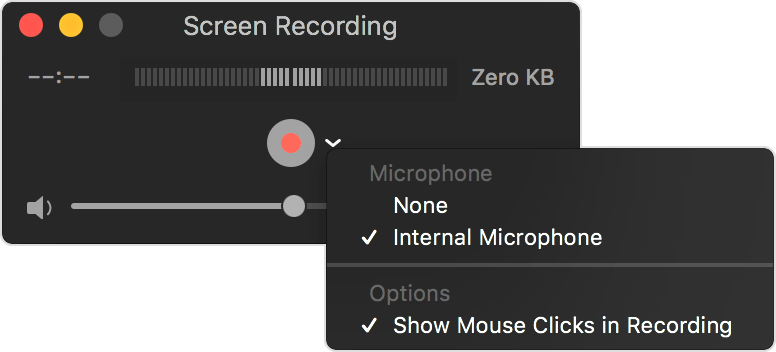
3.To start recording, click the Record button and then take one of these actions:
4.To stop recording, click the Stop button  in the menu bar, or press Command-Control-Esc (Escape).
5.After you stop recording, QuickTime Player automatically opens the recording. You can now play, edit, or share the recording."
More details can be found here: How to record the screen on your Mac
If the issue persists, can you provide a few more details? When did you first notice this? What is your exact macOS version? Also, are any Focus Modes enabled?
Cheers!
Understood Henry Upper,
What we'd recommend then is to contact Apple Support so they can do a deeper dive into this with you. They can help confirm if this is or is not expected behavior.
Thanks for using Apple Support Communities!
Hello,
I've been recording for about a year now and have yet to receive any notifications.
I never use focus modes, so they are always turned off. I'm currently using 13.2.1. (up to date). When I stop recording, all of the past due time reminders appear at once.
How can I see Reminders notifications while recording a screen?

