change ringtone
I bought a song I bought in iTunes and I need to know how to set it as my ringtone.
iPhone 13 Pro Max, iOS 16
I bought a song I bought in iTunes and I need to know how to set it as my ringtone.
iPhone 13 Pro Max, iOS 16
Hello tamala289,
This page can help provide some assistance with using ringtones: Use tones and ringtones with your iPhone or iPad - Apple Support
Choose from a variety of built-in sounds or buy ringtones from the iTunes Store.
Change your ringtone
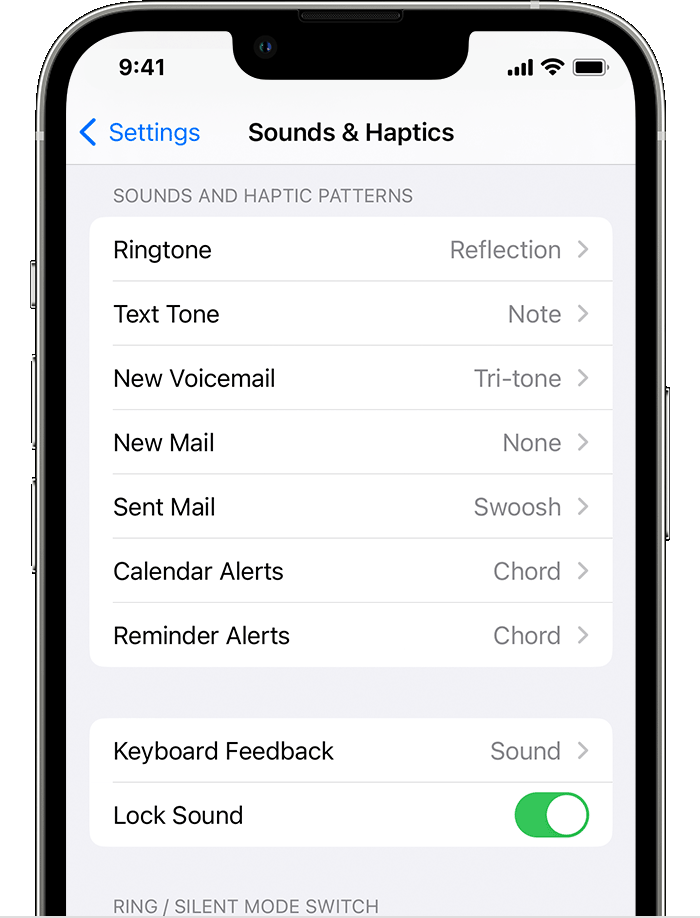
1. Go to Settings > Sounds & Haptics.
2. Under Sounds and Haptic Patterns, tap the sound that you want to change.
3. Tap a ringtone or alert tone to hear it and set it as the new sound.
If it was a standard song that was purchased, rather than a ringtone, these steps can help show where to purchase ringtones:
Buy ringtones from the iTunes Store
1. Open the iTunes Store app.
2. TapMore.
3. Tap Tones.
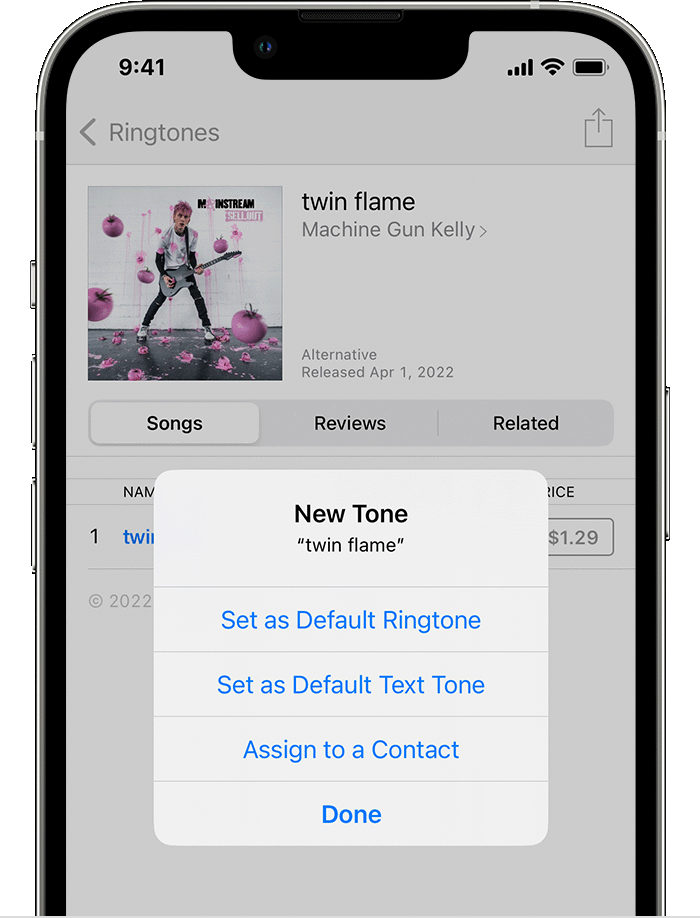
4. Find a ringtone that you want to buy, then tap the price.
5. Choose an option to automatically set the ringtone. Or tap Done to decide later.
6. You might need to enter your Apple ID password to complete your purchase.
Cheers.
change ringtone